kfconcept

K&F Concept Canada
K&F Concept Canada

Enjoy Your Selected Digital Life

Recently Viewed
  • Recently Viewed
  • Recently Viewed list is empty.

Compare (0) 0
  • Compare
  • You have not chosen any products to compare.

  • Compare
Currency: CAD
  • Currency

Log Into Your Account

Account

Order History

Wish List

Login

Forgotten Password?

or connect with

Register Account

Already have an Account?Log In

  • Shopping Cart
  • Your shopping cart is empty!

  • Register/Login to purchase, earn points
  • Favorite
  • Your wish list is empty.

  • Register/Login to like, earn points
  • Tripods
    • Carbon Fiber Tripods
    • Aluminum Tripods
    • Video Tripods
    • Monopods
    • Phone Tripods
    • Tripod Accessories
    • Mini Tripod
    • Action Camera Mounts
    • Studio Parts
      • Photography Fill Light
      • Soft Box
      • Reflectors
      • Ring Light
      • Camera Flash
      • Tripod Light Stands
    • Gimbal Stabilizers
  • Lens Filters
    • UV Filters
      • Nano-Xcel Series
        • MCUV - Nano-Xcel
        • Ultra-low Reflectivity MCUV Filters
        • MCUV Super Hard
        • Explosion-proof MCUV - Nano-Xcel
        • MCUV+Lens Cap+Cleaning Cloth
        • Super Hard&Ultra Low Reflection MCUV Filters - Nano-Xcel
        • Magnetic MCUV - Nano-Xcel
      • Nano-Dazzle Series
        • MCUV Filters - D Series
        • MCUV+Lens Cap+Cleaning Cloth
      • Nano-Klear Series
        • MCUV Filters
        • Ultra Thin Frame MCUV Filter
        • MCUV+Lens Cap
        • MCUV+Lens Cap+Cleaning Cloth
      • Nano-Xcel Pro Series
        • MCUV
    • CPL Filters
      • Nano-Xcel Series
        • True Color Ultra-low Reflectivity CPL - Nano-Xcel
      • Nano-Dazzle Series
        • CPL+Lens Cap+Cleaning Cloth - Nano-Dazzle
      • CPL - Nano-X Series
      • Nano-Klear Series
      • Nano-Xcel Pro Series
        • CPL - Nano-X Pro Series
      • CPL - Nano-K Series
      • CPL - Nano-D Series
      • CPL True Color - Nano-X Series
      • CPL+Lens Cap+Cleaning Cloth - Nano-K Series
      • Ultra-low Reflection CPL - Nano-X
      • Ultra-Thin CPL- Nano-K Series
      • CPL - Magnetic Series
        • Magnetic CPL + Apater Ring + Cap
    • Square Filter System
      • Basic System
        • Square ND Filter
          • ND4 Filters - Nano-Xcel Series
          • ND16 Filters - Nano-X
          • ND1000 Filters - Nano-X
          • ND2000 Filters - Nano-X
          • ND32000 Filters - Nano-X
          • Full Color ND8 Filters - Nano-X
          • Full Color ND64 Filters - Nano-X
        • Square GND Filter
        • Square Light Pollution Cut Filter
          • Light Pollution Cut Filter - Nano-X
        • Square Black Mist Filter
          • Black Mist 1 - Nano-X
          • Black Mist 1/2 - Nano-X
          • Black Mist 1/4 - Nano-Xcel Series
          • Black Mist 1/8 - Nano-X
        • Square Brackets & Accessories
          • Adapter Ring - Nano-X
        • 100mm Square Filter Kits
          • Square Filter - Nano-X
          • ND1000+Holder - Nano-X
          • ND1000+Soft GND8+Holder-Nano-X
          • Soft GND8+Holder - Nano-X
      • Professional System
        • Square PL Filter
        • Square ND Filter
          • Full Color ND8 Filters - Nano-X Pro
          • Full Color ND64 Filters - Nano-X Pro
          • Full Color ND1000 - Nano-X Pro
        • Square GND Filter
        • Black Mist 1/4 & CPL - Nano-X Pro
        • Light Pollution Cut Filter
          • Light Pollution Cut - Nano-X Pro
        • Square Brackets & Accessories
          • 100x100mm Square Filter Protect Frame - Nano-X Pro
          • 100x150mm Square Filter Protect Frame - Nano-X Pro
          • Adapter Ring - Nano-X Pro
        • Square Filter Kits
          • 100mm ND1000+Holder Kit - Nano-X Pro Series
          • 100mm ND1000+Soft GND8+Holder Kit - Nano-X Pro Series
          • 100mm ND8+ND64+ND1000+Holder Kit - Nano-X Pro Series
          • 100mm Holder Kit - Nano-X Pro Series
    • Neutral Density Filters
      • Neutral Density (Solid) Filters
        • Solid ND - Magnetic Series
        • ND8 (3 stops) - Nano-Xcel Series
        • ND64 (6 stops) - Nano-Xcel Series
        • ND1000 (10 stops) - Nano-Xcel Series
        • ND100000 (16.6 stops) - Nano-Xcel Series
        • ND1000000 (20 stops) - Nano-Xcel Series
        • ND100000 (16.6 stops) - Nano-Klear Series
        • ND1000000 (20 stops) - Nano-Klear Series
      • Unlimited Variable ND Filters
        • ND2-ND400 Filter w/ Cap - Nano-K
        • ND2-ND400 Filter Set - Nano-K
      • Variable Neutral Density
        • Nano-Xcel Series
          • ND2-ND32 - Nano-X Series
          • ND2-ND32 True Color - Nano-X Series
          • ND2-ND400 - Nano-X Series
          • ND8-ND128 - Nano-X Series
          • ND32-ND512 - Nano-Xcel
          • ND3-ND1000 - Nano-X Series
          • ND2-32 True Color Ultra-Low Reflection - Nano-Xcel
        • Nano-Dazzle Series
          • ND2-ND32 - Nano-Dazzle
          • ND2-ND400 - Nano-Dazzle
          • ND3-ND1000 - Nano-Dazzle
          • ND8-ND2000 - Nano-Dazzle
        • Nano-Klear Series
          • ND2-ND32 - Nano-Klear
          • ND2-ND400 - Nano-Klear
          • ND2-ND2000 - Nano-Klear
        • Nano-Xcel Pro Series
          • ND2-ND32 - Nano-Xcel Pro
        • Nano-B Series
          • ND2-ND400 - Nano-B
        • ND2-32&ND32-512 - Nano-X Series
      • Graduated Neutral Density
        • 100mm GND Filter
          • Soft GND8 Filters - Nano-Xcel Series
          • Hard GND8 Filters - Nano-Xcel Series
          • Reverse GND8 Filters - Nano-Xcel Series
          • Soft GND16 Filters - Nano-Xcel Series
          • Reverse GND16 Filters - Nano-Xcel Series
          • Soft GND8 Filters - Nano-Xcel Pro Series
          • Hard GND8 Filters - Nano-Xcel Pro Series
          • Reverse GND8 Filters - Nano-Xcel Pro Series
          • Soft GND16 Filters - Nano-Xcel Pro Series
          • Reverse GND16 Filters - Nano-Xcel Pro Series
        • Circular GND Filter
          • GND8 - Nano-Xcel Series
          • GND16 - Nano-Xcel Series
      • 2 in 1 Filters
        • ND4-ND64 & CPL - Nano-X Series
        • ND2-ND32 & CPL - Nano-X Pro
        • ND2-ND32 & CPL - Nano-X Series
        • ND2-32&CPL Filters - Nano K Series
        • ND2-ND32 & CPL - Nano-D Series
        • ND2-ND32&CPL True Color - Nano-X
    • Black Mist & Soft Focus Filters
      • Black Mist
        • Black Mist 1
          • Black Mist 1 - Nano-X Series
          • Black Mist 1 - Nano-K Series
        • Black Mist 1/2
          • Black Mist 1/2 - Nano-X Series
          • Black Mist 1/2 - Nano-K Series
        • Black Mist 1/4
          • Black Mist 1/4 - Nano-X Series
          • Black Mist 1/4 - Nano-D Series
          • Black Mist 1/4 + Cloth - Nano-K Series
          • Black Mist 1/4 - Nano-Xcel Pro Series
        • Black Mist 1/8
          • Black Mist 1/8 - Nano-X Series
          • Black Mist 1/8 + Cloth - Nano-K
          • Black Mist 1/8 - Nano-D
          • Black Mist 1/8 - Nano-Xcel Pro Series
        • Black Mist Kit
          • Black Mist 1/4 + 1/8
          • Black Mist 1/4 + 1/8 - Nano Klear Series
        • Black-Mist & VND
          • Black Mist 1/4 & ND2-32 Filters - Nano-Klear Series
          • Black Mist 1/4 & ND2-400 Filters - Nano-Xcel Series
          • Black Mist 1/4 & ND8-128 Filter
          • Black Mist 1/4 & ND2-32 Filter
          • Black Mist 1/8 & ND2-32 Filters - Nano-Klear Series
      • White Mist
        • White Mist 1/4 - Nano-Xcel Series
        • White Mist 1/4 - Nano-Klear Series
      • Cool Mist
        • Cool Mist 1/4 - Nano-Xcel
      • Vintage Soft
      • Combination Soft & Mist
    • Magnetic Lens Filters
      • MCUV Filters
        • Magnetic MCUV + Lens Cap
        • Magnetic MCUV - Nano-K Series
      • Polarizers
        • Magnetic CPL + Adapter Ring
        • Magnetic CPL+Adapter Ring - Nano-Klear Series
      • Black-Mist
        • Black Mist 1/8 - Nano-X Series
        • Black Mist 1/4 - Nano-X Series
        • Black Mist 1 - Nano-X Series
      • Unlimited Variable ND Filter
        • ND2-ND32 - Magnetic Series
        • ND8-ND128 - Magnetic Series
      • Neutral Density (Solid) Filter
        • Magnetic ND8 - Nano-X Serie
        • Magnetic ND64 - Nano-X Serie
        • Magnetic ND1000 - Nano-X Serie
      • Filter Kits
        • MCUV+CPL+ND1000 - Nano X Series
        • CPL+ND8+ND64+Adapter Ring+Lens Cap - Nano X Series
        • GND8+ND8+ND64+ND1000 - Nano X Series
        • CPL+VND2-32+Black Mist 1/4+Magnetic Ring+Lens Cap - Nano-Xcel Series
      • Accessories
        • Magnetic Adapter Ring
        • Magnetic Filter Ring
        • Magnetic Cap
    • Action Camera Filters
      • Action Camera Accessories
      • DJI Osmo Action 4 / Action 5 Pro
      • DJI Osmo Action 5 Pro
      • GOPRO Hero 9/10/11/12/13
      • Insta360 GO3
      • Insta360 GO3S
      • DJI Action 3
    • Filter Kit
      • Black Diffusion 1/4 + 1/8
      • Screw-In Filters
        • MCUV+CPL Filter - Nano K Series
        • MCUV+CPL+Lens Cap - Nano K Series
        • MCUV+CPL+Lens Cap - Nano-Xcel Series
        • MCUV+CPL+ND1000+Lens Cap - Nano-Dazzle Series
        • MCUV+CPL+ND4
        • ND1000+CPL
        • ND4+ND8+ND64+ND1000
        • MCUV+CPL
      • Magnetic Filters
      • Square Filters
    • Effects Filters
      • Shimmer Diffusion Filters
        • Shimmer Diffusion 1 - Nano-Xcel Series
        • Shimmer Diffusion 1 - Nano-Klear Series
      • Prism Filters
        • Central Prism Filters
          • Central Pentagonal Filters - Nano-Basic Series
          • Central Hexagonal Filters - Nano-Basic Series
        • Ordinary Prism Filters
          • Triangular Filtres - Nano-Basic Series
      • Streak Filters
        • Blue Streak Filter
        • Gold Streak Filters - Nano-Xcel Series
        • Colorful Streak Filters - Nano-B Series
        • Blue Streak Filters - Nano-Klear Series
      • Kaleidoscope Filters
        • Kaleidoscope Filters - Nano-Basic Series
        • Handheld Kaleidoscope Filters - Nano-Basic Series
      • Motion Blur Filters
        • Directional Motion Blur - Nano-Basic Series
        • Bidirectional Motion Blur - Nano-Basic Series
      • Centerfield Split Diopter Filters - Nano-Klear Series
      • Macro Filters (Close-up)
      • Star Filter
        • Star Filters 4-8 Points - Nano-K Series
        • Star Filter Kits 4+6+8 Points - Nano-K Series
    • Filter Accessories
      • Lens Hoods
      • Polarized Film
      • Rings Kits
        • Step Up Rings
        • Step Down Rings
      • Filter Holders & Frames
      • Filter Holder Adapter Rings
        • Filter Adapter Rings
      • Filter Pouches
        • 150mm Pouch for Nano-X Pro System
        • 100mm Pouch for Nano-X Pro System
        • 110x106mm Filter Pouch
        • 96x96mm Filter Pouch
        • Pocket Filter Pouch
      • Lens Caps
        • Caps for Magnetic Filters
        • Caps for Variable ND Filters
        • Anti-lost Lens Cap
          • 4 in 1
          • 5 in 1
          • 9 in 1
    • Handheld Camera Filters
      • DJI Osmo Pocket 4/3 Filters
      • DJI Osmo Pocket 3 Accessories
        • Charging Base
      • DJI Osmo Pocket 4 Accessories
    • Light Pollution Filters
      • Light Pollution Cut Filter - Circular
      • Light Pollution Cut Filter - Square
    • Phone Lens Filters
    • Drone Filters
      • DJI Air 2S
      • DJI Air 3S
      • DJI Avata2
      • DJI Mavic 3 Classic
      • DJI Mavic 3 Pro
      • DJI Mini
      • DJI Mini 4 Pro
      • DJI Mini 3 PRO
      • DJI Flip
      • DJI NEO
      • DJI Mavic 4 Pro
      • DJI Mini 5 Pro
      • DJI Air 3 Filters
    • Matte Box & Filter Systems
      • Neutral Density (Solid) Filters
        • ND4 - Nano-X Series
        • ND8 - Nano-X Series
        • ND16 - Nano-X Series
        • ND32 - Nano-X Series
        • ND64 - Nano-X Series
        • ND8+ND64 - Nano-X Series
      • UV Filters
      • Black Mist Filters
        • Black Mist 1/4 - Nano-X
        • Black Mist 1/8 - Nano-X Series
      • Blue Streak Filters
      • Kits
        • Matte Box - Nano-Xcel
        • Matte Box Pro - Nano-Xcel Series
        • Matte Box+ND8 Square Filter - Nano-Xcel
        • Matte Box+ND4+ND32 Square Filter - Nano-Xcel
        • Matte Box+Black Mist 1/4 Square Filter - Nano-Xcel
    • Brand-specific Filters
      • Fujifilm X100
      • Ricoh GR
  • Lens Adapters
    • Sony A Mount Body
    • Fujifilm X Mount Body
    • Fujifilm C (GFX) Mount Body
    • C-Mount Body
    • Leica M Mount Body
    • Micro Four Thirds (M43) Mount Body
    • Pentax K Mount Body
    • Pentax Q Mount Body
    • Samsung NX Mount Body
    • Nikon F Mount Body
    • Nikon 1 Mount Body
    • Nikon Z Mount Body
    • Canon EOS EF/EF-S Mount Body
    • Canon EOS M Mount Body
    • Canon RF Mount Body
    • Sony E Mount Body
    • L-Mount Alliance (Leica)
  • Camera Bags
    • Camera Backpacks
    • Camera Straps
    • Camera Cases
    • Camera Shoulder Bags
    • Backpack Accessories
  • Surveillance Camera
    • Battery Camera
    • WiFi Camera
    • Baby Monitor
    • Feeder Camera
    • Floodlight camera
    • Monitoring Detector
  • Camera
    • Digital Camera & Camcorders
    • Trail Camera
      • Wifi Trail Cameras
      • Non-Cellular Trail Cameras
      • Cellular Trail Cameras
      • Accessories
    • Camera Battery
      • insta360
      • Sony
      • Canon
      • Nikon
      • FUJIFILM
      • Gopro
      • Lumix
      • Osmo Action
      • V Mount Battery
      • Memory Card Case
    • Camera Lenses
    • Webcam
    • Fishing Camera
    • On-Dash Camera
    • time lapse camera
    • Memory Cards
    • Camera Accessories
      • Camera Body Caps & Lens Rear Caps
      • Camera Screen Protectors
        • Canon
        • Sony
        • Fujifilm
        • Nikon
        • Olympus
        • Ricoh
        • GoPro
        • DJI Osmo Pocket 3
      • Camera Hot Shoe Covers
      • Camera Viewfinder Eyecups
        • Nikon
        • Sony
        • Canon
      • Adjustment Iris
      • Ricoh GR Lens Caps
  • Endoscope
    • Digital Otoscope
    • Household Endoscope
    • Professional Endoscope
    • Portable Endoscope
  • Optics
    • Binoculars
    • Microscope
    • Monocular
    • Spotting Scope
    • Telescope
    • Night Vision Goggles
    • Rangefinder
  • More
    • Cleaning Kits
    • Digital Voice Recorders
    • Metal Detectors
    • Microphone
    • Motorcycle Bluetooth Headset
    • Remote Sensors
    • Drone Accessories
      • DJI Air 2S Accessories
      • DJI Air 3 Accessories
      • DJI Avata Accessories
      • DJI Drone Universal Accessories
      • DJI Mavic Mini 2/Mini 2 SE/Mini Accessories
      • DJI Mavic Mini 3 Accessories
      • DJI Mini 3 Pro Accessories
    • Language Translator Device
    • Smart Glasses
    • Solar Panels
    • Handheld Game Console
    • Lights
      • Video Fill Light
      • Live Ring Light
      • Outdoor Lighting
    • Camera Microphones
    • Headphones
    • Weather Station & Household Sensors
    • Smart Watch
    • Smart lock
    • Chicken Coop Door
    • Studio
  • Deals
    • Specials
    • Coupon
  • Home
  • Blog
  • How Do You Move Photos To Sd Card?

How Do You Move Photos To Sd Card?

K&f concept 2024-07-12 04:18:30 0 Comments

Moving photos to an SD card is a common task that many users need to perform to free up space on their devices or to create backups of their precious memories. Whether you are using a smartphone, a digital camera, or a computer, the process can vary slightly. In this article, we will explore the different methods for moving photos to an SD card, providing step-by-step instructions for each device type. By the end of this guide, you will have a clear understanding of how to efficiently transfer your photos to an SD card.

Moving Photos on an Android Smartphone

how do you move photos to sd card 1

For Android users, moving photos to an SD card is a straightforward process. Here’s how you can do it:

1. Insert the SD Card: Ensure that your SD card is properly inserted into your smartphone. Most Android phones have a slot for the SD card, usually located next to the SIM card slot.

2. Open the File Manager: Navigate to your phone’s file manager. This app might be named “Files,” “My Files,” or something similar, depending on your device.

3. Locate Your Photos: Go to the folder where your photos are stored. This is typically the “DCIM” folder, which stands for Digital Camera Images.

4. Select Photos: Tap and hold on a photo to select it. You can then select multiple photos by tapping on them. Some file managers also have a “Select All” option.

5. Move Photos: Once you have selected the photos, look for the “Move” or “Cut” option. This is usually represented by an icon that looks like a pair of scissors or a folder with an arrow.

6. Choose Destination: Navigate to the SD card within the file manager and select the folder where you want to move the photos. Tap “Move Here” or a similar option to complete the transfer.

Moving Photos on an iPhone
how do you move photos to sd card 2

iPhones do not support SD cards directly, but you can use an SD card reader to transfer photos. Here’s how:

1. Connect the SD Card Reader: Plug the SD card reader into your iPhone’s Lightning port.

2. Insert the SD Card: Insert your SD card into the reader.

3. Open the Photos App: Open the Photos app on your iPhone.

4. Import Photos: Tap on the “Import” tab at the bottom of the screen. Your iPhone will display the photos available on the SD card.

5. Select Photos: Choose the photos you want to move by tapping on them. You can also select “Import All” to transfer all photos.

6. Complete the Transfer: Tap “Import Selected” or “Import All” to move the photos to your iPhone. Once the import is complete, you can delete the photos from your iPhone to free up space.

Moving Photos on a Digital Camera
how do you move photos to sd card 3

Most digital cameras use SD cards to store photos. To move photos from your camera to another SD card or device, follow these steps:

1. Remove the SD Card: Turn off your camera and remove the SD card.

2. Insert the SD Card into a Computer: Use an SD card reader if your computer does not have a built-in SD card slot.

3. Copy Photos to Computer: Open the SD card folder on your computer and copy the photos to a designated folder on your computer.

4. Insert New SD Card: If you are moving photos to a new SD card, insert the new card into the SD card reader.

5. Transfer Photos: Copy the photos from your computer to the new SD card.

Moving Photos on a Windows Computer
how do you move photos to sd card 4

If you are using a Windows computer, you can move photos to an SD card as follows:

1. Insert the SD Card: Insert the SD card into your computer’s SD card slot or use an external SD card reader.

2. Open File Explorer: Open File Explorer and navigate to the folder where your photos are stored.

3. Select Photos: Select the photos you want to move. You can use the Ctrl key to select multiple photos or Ctrl + A to select all photos in the folder.

4. Move Photos: Right-click on the selected photos and choose “Cut” or “Copy.”

5. Paste Photos to SD Card: Navigate to the SD card in File Explorer, right-click in the destination folder, and choose “Paste.”

Moving Photos on a Mac

For Mac users, the process is similar to that on a Windows computer:

1. Insert the SD Card: Insert the SD card into your Mac’s SD card slot or use an external SD card reader.

2. Open Finder: Open Finder and navigate to the folder where your photos are stored.

3. Select Photos: Select the photos you want to move. You can use the Command key to select multiple photos or Command + A to select all photos in the folder.

4. Move Photos: Right-click on the selected photos and choose “Cut” or “Copy.”

5. Paste Photos to SD Card: Navigate to the SD card in Finder, right-click in the destination folder, and choose “Paste.”

Tips for Moving Photos to an SD Card

- Backup Your Photos: Before moving your photos, it’s a good idea to create a backup. This ensures that you don’t lose any important files during the transfer process.

- Check SD Card Capacity: Make sure your SD card has enough space to accommodate the photos you are moving. SD cards come in various capacities, so choose one that meets your needs.

- Organize Your Photos: Consider organizing your photos into folders before moving them. This makes it easier to find specific photos later.

- Safely Eject the SD Card: Always safely eject the SD card from your device to prevent data corruption. On a computer, you can do this by right-clicking on the SD card icon and selecting “Eject.”

Moving photos to an SD card is a simple yet essential task for managing your digital photo collection. Whether you are using a smartphone, digital camera, or computer, the steps outlined in this guide will help you transfer your photos efficiently. By following these instructions, you can free up space on your devices, create backups, and keep your photos organized. Remember to always handle your SD cards with care and to back up your photos regularly to avoid any potential data loss.
Leave your comment
Cancel reply
Note: HTML is not translated!
Related Products
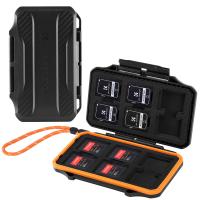
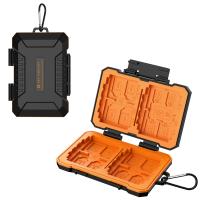
K&F Concept 36 Slots SD Micro SD Memory Card Case, Water-Resistant SD Card Holder, Anti-Shock Card Carrying Storage Box for 24 Micro SD SDXC SDHC TF Cards and 12 SD SDXC SDHC Cards
C$21.49 C$16.99
K&F Concept 28 Slots Micro SD Card Case,Water-Resistant Anti-Shock Anti-Dust TF Card Holder,Micro SD/Micro SDHC/Micro SDXC Card Box Organizer Storage
C$21.49 C$16.99
K&F Concept 24 Slots SD Card Holder Memory Card Case, Water-Resistant Shockproof Memory Card Storage Carrying Case for 12 SD SDXC SDHC Cards, 12 CFexpress Type A Cards
C$21.49 C$16.99
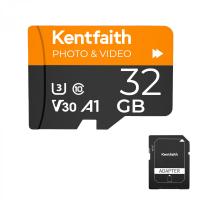
32GB Micro SD Card U3/V30/A1 with Adapter, Memory Card for Cameras, Borescopes,  Microscopes, Night Vision Goggles, Kentfaith
32GB Micro SD Card U3/V30/A1 with Adapter, Memory Card for Cameras, Borescopes, Microscopes, Night Vision Goggles, Kentfaith
C$27.36 C$21.89
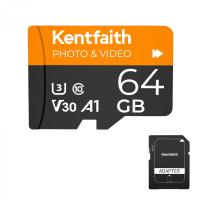
64GB Micro SD Card U3/V30/A1 with Adapter, Memory Card for Cameras, Borescopes,  Microscopes, Night Vision Goggles, Kentfaith
64GB Micro SD Card U3/V30/A1 with Adapter, Memory Card for Cameras, Borescopes, Microscopes, Night Vision Goggles, Kentfaith
C$39.99 C$36.99
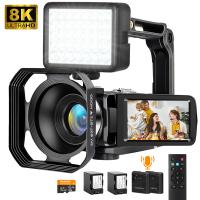
8K Camcorder, 64MP Photos, WiFi Connect, 2 Batteries, Remote Control, 64GB Card, Kentfaith
C$498.11 C$398.49
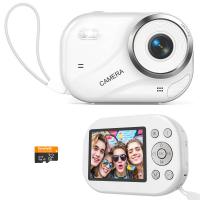
Digital Camera for Teens, 4K Videos 48MP Photos, Auto Focus, WiFi Transfer, 32GB Card, Kentfaith
C$133.25 C$106.60
Memory Card Case with 25 Slots, Anti-Shock Carrying Case for 4 SD Cards, 4 CF Cards or 4XQDs, 4 CFexpress Cards, 12 Micro SD (TF) Cards, 2 Nano SIM, 2 Micro SIM and 1 SIM Card
C$29.99
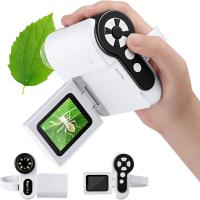
Digital Microscope for Kids, 1000X Handheld Kids Microscope with 6 Adjustable LED Lights, 2'' LCD Screen Mini Portable Microscope USB to PC for Kids 8-12, 32GB SD Card Including
20
C$107.30 C$85.84
Guess you like products
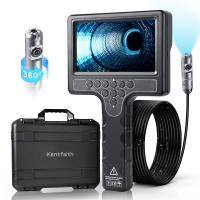
Plumbing Inspection Camera with 360° Rotating Side Camera 7" HD Screen 32ft
13
C$817.04 C$653.63
Day and night dual-use night vision monocular night vision device, 1.5-inch visual screen, 5x digital zoom, support video recording and photo shooting, portable and rechargeable infrared night vision device, suitable for day and night hunting, camping
NEW Arrival
Day and night dual-use night vision monocular night vision device, 1.5-inch visual screen, 5x digital zoom, support video recording and photo shooting, portable and rechargeable infrared night vision device, suitable for day and night hunting, camping
C$99.99
72mm Black Mist 1/4 & CPL Filter 2 in 1 Black Diffusion Circular Polarizing Effect Filter with 18 Multi-Layer Coatings Nano-Klear Series
C$46.06 C$38.39
67mm Magnetic Lens Filter Kit GND8+ND8+ND64 +ND1000+Magnetic Adapter Ring 5 in 1 Quick Swap System Nano-Xcelcel Series
C$193.52 C$145.99
39mm MCUV Protection Filter Slim Frame with 18-Multi-Layer Coatings for Camera Lens
88
C$19.99
82mm Black Diffusion Black Diffusion Pro-Mist 1/4 + 1/8 Filter Kit (each 1 pcs) Mist Cinematic Effect Filter for Vlog/Video/Portrait Image with 28 Multi-Layer Coated-Nano-Xcel
C$165.87 C$131.99
1312Yd Rechargeable Hunting Rangefinder with Angle Compensation & Touchscreen
17
C$235.66 C$188.53
Related Articles
How Do You Move Storage To Sd Card?
How Do You Delete Photos From Sd Card?
Can You Move Apps To Sd Card?
How To Move Apps On Sd Card?
Apps That Can Move To Sd Card?
How Can We Move Apps To Sd Card?
How To Move Apps On Sd Card Android?
Can I Move An App To Sd Card?
Can I Move Apps To An Sd Card?
Where Can You Buy A Dash Cam?
Guess you like articles
Can You Move Apps To Sd Card?
How To Use Nd Filters On Drone?
How To Get Phone Out Of Headphone Mode?
How To Install Micro Sd Card In Switch?
How To Use Projector?
How Many Photos Can A Memory Card Hold?
How To Recover Lost Photos From Sd Card?
How Much Are Projectors?
How The Telescope Works?
Carbon Monoxide Detector What Are The Light?
Related categories
variable ND2 to ND400 filter square filter holder system pro kit DJI Mini 5 Pro filter Camera Lens Cap K&F Concept DJI Mavic Mini 3 Accessories astronomical refracting telescope Black Mist 1/8 Filter black pro mist 1 4 filter Lens Filters for DJI Osmo Pocket 4/3 Nikon Z lens adapter
Related searches
Trail Camera With Sim Card Can You Put Nikon Lens On Canon Yashica To Canon M42 To Gfx Mamiya To Gfx Adapter Md To Gfx Adapter Ef To Efm Adapter Ef To Efs Adapter Ef To L Mount F To Z Adapter
Blog Category
  • News & Reviews
Search Article
Latest from the Blog
What Is The Best Camera Bag?
Which App Is Best For Secret Voice Recording?
What Kind Of Telescope Is Best For Beginners?
What Is The Best Thermal Imaging Monocular?
What Is The Best Camera For Cycling?
How To Display Wireless Cctv Camera On Tv?
How To Install Front Door Security Camera?
What Is The Best Floodlight Security Camera?
Which Overhead Headphones Are Best?
Kentfaith Canada x Citadel Season 2: Exclusive Camera Gear Deals & Free Shipping
Can You Make Telescope From Old Binoculars?
What Is The Best Non-subscription Security System?
What Are The Best Ear Plugs For Motorcycling?
Exploring the new Sony A7M5 camera: What are the upgrades and is it worth buying?
What Is The Best Solar-powered Outdoor Camera?
Kentfaith Black Friday 2025 Deals
What Is The Best Wireless Lav Mic?
What Is The Best Motion Sensor Light With Camera?
Who Makes The Best Led Flood Lights?
Prime Day 2026 – Celebrate 15 Years of K&F Concept with Exclusive Savings
Powered By K&F Concept © 2026