kfconcept

K&F Concept Canada
K&F Concept Canada

Enjoy Your Selected Digital Life

Recently Viewed
  • Recently Viewed
  • Recently Viewed list is empty.

Compare (0) 0
  • Compare
  • You have not chosen any products to compare.

  • Compare
Currency: CAD
  • Currency

Log Into Your Account

Account

Order History

Wish List

Login

Forgotten Password?

or connect with

Register Account

Already have an Account?Log In

  • Shopping Cart
  • Your shopping cart is empty!

  • Register/Login to purchase, earn points
  • Favorite
  • Your wish list is empty.

  • Register/Login to like, earn points
  • Tripods
    • Carbon Fiber Tripods
    • Aluminum Tripods
    • Video Tripods
    • Monopods
    • Phone Tripods
    • Tripod Accessories
    • Mini Tripod
    • Action Camera Mounts
    • Studio Parts
      • Photography Fill Light
      • Soft Box
      • Reflectors
      • Ring Light
      • Camera Flash
      • Tripod Light Stands
    • Gimbal Stabilizers
  • Lens Filters
    • UV Filters
      • Nano-Xcel Series
        • MCUV - Nano-Xcel
        • Ultra-low Reflectivity MCUV Filters
        • MCUV Super Hard
        • Explosion-proof MCUV - Nano-Xcel
        • MCUV+Lens Cap+Cleaning Cloth
        • Super Hard&Ultra Low Reflection MCUV Filters - Nano-Xcel
        • Magnetic MCUV - Nano-Xcel
      • Nano-Dazzle Series
        • MCUV Filters - D Series
        • MCUV+Lens Cap+Cleaning Cloth
      • Nano-Klear Series
        • MCUV Filters
        • Ultra Thin Frame MCUV Filter
        • MCUV+Lens Cap
        • MCUV+Lens Cap+Cleaning Cloth
      • Nano-Xcel Pro Series
        • MCUV
    • CPL Filters
      • Nano-Xcel Series
        • True Color Ultra-low Reflectivity CPL - Nano-Xcel
      • Nano-Dazzle Series
        • CPL+Lens Cap+Cleaning Cloth - Nano-Dazzle
      • CPL - Nano-X Series
      • Nano-Klear Series
      • Nano-Xcel Pro Series
        • CPL - Nano-X Pro Series
      • CPL - Nano-K Series
      • CPL - Nano-D Series
      • CPL True Color - Nano-X Series
      • CPL+Lens Cap+Cleaning Cloth - Nano-K Series
      • Ultra-low Reflection CPL - Nano-X
      • Ultra-Thin CPL- Nano-K Series
      • CPL - Magnetic Series
        • Magnetic CPL + Apater Ring + Cap
    • Square Filter System
      • Basic System
        • Square ND Filter
          • ND4 Filters - Nano-Xcel Series
          • ND16 Filters - Nano-X
          • ND1000 Filters - Nano-X
          • ND2000 Filters - Nano-X
          • ND32000 Filters - Nano-X
          • Full Color ND8 Filters - Nano-X
          • Full Color ND64 Filters - Nano-X
        • Square GND Filter
        • Square Light Pollution Cut Filter
          • Light Pollution Cut Filter - Nano-X
        • Square Black Mist Filter
          • Black Mist 1 - Nano-X
          • Black Mist 1/2 - Nano-X
          • Black Mist 1/4 - Nano-Xcel Series
          • Black Mist 1/8 - Nano-X
        • Square Brackets & Accessories
          • Adapter Ring - Nano-X
        • 100mm Square Filter Kits
          • Square Filter - Nano-X
          • ND1000+Holder - Nano-X
          • ND1000+Soft GND8+Holder-Nano-X
          • Soft GND8+Holder - Nano-X
      • Professional System
        • Square PL Filter
        • Square ND Filter
          • Full Color ND8 Filters - Nano-X Pro
          • Full Color ND64 Filters - Nano-X Pro
          • Full Color ND1000 - Nano-X Pro
        • Square GND Filter
        • Black Mist 1/4 & CPL - Nano-X Pro
        • Light Pollution Cut Filter
          • Light Pollution Cut - Nano-X Pro
        • Square Brackets & Accessories
          • 100x100mm Square Filter Protect Frame - Nano-X Pro
          • 100x150mm Square Filter Protect Frame - Nano-X Pro
          • Adapter Ring - Nano-X Pro
        • Square Filter Kits
          • 100mm ND1000+Holder Kit - Nano-X Pro Series
          • 100mm ND1000+Soft GND8+Holder Kit - Nano-X Pro Series
          • 100mm ND8+ND64+ND1000+Holder Kit - Nano-X Pro Series
          • 100mm Holder Kit - Nano-X Pro Series
    • Neutral Density Filters
      • Neutral Density (Solid) Filters
        • Solid ND - Magnetic Series
        • ND8 (3 stops) - Nano-Xcel Series
        • ND64 (6 stops) - Nano-Xcel Series
        • ND1000 (10 stops) - Nano-Xcel Series
        • ND100000 (16.6 stops) - Nano-Xcel Series
        • ND1000000 (20 stops) - Nano-Xcel Series
        • ND100000 (16.6 stops) - Nano-Klear Series
        • ND1000000 (20 stops) - Nano-Klear Series
      • Unlimited Variable ND Filters
        • ND2-ND400 Filter w/ Cap - Nano-K
        • ND2-ND400 Filter Set - Nano-K
      • Variable Neutral Density
        • Nano-Xcel Series
          • ND2-ND32 - Nano-X Series
          • ND2-ND32 True Color - Nano-X Series
          • ND2-ND400 - Nano-X Series
          • ND8-ND128 - Nano-X Series
          • ND32-ND512 - Nano-Xcel
          • ND3-ND1000 - Nano-X Series
          • ND2-32 True Color Ultra-Low Reflection - Nano-Xcel
        • Nano-Dazzle Series
          • ND2-ND32 - Nano-Dazzle
          • ND2-ND400 - Nano-Dazzle
          • ND3-ND1000 - Nano-Dazzle
          • ND8-ND2000 - Nano-Dazzle
        • Nano-Klear Series
          • ND2-ND32 - Nano-Klear
          • ND2-ND400 - Nano-Klear
          • ND2-ND2000 - Nano-Klear
        • Nano-Xcel Pro Series
          • ND2-ND32 - Nano-Xcel Pro
        • Nano-B Series
          • ND2-ND400 - Nano-B
        • ND2-32&ND32-512 - Nano-X Series
      • Graduated Neutral Density
        • 100mm GND Filter
          • Soft GND8 Filters - Nano-Xcel Series
          • Hard GND8 Filters - Nano-Xcel Series
          • Reverse GND8 Filters - Nano-Xcel Series
          • Soft GND16 Filters - Nano-Xcel Series
          • Reverse GND16 Filters - Nano-Xcel Series
          • Soft GND8 Filters - Nano-Xcel Pro Series
          • Hard GND8 Filters - Nano-Xcel Pro Series
          • Reverse GND8 Filters - Nano-Xcel Pro Series
          • Soft GND16 Filters - Nano-Xcel Pro Series
          • Reverse GND16 Filters - Nano-Xcel Pro Series
        • Circular GND Filter
          • GND8 - Nano-Xcel Series
          • GND16 - Nano-Xcel Series
      • 2 in 1 Filters
        • ND4-ND64 & CPL - Nano-X Series
        • ND2-ND32 & CPL - Nano-X Pro
        • ND2-ND32 & CPL - Nano-X Series
        • ND2-32&CPL Filters - Nano K Series
        • ND2-ND32 & CPL - Nano-D Series
        • ND2-ND32&CPL True Color - Nano-X
    • Black Mist & Soft Focus Filters
      • Black Mist
        • Black Mist 1
          • Black Mist 1 - Nano-X Series
          • Black Mist 1 - Nano-K Series
        • Black Mist 1/2
          • Black Mist 1/2 - Nano-X Series
          • Black Mist 1/2 - Nano-K Series
        • Black Mist 1/4
          • Black Mist 1/4 - Nano-X Series
          • Black Mist 1/4 - Nano-D Series
          • Black Mist 1/4 + Cloth - Nano-K Series
          • Black Mist 1/4 - Nano-Xcel Pro Series
        • Black Mist 1/8
          • Black Mist 1/8 - Nano-X Series
          • Black Mist 1/8 + Cloth - Nano-K
          • Black Mist 1/8 - Nano-D
          • Black Mist 1/8 - Nano-Xcel Pro Series
        • Black Mist Kit
          • Black Mist 1/4 + 1/8
          • Black Mist 1/4 + 1/8 - Nano Klear Series
        • Black-Mist & VND
          • Black Mist 1/4 & ND2-32 Filters - Nano-Klear Series
          • Black Mist 1/4 & ND2-400 Filters - Nano-Xcel Series
          • Black Mist 1/4 & ND8-128 Filter
          • Black Mist 1/4 & ND2-32 Filter
          • Black Mist 1/8 & ND2-32 Filters - Nano-Klear Series
      • White Mist
        • White Mist 1/4 - Nano-Xcel Series
        • White Mist 1/4 - Nano-Klear Series
      • Cool Mist
        • Cool Mist 1/4 - Nano-Xcel
      • Vintage Soft
      • Combination Soft & Mist
    • Magnetic Lens Filters
      • MCUV Filters
        • Magnetic MCUV + Lens Cap
        • Magnetic MCUV - Nano-K Series
      • Polarizers
        • Magnetic CPL + Adapter Ring
        • Magnetic CPL+Adapter Ring - Nano-Klear Series
      • Black-Mist
        • Black Mist 1/8 - Nano-X Series
        • Black Mist 1/4 - Nano-X Series
        • Black Mist 1 - Nano-X Series
      • Unlimited Variable ND Filter
        • ND2-ND32 - Magnetic Series
        • ND8-ND128 - Magnetic Series
      • Neutral Density (Solid) Filter
        • Magnetic ND8 - Nano-X Serie
        • Magnetic ND64 - Nano-X Serie
        • Magnetic ND1000 - Nano-X Serie
      • Filter Kits
        • MCUV+CPL+ND1000 - Nano X Series
        • CPL+ND8+ND64+Adapter Ring+Lens Cap - Nano X Series
        • GND8+ND8+ND64+ND1000 - Nano X Series
        • CPL+VND2-32+Black Mist 1/4+Magnetic Ring+Lens Cap - Nano-Xcel Series
      • Accessories
        • Magnetic Adapter Ring
        • Magnetic Filter Ring
        • Magnetic Cap
    • Action Camera Filters
      • Action Camera Accessories
      • DJI Osmo Action 4 / Action 5 Pro
      • DJI Osmo Action 5 Pro
      • GOPRO Hero 9/10/11/12/13
      • Insta360 GO3
      • Insta360 GO3S
      • DJI Action 3
    • Filter Kit
      • Black Diffusion 1/4 + 1/8
      • Screw-In Filters
        • MCUV+CPL Filter - Nano K Series
        • MCUV+CPL+Lens Cap - Nano K Series
        • MCUV+CPL+Lens Cap - Nano-Xcel Series
        • MCUV+CPL+ND1000+Lens Cap - Nano-Dazzle Series
        • MCUV+CPL+ND4
        • ND1000+CPL
        • ND4+ND8+ND64+ND1000
        • MCUV+CPL
      • Magnetic Filters
      • Square Filters
    • Effects Filters
      • Shimmer Diffusion Filters
        • Shimmer Diffusion 1 - Nano-Xcel Series
        • Shimmer Diffusion 1 - Nano-Klear Series
      • Prism Filters
        • Central Prism Filters
          • Central Pentagonal Filters - Nano-Basic Series
          • Central Hexagonal Filters - Nano-Basic Series
        • Ordinary Prism Filters
          • Triangular Filtres - Nano-Basic Series
      • Streak Filters
        • Blue Streak Filter
        • Gold Streak Filters - Nano-Xcel Series
        • Colorful Streak Filters - Nano-B Series
        • Blue Streak Filters - Nano-Klear Series
      • Kaleidoscope Filters
        • Kaleidoscope Filters - Nano-Basic Series
        • Handheld Kaleidoscope Filters - Nano-Basic Series
      • Motion Blur Filters
        • Directional Motion Blur - Nano-Basic Series
        • Bidirectional Motion Blur - Nano-Basic Series
      • Centerfield Split Diopter Filters - Nano-Klear Series
      • Macro Filters (Close-up)
      • Star Filter
        • Star Filters 4-8 Points - Nano-K Series
        • Star Filter Kits 4+6+8 Points - Nano-K Series
    • Filter Accessories
      • Lens Hoods
      • Polarized Film
      • Rings Kits
        • Step Up Rings
        • Step Down Rings
      • Filter Holders & Frames
      • Filter Holder Adapter Rings
        • Filter Adapter Rings
      • Filter Pouches
        • 150mm Pouch for Nano-X Pro System
        • 100mm Pouch for Nano-X Pro System
        • 110x106mm Filter Pouch
        • 96x96mm Filter Pouch
        • Pocket Filter Pouch
      • Lens Caps
        • Caps for Magnetic Filters
        • Caps for Variable ND Filters
        • Anti-lost Lens Cap
          • 4 in 1
          • 5 in 1
          • 9 in 1
    • Handheld Camera Filters
      • DJI Osmo Pocket 4/3 Filters
      • DJI Osmo Pocket 3 Accessories
        • Charging Base
      • DJI Osmo Pocket 4 Accessories
    • Light Pollution Filters
      • Light Pollution Cut Filter - Circular
      • Light Pollution Cut Filter - Square
    • Phone Lens Filters
    • Drone Filters
      • DJI Air 2S
      • DJI Air 3S
      • DJI Avata2
      • DJI Mavic 3 Classic
      • DJI Mavic 3 Pro
      • DJI Mini
      • DJI Mini 4 Pro
      • DJI Mini 3 PRO
      • DJI Flip
      • DJI NEO
      • DJI Mavic 4 Pro
      • DJI Mini 5 Pro
      • DJI Air 3 Filters
    • Matte Box & Filter Systems
      • Neutral Density (Solid) Filters
        • ND4 - Nano-X Series
        • ND8 - Nano-X Series
        • ND16 - Nano-X Series
        • ND32 - Nano-X Series
        • ND64 - Nano-X Series
        • ND8+ND64 - Nano-X Series
      • UV Filters
      • Black Mist Filters
        • Black Mist 1/4 - Nano-X
        • Black Mist 1/8 - Nano-X Series
      • Blue Streak Filters
      • Kits
        • Matte Box - Nano-Xcel
        • Matte Box Pro - Nano-Xcel Series
        • Matte Box+ND8 Square Filter - Nano-Xcel
        • Matte Box+ND4+ND32 Square Filter - Nano-Xcel
        • Matte Box+Black Mist 1/4 Square Filter - Nano-Xcel
    • Brand-specific Filters
      • Fujifilm X100
      • Ricoh GR
  • Lens Adapters
    • Sony A Mount Body
    • Fujifilm X Mount Body
    • Fujifilm C (GFX) Mount Body
    • C-Mount Body
    • Leica M Mount Body
    • Micro Four Thirds (M43) Mount Body
    • Pentax K Mount Body
    • Pentax Q Mount Body
    • Samsung NX Mount Body
    • Nikon F Mount Body
    • Nikon 1 Mount Body
    • Nikon Z Mount Body
    • Canon EOS EF/EF-S Mount Body
    • Canon EOS M Mount Body
    • Canon RF Mount Body
    • Sony E Mount Body
    • L-Mount Alliance (Leica)
  • Camera Bags
    • Camera Backpacks
    • Camera Straps
    • Camera Cases
    • Camera Shoulder Bags
    • Backpack Accessories
  • Surveillance Camera
    • Battery Camera
    • WiFi Camera
    • Baby Monitor
    • Feeder Camera
    • Floodlight camera
    • Monitoring Detector
  • Camera
    • Digital Camera & Camcorders
    • Trail Camera
      • Wifi Trail Cameras
      • Non-Cellular Trail Cameras
      • Cellular Trail Cameras
      • Accessories
    • Camera Battery
      • insta360
      • Sony
      • Canon
      • Nikon
      • FUJIFILM
      • Gopro
      • Lumix
      • Osmo Action
      • V Mount Battery
      • Memory Card Case
    • Camera Lenses
    • Webcam
    • Fishing Camera
    • On-Dash Camera
    • time lapse camera
    • Memory Cards
    • Camera Accessories
      • Camera Body Caps & Lens Rear Caps
      • Camera Screen Protectors
        • Canon
        • Sony
        • Fujifilm
        • Nikon
        • Olympus
        • Ricoh
        • GoPro
        • DJI Osmo Pocket 3
      • Camera Hot Shoe Covers
      • Camera Viewfinder Eyecups
        • Nikon
        • Sony
        • Canon
      • Adjustment Iris
      • Ricoh GR Lens Caps
  • Endoscope
    • Digital Otoscope
    • Household Endoscope
    • Professional Endoscope
    • Portable Endoscope
  • Optics
    • Binoculars
    • Microscope
    • Monocular
    • Spotting Scope
    • Telescope
    • Night Vision Goggles
    • Rangefinder
  • More
    • Cleaning Kits
    • Digital Voice Recorders
    • Metal Detectors
    • Microphone
    • Motorcycle Bluetooth Headset
    • Remote Sensors
    • Drone Accessories
      • DJI Air 2S Accessories
      • DJI Air 3 Accessories
      • DJI Avata Accessories
      • DJI Drone Universal Accessories
      • DJI Mavic Mini 2/Mini 2 SE/Mini Accessories
      • DJI Mavic Mini 3 Accessories
      • DJI Mini 3 Pro Accessories
    • Language Translator Device
    • Smart Glasses
    • Solar Panels
    • Handheld Game Console
    • Lights
      • Video Fill Light
      • Live Ring Light
      • Outdoor Lighting
    • Camera Microphones
    • Headphones
    • Weather Station & Household Sensors
    • Smart Watch
    • Smart lock
    • Chicken Coop Door
    • Studio
  • Deals
    • Specials
    • Coupon
  • Home
  • Blog
  • How To Delete Things From Sd Card?

How To Delete Things From Sd Card?

K&f concept 2024-07-12 04:25:34 0 Comments

Deleting files from an SD card is a common task that many users need to perform, whether to free up space, remove unwanted files, or prepare the card for new data. This article will guide you through the various methods to delete files from an SD card, addressing different devices and operating systems. By the end of this article, you will have a comprehensive understanding of how to manage your SD card effectively.

Understanding SD Cards

how to delete things from sd card 1

Before diving into the deletion process, it's essential to understand what an SD card is and how it functions. An SD card (Secure Digital card) is a non-volatile memory card used in portable devices such as cameras, smartphones, tablets, and laptops. It provides a convenient way to store and transfer data, including photos, videos, music, and documents.

Preparing to Delete Files
how to delete things from sd card 2

Before you start deleting files, ensure that you have backed up any important data. Once files are deleted from an SD card, they are not easily recoverable unless you use specialized recovery software. Here are some preparatory steps:

1. Backup Important Data: Transfer any crucial files to your computer or another storage device.

2. Check Write Protection: Some SD cards have a physical switch that locks the card to prevent data from being written or deleted. Ensure this switch is in the 'unlocked' position.

Deleting Files Using Different Devices
how to delete things from sd card 3

1. Deleting Files on a Windows PC

how to delete things from sd card 4

If you are using a Windows PC, follow these steps to delete files from your SD card:

1. Insert the SD Card: Insert the SD card into the card reader slot on your computer. If your computer does not have a built-in card reader, you can use an external USB card reader.

2. Open File Explorer: Press `Win + E` to open File Explorer.

3. Locate the SD Card: In the left pane, find and click on your SD card under 'This PC' or 'My Computer'.

4. Select Files to Delete: Navigate to the files or folders you want to delete. Click to select individual files or use `Ctrl + Click` to select multiple files. You can also use `Ctrl + A` to select all files.

5. Delete Files: Right-click on the selected files and choose 'Delete' from the context menu. Alternatively, you can press the `Delete` key on your keyboard.

6. Empty Recycle Bin: To permanently delete the files, right-click on the Recycle Bin and select 'Empty Recycle Bin'.

2. Deleting Files on a Mac

For Mac users, the process is slightly different:

1. Insert the SD Card: Insert the SD card into the card reader slot on your Mac or use an external USB card reader.

2. Open Finder: Click on the Finder icon in the Dock.

3. Locate the SD Card: In the left sidebar, find and click on your SD card under 'Devices'.

4. Select Files to Delete: Navigate to the files or folders you want to delete. Click to select individual files or use `Command + Click` to select multiple files. You can also use `Command + A` to select all files.

5. Delete Files: Drag the selected files to the Trash or right-click and choose 'Move to Trash'.

6. Empty Trash: To permanently delete the files, right-click on the Trash icon in the Dock and select 'Empty Trash'.

3. Deleting Files on an Android Device

If you are using an Android device, follow these steps:

1. Insert the SD Card: Ensure the SD card is inserted into your Android device.

2. Open File Manager: Open the File Manager app on your device. If your device does not have a built-in file manager, you can download one from the Google Play Store.

3. Locate the SD Card: Navigate to the SD card section within the file manager.

4. Select Files to Delete: Browse to the files or folders you want to delete. Tap and hold to select individual files or use the selection options provided by the file manager.

5. Delete Files: Tap the delete icon or select 'Delete' from the menu options.

4. Deleting Files on an iOS Device

For iOS devices, the process involves using a third-party app since iOS does not natively support SD cards:

1. Insert the SD Card: Use an SD card reader compatible with iOS devices.

2. Open the Third-Party App: Download and open a file management app that supports SD cards, such as 'Files' by Apple or other third-party apps available on the App Store.

3. Locate the SD Card: Navigate to the SD card within the app.

4. Select Files to Delete: Browse to the files or folders you want to delete. Tap and hold to select individual files or use the selection options provided by the app.

5. Delete Files: Tap the delete icon or select 'Delete' from the menu options.

Formatting the SD Card

If you want to delete all files on the SD card and start fresh, formatting the card is the best option. Formatting will erase all data on the card, so ensure you have backed up any important files. Here’s how to format an SD card on different devices:

1. Formatting on a Windows PC

1. Insert the SD Card: Insert the SD card into the card reader slot on your computer.

2. Open File Explorer: Press `Win + E` to open File Explorer.

3. Locate the SD Card: In the left pane, find and right-click on your SD card under 'This PC' or 'My Computer'.

4. Select Format: Choose 'Format' from the context menu.

5. Choose Settings: Select the file system (usually FAT32 or exFAT) and check the 'Quick Format' option.

6. Start Formatting: Click 'Start' to begin the formatting process.

2. Formatting on a Mac

1. Insert the SD Card: Insert the SD card into the card reader slot on your Mac.

2. Open Disk Utility: Go to 'Applications' > 'Utilities' > 'Disk Utility'.

3. Locate the SD Card: In the left sidebar, find and select your SD card.

4. Erase the Card: Click the 'Erase' button at the top.

5. Choose Settings: Select the format (usually MS-DOS (FAT) or ExFAT) and name the card.

6. Start Formatting: Click 'Erase' to begin the formatting process.

Troubleshooting Common Issues

Sometimes, you may encounter issues when trying to delete files from an SD card. Here are some common problems and their solutions:

1. Write Protection: If you cannot delete files, check if the SD card is write-protected. Slide the physical switch on the side of the card to the 'unlocked' position.

2. Corrupted Files: If files are corrupted and cannot be deleted, try using a different device or formatting the card.

3. Card Reader Issues: If your computer or device does not recognize the SD card, try using a different card reader or USB port.

Deleting files from an SD card is a straightforward process, whether you are using a Windows PC, Mac, Android, or iOS device. By following the steps outlined in this article, you can efficiently manage your SD card's storage and ensure that unwanted files are removed. Remember to back up important data before deleting or formatting your SD card to avoid losing valuable information. With these tips, you can keep your SD card organized and ready for new data.
Leave your comment
Cancel reply
Note: HTML is not translated!
Related Products
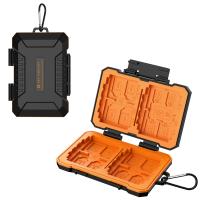
K&F Concept 36 Slots SD Micro SD Memory Card Case, Water-Resistant SD Card Holder, Anti-Shock Card Carrying Storage Box for 24 Micro SD SDXC SDHC TF Cards and 12 SD SDXC SDHC Cards
C$21.49 C$16.99
K&F Concept 28 Slots Micro SD Card Case,Water-Resistant Anti-Shock Anti-Dust TF Card Holder,Micro SD/Micro SDHC/Micro SDXC Card Box Organizer Storage
C$21.49 C$16.99
K&F Concept 24 Slots SD Card Holder Memory Card Case, Water-Resistant Shockproof Memory Card Storage Carrying Case for 12 SD SDXC SDHC Cards, 12 CFexpress Type A Cards
C$21.49 C$16.99
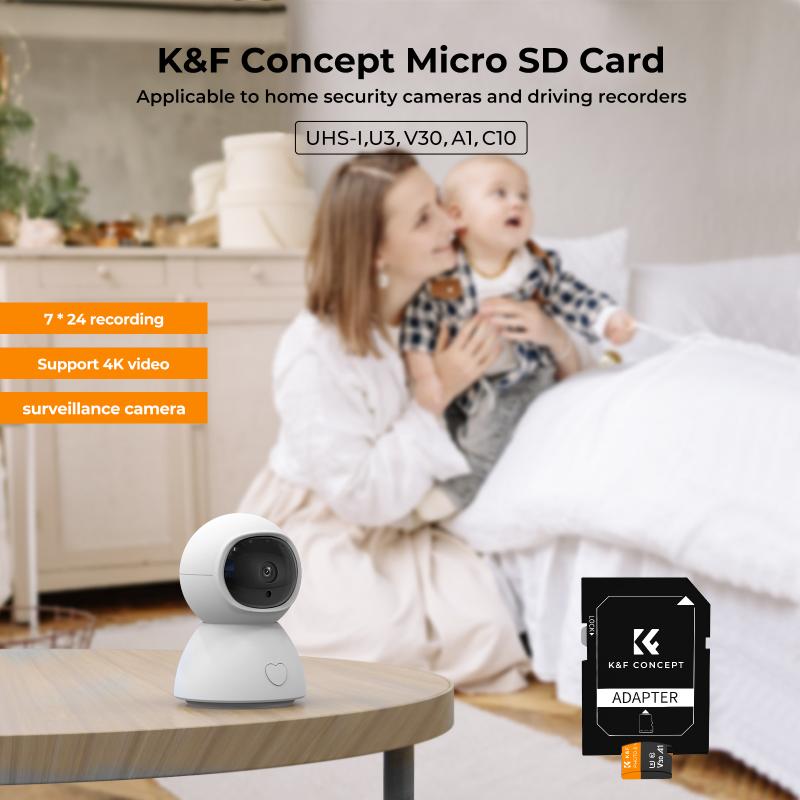
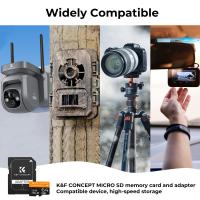
32GB Micro SD Card U3/V30/A1 with Adapter, Memory Card for Cameras, Borescopes,  Microscopes, Night Vision Goggles, Kentfaith
32GB Micro SD Card U3/V30/A1 with Adapter, Memory Card for Cameras, Borescopes, Microscopes, Night Vision Goggles, Kentfaith
C$27.36 C$21.89
64GB Micro SD Card U3/V30/A1 with Adapter, Memory Card for Cameras, Borescopes,  Microscopes, Night Vision Goggles, Kentfaith
64GB Micro SD Card U3/V30/A1 with Adapter, Memory Card for Cameras, Borescopes, Microscopes, Night Vision Goggles, Kentfaith
C$39.99 C$36.99
Memory Card Case with 25 Slots, Anti-Shock Carrying Case for 4 SD Cards, 4 CF Cards or 4XQDs, 4 CFexpress Cards, 12 Micro SD (TF) Cards, 2 Nano SIM, 2 Micro SIM and 1 SIM Card
C$29.99
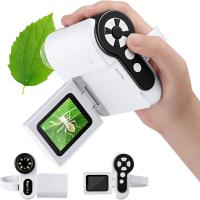
Digital Microscope for Kids, 1000X Handheld Kids Microscope with 6 Adjustable LED Lights, 2'' LCD Screen Mini Portable Microscope USB to PC for Kids 8-12, 32GB SD Card Including
20
C$107.30 C$85.84
4K digital camera for photography and video [autofocus and stabilisation] 48 MP video blog camera with SD card, 3
69
C$139.99
Guess you like products
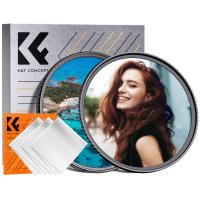
43mm Black Mist 1/4 + CPL Filter Set, Dreamy Cinematic Effect Mist CPL Polarising Filter 18 Multi-Layer Coatings Nano-Klear Series
C$44.53 C$37.11
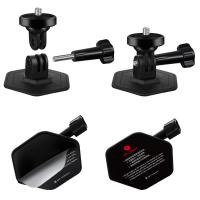
K&F Concept 2-pack Flexible Adhesive Helmet Mount use Genuine 3M for GoPro Hero13/12/11/10/9/8 Max DJI Action 5 Pro 4 3 Insta360 X5 X4 X3 Ace Pro 2 Sports Camera Accessories Flat Curved Surfaces
C$30.70 C$25.59
62-82mm Brass Filter Adapter Ring, Step-Up Ring Compatible with All 62mm Camera Lens & 82mm Filters
C$69.99 C$38.99
58mm CPL True Color Filter Nano-Xcel Series - 28 Multi-Layer Coatings for Camera Lens
C$99.99 C$46.99
49mm UV Filter 0.1% Ultra-low Reflection (titanium coating ) with 28 Multi-Layer Coatings Nano-Xcel Series
C$94.99 C$44.99
62mm Magnetic Lens Filter Kit GND8+ND8+ND64+ND1000+Magnetic Adapter Ring 5 in 1 Quick Swap System Nano-Xcelcel Series
52
C$163.99 C$128.99
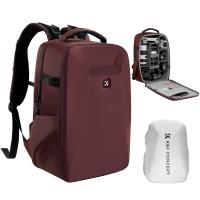
K&F Concept Camera Backpack Hardshell DSLR Photography Camera Bag with 15-15.6 Inch Laptop Compartment Waterproof Camera Case Compatible for Canon/Nikon/Sony/DJI Mavic Drone - Backpack 22L Nature Wander 10 (Red)
C$102.90 C$85.75
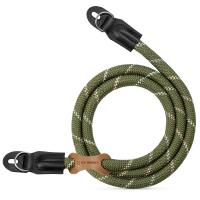
Camera Neck Strap Camera Shoulder Strap Suitable for DSLR SLR Cameras Strap Urban Wander 05 Green
C$16.88 C$14.07
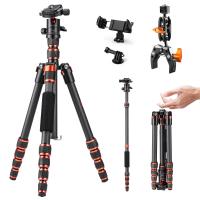
Tripod Kit 60" Carbon Fiber Camera Tripod,Super Lightweight Compact Travel Tripod with 360° Ball Head A225C0+BH-25L and Multi-Functional Super Clamp Set
C$256.99 C$179.99
Related Articles
How To Delete Images From Sd Card?
How Do You Delete Photos From Sd Card?
How To Delete Sd Card On Mac?
How To Delete Photos In Sd Card?
How To Delete Pictures On Sd Card?
How To Delete Footage From Security Camera?
How To Delete A Write Protected Sd Card?
How To Format Sd Card From Mac?
How To Format Sd Card From Android?
How Find Hidden Cameras?
Guess you like articles
How To Buy A Used Digital Camera?
Where Can You Buy Micro Sd Cards?
How To Make Your Microphone Sound Bad?
How To Mount Binoculars On A Tripod?
Which Professional Metal Detector?
How Much For A Digital Camera?
How To View Sd Card On Mac?
How To Install Front Door Security Camera?
How To Use The Sd Card Reader?
How To Use Headphones On Xbox One?
Related categories
variable ND2 to ND400 filter Gopro Hero Battery ND16 Filter rainbow star effect filter Sony screen protector Canon RF lens adapter CPL Lens Filter photography camera straps Sony A Mount Body black pro mist 1 filter
Related searches
Trail Camera With Sim Card Yashica To Canon M42 To Gfx Mamiya To Gfx Adapter Md To Gfx Adapter Ef To Efm Adapter Ef To Efs Adapter Ef To L Mount F To Z Adapter Pk To Eos Adapter
Blog Category
  • News & Reviews
Search Article
Latest from the Blog
Which Kids Camera Is The Best?
What Is a Black Mist Filter?
Who Makes The Best Led Flood Lights?
Which Is The Best Dash Cam To Buy?
What Is The Best Video Surveillance?
Which Tripod Is Best For Photography?
What Is The Best Wireless Door Camera?
What Are The Best Wireless Earbuds For Iphone?
What Is The Best Way To Clean Your Lenses?
What Portable Solar Panel Is Best?
Which Vc Camera Is The Best?
Photograph the August 12, 2026 Total Solar Eclipse: What Every First-Time Eclipse Chaser Should Know
What Is The Best Solar-powered Outdoor Camera?
What Is The Best Indoor Security Camera?
What Is The Best Solar-powered Security Camera?
Exploring the new Sony A7M5 camera: What are the upgrades and is it worth buying?
What Is The Best Monopod?
What Is The Best Bird Feeder For Large Birds?
What Is The Best Tripod For A Phone Camera?
Kentfaith Canada x Citadel Season 2: Exclusive Camera Gear Deals & Free Shipping
Powered By K&F Concept © 2026