kfconcept

K&F Concept Canada
K&F Concept Canada

Enjoy Your Selected Digital Life

Recently Viewed
  • Recently Viewed
  • Recently Viewed list is empty.

Compare (0) 0
  • Compare
  • You have not chosen any products to compare.

  • Compare
Currency: CAD
  • Currency

Log Into Your Account

Account

Order History

Wish List

Login

Forgotten Password?

Or connect with

Register Account

Already have an Account?Log In

  • Shopping Cart
  • Your shopping cart is empty!

  • Register/Login to purchase, earn points
  • Favorite
  • Your wish list is empty.

  • Register/Login to like, earn points
  • Tripods
    • Carbon Fiber Tripods
    • Aluminum Tripods
    • Video Tripods
    • Monopods
    • Phone Tripods
    • Tripod Accessories
    • Mini Tripod
    • Action Camera Mounts
    • Studio Parts
      • Photography Fill Light
      • Soft Box
      • Reflectors
      • Ring Light
      • Camera Flash
      • Tripod Light Stands
    • Gimbal Stabilizers
  • Lens Filters
    • UV Filters
      • Nano-Xcel Series
        • MCUV - Nano-Xcel
        • Ultra-low Reflectivity MCUV Filters
        • MCUV Super Hard
        • Explosion-proof MCUV - Nano-Xcel
        • MCUV+Lens Cap+Cleaning Cloth
        • Super Hard&Ultra Low Reflection MCUV Filters - Nano-Xcel
        • Magnetic MCUV - Nano-Xcel
      • Nano-Dazzle Series
        • MCUV Filters - D Series
        • MCUV+Lens Cap+Cleaning Cloth
      • Nano-Klear Series
        • MCUV Filters
        • Ultra Thin Frame MCUV Filter
        • MCUV+Lens Cap
        • MCUV+Lens Cap+Cleaning Cloth
      • Nano-Xcel Pro Series
        • MCUV
    • Polarizers
      • Nano-Xcel Series
        • True Color Ultra-low Reflectivity CPL - Nano-Xcel
      • Nano-Dazzle Series
        • CPL+Lens Cap+Cleaning Cloth - Nano-Dazzle
      • CPL - Nano-X Series
      • Nano-Klear Series
      • Nano-Xcel Pro Series
        • CPL - Nano-X Pro Series
      • CPL - Nano-K Series
      • CPL - Nano-D Series
      • CPL True Color - Nano-X Series
      • CPL+Lens Cap+Cleaning Cloth - Nano-K Series
      • Ultra-low Reflection CPL - Nano-X
      • Ultra-Thin CPL- Nano-K Series
      • CPL - Magnetic Series
        • Magnetic CPL + Apater Ring + Cap
    • Square Filter System
      • Basic System
        • Square ND Filter
          • ND4 Filters - Nano-Xcel Series
          • ND16 Filters - Nano-X
          • ND1000 Filters - Nano-X
          • ND2000 Filters - Nano-X
          • ND32000 Filters - Nano-X
          • Full Color ND8 Filters - Nano-X
          • Full Color ND64 Filters - Nano-X
        • Square GND Filter
        • Square Light Pollution Cut Filter
          • Light Pollution Cut Filter - Nano-X
        • Square Black Mist Filter
          • Black Mist 1 - Nano-X
          • Black Mist 1/2 - Nano-X
          • Black Mist 1/4 - Nano-Xcel Series
          • Black Mist 1/8 - Nano-X
        • Square Brackets & Accessories
          • Adapter Ring - Nano-X
        • 100mm Square Filter Kits
          • Square Filter - Nano-X
          • ND1000+Holder - Nano-X
          • ND1000+Soft GND8+Holder-Nano-X
          • Soft GND8+Holder - Nano-X
      • Professional System
        • Square PL Filter
        • Square ND Filter
          • Full Color ND8 Filters - Nano-X Pro
          • Full Color ND64 Filters - Nano-X Pro
          • Full Color ND1000 - Nano-X Pro
        • Square GND Filter
        • Black Mist 1/4 & CPL - Nano-X Pro
        • Light Pollution Cut Filter
          • Light Pollution Cut - Nano-X Pro
        • Square Brackets & Accessories
          • 100x100mm Square Filter Protect Frame - Nano-X Pro
          • 100x150mm Square Filter Protect Frame - Nano-X Pro
          • Adapter Ring - Nano-X Pro
        • Square Filter Kits
          • 100mm ND1000+Holder Kit - Nano-X Pro Series
          • 100mm ND1000+Soft GND8+Holder Kit - Nano-X Pro Series
          • 100mm ND8+ND64+ND1000+Holder Kit - Nano-X Pro Series
          • 100mm Holder Kit - Nano-X Pro Series
    • Neutral Density Filters
      • Neutral Density (Solid) Filters
        • Solid ND - Magnetic Series
        • ND8 (3 stops) - Nano-Xcel Series
        • ND64 (6 stops) - Nano-Xcel Series
        • ND1000 (10 stops) - Nano-Xcel Series
        • ND100000 (16.6 stops) - Nano-Xcel Series
        • ND1000000 (20 stops) - Nano-Xcel Series
        • ND100000 (16.6 stops) - Nano-Klear Series
        • ND1000000 (20 stops) - Nano-Klear Series
      • Unlimited Variable ND Filters
        • ND2-ND400 Filter w/ Cap - Nano-K
        • ND2-ND400 Filter Set - Nano-K
      • Variable Neutral Density
        • Nano-Xcel Series
          • ND2-ND32 - Nano-X Series
          • ND2-ND32 True Color - Nano-X Series
          • ND2-ND400 - Nano-X Series
          • ND8-ND128 - Nano-X Series
          • ND32-ND512 - Nano-Xcel
          • ND3-ND1000 - Nano-X Series
          • ND2-32 True Color Ultra-Low Reflection - Nano-Xcel
        • Nano-Dazzle Series
          • ND2-ND32 - Nano-Dazzle
          • ND2-ND400 - Nano-Dazzle
          • ND3-ND1000 - Nano-Dazzle
          • ND8-ND2000 - Nano-Dazzle
        • Nano-Klear Series
          • ND2-ND32 - Nano-Klear
          • ND2-ND400 - Nano-Klear
          • ND2-ND2000 - Nano-Klear
        • Nano-Xcel Pro Series
          • ND2-ND32 - Nano-Xcel Pro
        • Nano-B Series
          • ND2-ND400 - Nano-B
        • ND2-32&ND32-512 - Nano-X Series
      • Graduated Neutral Density
        • 100mm GND Filter
          • Soft GND8 Filters - Nano-Xcel Series
          • Hard GND8 Filters - Nano-Xcel Series
          • Reverse GND8 Filters - Nano-Xcel Series
          • Soft GND16 Filters - Nano-Xcel Series
          • Reverse GND16 Filters - Nano-Xcel Series
          • Soft GND8 Filters - Nano-Xcel Pro Series
          • Hard GND8 Filters - Nano-Xcel Pro Series
          • Reverse GND8 Filters - Nano-Xcel Pro Series
          • Soft GND16 Filters - Nano-Xcel Pro Series
          • Reverse GND16 Filters - Nano-Xcel Pro Series
        • Circular GND Filter
          • GND8 - Nano-Xcel Series
          • GND16 - Nano-Xcel Series
      • 2 in 1 Filters
        • ND4-ND64 & CPL - Nano-X Series
        • ND2-ND32 & CPL - Nano-X Pro
        • ND2-ND32 & CPL - Nano-X Series
        • ND2-32&CPL Filters - Nano K Series
        • ND2-ND32 & CPL - Nano-D Series
        • ND2-ND32&CPL True Color - Nano-X
    • Black Mist & Soft Focus Filters
      • Black Mist
        • Black Mist 1
          • Black Mist 1 - Nano-X Series
          • Black Mist 1 - Nano-K Series
        • Black Mist 1/2
          • Black Mist 1/2 - Nano-X Series
          • Black Mist 1/2 - Nano-K Series
        • Black Mist 1/4
          • Black Mist 1/4 - Nano-X Series
          • Black Mist 1/4 - Nano-D Series
          • Black Mist 1/4 + Cloth - Nano-K Series
          • Black Mist 1/4 - Nano-Xcel Pro Series
        • Black Mist 1/8
          • Black Mist 1/8 - Nano-X Series
          • Black Mist 1/8 + Cloth - Nano-K
          • Black Mist 1/8 - Nano-D
          • Black Mist 1/8 - Nano-Xcel Pro Series
        • Black Mist Kit
          • Black Mist 1/4 + 1/8
          • Black Mist 1/4 + 1/8 - Nano Klear Series
        • Black-Mist & VND
          • Black Mist 1/4 & ND2-32 Filters - Nano-Klear Series
          • Black Mist 1/4 & ND2-400 Filters - Nano-Xcel Series
          • Black Mist 1/4 & ND8-128 Filter
          • Black Mist 1/4 & ND2-32 Filter
          • Black Mist 1/8 & ND2-32 Filters - Nano-Klear Series
      • White Mist
        • White Mist 1/4 - Nano-Xcel Series
        • White Mist 1/4 - Nano-Klear Series
      • Vintage Soft
      • Combination Soft & Mist
    • Magnetic Lens Filters
      • MCUV Filters
        • Magnetic MCUV + Lens Cap
        • Magnetic MCUV - Nano-K Series
      • Polarizers
        • Magnetic CPL + Adapter Ring
        • Magnetic CPL+Adapter Ring - Nano-Klear Series
      • Black-Mist
        • Black Mist 1/8 - Nano-X Series
        • Black Mist 1/4 - Nano-X Series
        • Black Mist 1 - Nano-X Series
      • Unlimited Variable ND Filter
        • ND2-ND32 - Magnetic Series
        • ND8-ND128 - Magnetic Series
      • Neutral Density (Solid) Filter
        • Magnetic ND8 - Nano-X Serie
        • Magnetic ND64 - Nano-X Serie
        • Magnetic ND1000 - Nano-X Serie
      • Filter Kits
        • MCUV+CPL+ND1000 - Nano X Series
        • CPL+ND8+ND64+Adapter Ring+Lens Cap - Nano X Series
        • GND8+ND8+ND64+ND1000 - Nano X Series
        • CPL+VND2-32+Black Mist 1/4+Magnetic Ring+Lens Cap - Nano-Xcel Series
      • Accessories
        • Magnetic Adapter Ring
        • Magnetic Filter Ring
        • Magnetic Cap
    • Action Camera Filters
      • Action Camera Accessories
      • DJI Osmo Action 4 / Action 5 Pro
      • DJI Osmo Action 5 Pro
      • DJI Osmo Pocket 3
      • GOPRO Hero 9/10/11/12/13
      • Insta360 GO3
      • Insta360 GO3S
      • DJI Action 3
    • Filter Kit
      • Black Diffusion 1/4 + 1/8
      • Screw-In Filters
        • MCUV+CPL Filter - Nano K Series
        • MCUV+CPL+Lens Cap - Nano K Series
        • MCUV+CPL+Lens Cap - Nano-Xcel Series
        • MCUV+CPL+ND1000+Lens Cap - Nano-Dazzle Series
        • MCUV+CPL+ND4
        • ND1000+CPL
        • ND4+ND8+ND64+ND1000
        • MCUV+CPL
      • Magnetic Filters
      • Square Filters
    • Effects Filters
      • Shimmer Diffusion Filters
        • Shimmer Diffusion 1 - Nano-Xcel Series
        • Shimmer Diffusion 1 - Nano-Klear Series
      • Prism Filters
        • Central Prism Filters
          • Central Pentagonal Filters - Nano-Basic Series
          • Central Hexagonal Filters - Nano-Basic Series
        • Ordinary Prism Filters
          • Triangular Filtres - Nano-Basic Series
      • Streak Filters
        • Blue Streak Filter
        • Gold Streak Filters - Nano-Xcel Series
        • Colorful Streak Filters - Nano-B Series
        • Blue Streak Filters - Nano-Klear Series
      • Kaleidoscope Filters
        • Kaleidoscope Filters - Nano-Basic Series
        • Handheld Kaleidoscope Filters - Nano-Basic Series
      • Motion Blur Filters
        • Directional Motion Blur - Nano-Basic Series
        • Bidirectional Motion Blur - Nano-Basic Series
      • Centerfield Split Diopter Filters - Nano-Klear Series
      • Star Filter
        • Star Filters 4-8 Points - Nano-K Series
        • Star Filter Kits 4+6+8 Points - Nano-K Series
    • Filter Accessories
      • Lens Hoods
      • Polarized Film
      • Rings Kits
        • Step Up Rings
        • Step Down Rings
      • Filter Holders & Frames
      • Filter Holder Adapter Rings
        • Filter Adapter Rings
      • Filter Pouches
        • 150mm Pouch for Nano-X Pro System
        • 100mm Pouch for Nano-X Pro System
        • 110x106mm Filter Pouch
        • 96x96mm Filter Pouch
        • Pocket Filter Pouch
      • Lens Caps
        • Caps for Magnetic Filters
        • Caps for Variable ND Filters
        • Anti-lost Lens Cap
          • 4 in 1
          • 5 in 1
          • 9 in 1
    • Light Pollution Filters
      • Light Pollution Cut Filter - Circular
      • Light Pollution Cut Filter - Square
    • Phone Lens Filters
    • Drone Filters
      • DJI Air 2S
      • DJI Air 3S
      • DJI Avata2
      • DJI Mavic 3 Classic
      • DJI Mavic 3 Pro
      • DJI Mini
      • DJI Mini 4 Pro
      • DJI Mini 3 PRO
      • DJI Flip
      • DJI NEO
      • DJI Mavic 4 Pro
      • DJI Mini 5 Pro
      • DJI Air 3 Filters
    • Matte Box & Filter Systems
      • Neutral Density (Solid) Filters
        • ND4 - Nano-X Series
        • ND8 - Nano-X Series
        • ND16 - Nano-X Series
        • ND32 - Nano-X Series
        • ND64 - Nano-X Series
        • ND8+ND64 - Nano-X Series
      • UV Filters
      • Black Mist Filters
        • Black Mist 1/4 - Nano-X
        • Black Mist 1/8 - Nano-X Series
      • Blue Streak Filters
      • Kits
        • Matte Box - Nano-Xcel
        • Matte Box Pro - Nano-Xcel Series
        • Matte Box+ND8 Square Filter - Nano-Xcel
        • Matte Box+ND4+ND32 Square Filter - Nano-Xcel
        • Matte Box+Black Mist 1/4 Square Filter - Nano-Xcel
    • Brand-specific Filters
      • Fujifilm X100
      • Ricoh GR
  • Lens Adapters
    • Sony A Mount Body
    • Fujifilm X Mount Body
    • Fujifilm C (GFX) Mount Body
    • C-Mount Body
    • Leica M Mount Body
    • Micro Four Thirds (M43) Mount Body
    • Pentax K Mount Body
    • Pentax Q Mount Body
    • Samsung NX Mount Body
    • Nikon F Mount Body
    • Nikon 1 Mount Body
    • Nikon Z Mount Body
    • Canon EOS EF/EF-S Mount Body
    • Canon EOS M Mount Body
    • Canon RF Mount Body
    • Sony E Mount Body
    • L-Mount Alliance (Leica)
  • Camera Bags
    • Camera Backpacks
    • Camera Straps
    • Camera Cases
    • Camera Shoulder Bags
    • Backpack Accessories
  • Surveillance Camera
    • Battery Camera
    • WiFi Camera
    • Baby Monitor
    • Feeder Camera
    • Floodlight camera
    • Monitoring Detector
  • Camera
    • Digital Camera & Camcorders
    • Trail Camera
      • Wifi Trail Cameras
      • Non-Cellular Trail Cameras
      • Cellular Trail Cameras
      • Accessories
    • Camera Battery
      • Sony
      • Canon
      • Nikon
      • FUJIFILM
      • Gopro
      • Lumix
      • Osmo Action
      • V Mount Battery
      • Memory Card Case
    • Camera Lenses
    • Webcam
    • Fishing Camera
    • On-Dash Camera
    • time lapse camera
    • Memory Cards
    • Camera Accessories
      • Camera Body Caps & Lens Rear Caps
      • Camera Screen Protectors
        • Canon
        • Sony
        • Fujifilm
        • Nikon
        • Olympus
        • Ricoh
        • GoPro
        • DJI Osmo Pocket 3
      • Camera Hot Shoe Covers
      • Camera Viewfinder Eyecups
        • Nikon
        • Sony
        • Canon
      • Adjustment Iris
      • Ricoh GR Lens Caps
  • Endoscope
    • Digital Otoscope
    • Household Endoscope
    • Professional Endoscope
    • Portable Endoscope
  • Optics
    • Binoculars
    • Microscope
    • Monocular
    • Spotting Scope
    • Telescope
    • Night Vision Goggles
    • Rangefinder
  • More
    • Cleaning Kits
    • Digital Voice Recorders
    • Metal Detectors
    • Microphone
    • Motorcycle Bluetooth Headset
    • Remote Sensors
    • Drone Accessories
      • DJI Air 2S Accessories
      • DJI Air 3 Accessories
      • DJI Avata Accessories
      • DJI Drone Universal Accessories
      • DJI Mavic Mini 2/Mini 2 SE/Mini Accessories
      • DJI Mavic Mini 3 Accessories
      • DJI Mini 3 Pro Accessories
    • Language Translator Device
    • Smart Glasses
    • Solar Panels
    • Handheld Game Console
    • Lights
      • Video Fill Light
      • Live Ring Light
      • Outdoor Lighting
    • Camera Microphones
    • Headphones
    • Weather Station & Household Sensors
    • Smart Watch
    • Smart lock
    • Chicken Coop Door
    • Studio
  • Deals
    • Specials
    • Coupon
  • Home
  • Blog
  • How To Use Phone As A Webcam?

How To Use Phone As A Webcam?

K&f concept 2024-08-28 01:21:45 0 Comments

In today's digital age, the need for high-quality video communication has never been more critical. Whether you're attending virtual meetings, streaming on social media, or catching up with loved ones, having a reliable webcam is essential. However, not everyone has access to a high-quality webcam, and purchasing one can be an additional expense. Fortunately, there's a practical solution that many people overlook: using your smartphone as a webcam. This article will guide you through the process of transforming your phone into a webcam, ensuring you get the best video quality without breaking the bank.

Why Use Your Phone as a Webcam?
how to use phone as a webcam 1

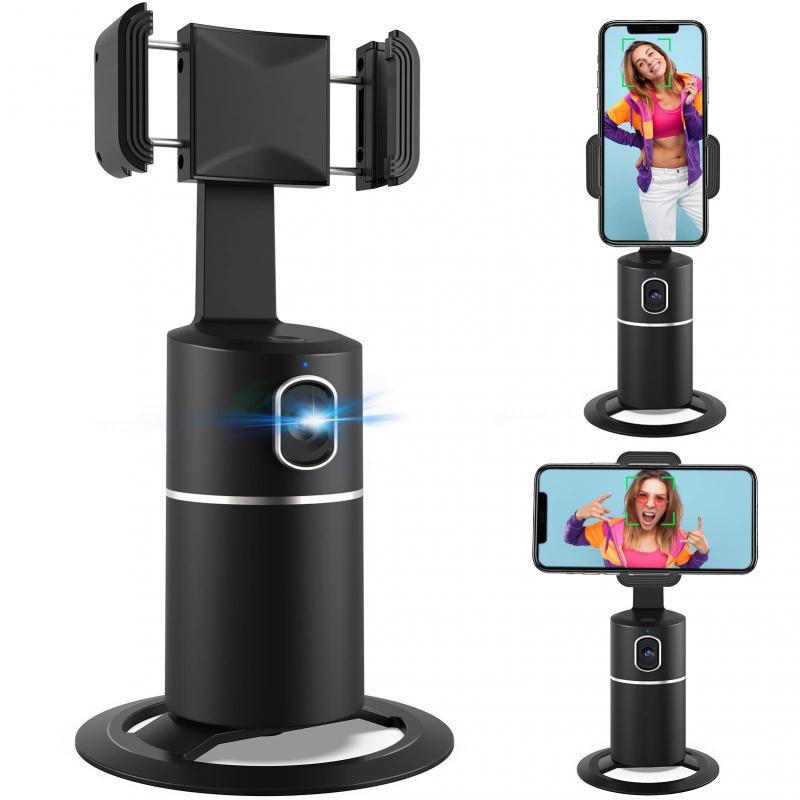
Before diving into the how-to, it's essential to understand why using your phone as a webcam is a viable option. Modern smartphones come equipped with high-resolution cameras that often surpass the quality of standard webcams. Additionally, using your phone can be a cost-effective solution, especially if you already own a smartphone with a decent camera. This method also offers flexibility, as you can easily switch between different devices and locations.

Requirements

To use your phone as a webcam, you'll need the following:

1. A Smartphone: Preferably one with a high-resolution camera.

2. A Computer: Either a PC or a Mac.

3. A Stable Internet Connection: For seamless video streaming.

4. A USB Cable or Wi-Fi: Depending on the method you choose.

5. Software or Apps: Specific applications that facilitate the connection between your phone and computer.

Step-by-Step Guide

1. Choose the Right App

Several apps can turn your smartphone into a webcam. Some popular options include:

- DroidCam: Available for both Android and iOS, DroidCam is a user-friendly app that allows you to connect your phone to your computer via USB or Wi-Fi.

- EpocCam: Another excellent choice for both Android and iOS users, EpocCam offers high-quality video streaming and supports both USB and Wi-Fi connections.

- iVCam: This app is available for iOS and Android and provides a seamless connection with various customization options.

2. Install the App on Your Phone

Once you've chosen an app, download and install it on your smartphone. Most of these apps are available on the Google Play Store or the Apple App Store. Follow the on-screen instructions to complete the installation process.

3. Install the Companion Software on Your Computer

To facilitate the connection between your phone and computer, you'll need to install companion software on your PC or Mac. Visit the app's official website to download the necessary software. For example, if you're using DroidCam, download the DroidCam Client for your computer.

4. Connect Your Phone to Your Computer

Depending on the app and your preference, you can connect your phone to your computer via USB or Wi-Fi.

- USB Connection: This method is generally more stable and offers better video quality. Connect your phone to your computer using a USB cable. Ensure that USB debugging is enabled on your phone (for Android users) or that you've granted the necessary permissions (for iOS users).

- Wi-Fi Connection: This method offers more flexibility but may be less stable. Ensure that both your phone and computer are connected to the same Wi-Fi network. Open the app on your phone and follow the instructions to connect via Wi-Fi.

5. Configure the App Settings

Open the app on your phone and the companion software on your computer. Configure the settings according to your preferences. Most apps allow you to adjust the video resolution, frame rate, and other parameters to optimize video quality.

6. Select Your Phone as the Webcam Source

Once the connection is established, open the video conferencing or streaming software you intend to use (e.g., Zoom, Skype, OBS). Navigate to the video settings and select your phone as the webcam source. The name of the source will vary depending on the app you're using (e.g., DroidCam Source, EpocCam Camera).

7. Position Your Phone

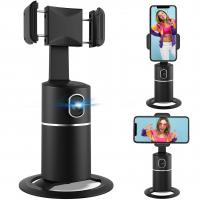
To ensure the best video quality, position your phone at eye level and ensure it's stable. You can use a tripod, phone stand, or any other stable surface. Good lighting is also crucial, so try to position yourself in a well-lit area or use additional lighting if necessary.

Tips for Optimal Performance

- Battery Life: Using your phone as a webcam can drain its battery quickly. Keep your phone plugged in to ensure it doesn't run out of power during important calls.

- Network Stability: If you're using a Wi-Fi connection, ensure that your network is stable to avoid interruptions. A wired connection is generally more reliable.

- Camera Settings: Experiment with different camera settings to find the optimal balance between video quality and performance. Higher resolutions offer better quality but may require more processing power and bandwidth.

- Audio: While your phone's microphone can be used, consider using an external microphone for better audio quality. Most video conferencing and streaming software allow you to select different audio sources.

Troubleshooting Common Issues

- Connection Problems: If your phone isn't connecting to your computer, ensure that both devices are on the same network (for Wi-Fi connections) or that the USB cable is properly connected. Restarting both devices can also help resolve connection issues.

- Lag or Latency: If you experience lag or latency, try lowering the video resolution or frame rate. A wired connection can also help reduce latency.

- App Crashes: Ensure that both the app on your phone and the companion software on your computer are up to date. Reinstalling the app can also resolve crashes.

Using your phone as a webcam is a practical and cost-effective solution for achieving high-quality video communication. With the right app and a few simple steps, you can transform your smartphone into a reliable webcam for virtual meetings, streaming, and more. By following this guide, you'll be well-equipped to make the most of your phone's camera capabilities, ensuring you always look your best on video calls.


Leave your comment
Cancel reply
Note: HTML is not translated!
Related Products
67mm Clip-on CPL Phone Camera Lens Filter Kit Applicable to All Mobile Phone Models
C$35.31 C$21.99
67mm Clip-on ND2-32 Phone Camera Lens Filter Kit Applicable to All Mobile Phone Models
C$66.03 C$45.75
K&F Concept Premium is compatible with the Ricoh cameras GR III, GR III HDF, GR IIIx HDF, GR IIIX, WG-6 with DB-110 batteries as well as with the Olympus cameras TG7/6/5/4 with Li-90B/Li-92B batteries.
C$67.98 C$41.99
67mm Clip-on Black Mist 1/4 Phone Camera Lens Filter Kit Applicable to All Mobile Phone Models
C$53.74 C$44.79
67mm Clip-on Black Mist 1/8 Phone Camera Lens Filter Kit Applicable to All Mobile Phone Models
C$53.74 C$44.79
Minolta A / Sony A Lenses to Pentax Q Lens Mount Adapter K&F Concept M22161 Lens Adapter
1
C$142.99
52mm Clip-on CPL Phone Camera Lens Filter Kit, Circular Polarizer Polarizing Filter Applicable to All Mobile Phone Models
C$41.46 C$23.99
Phone Microscope with CPL Lens/LED Light,The Best Portable 200X Pocket Microscope with Universal Phone Clip Compatible with iPhone/Andriod Phone- to Enjoy Microworld for Kids and Adults
C$64.80 C$51.84
Minolta A / Sony A Lenses to Pentax Q Lens Mount Adapter with Tripod Mount K&F Concept M22162 Lens Adapter
1
C$71.99
67mm Clip-on CPL&Black Mist 1/4 2-in-1 Phone Camera Lens Filter Kit Applicable to All Mobile Phone Models
C$53.74 C$44.79
Guess you like products
52mm Magnetic Metal Lens Caps 2-in-1 (Works only with K&F Concept Magnetic Filters)
3
C$29.99 C$28.99
100x100mm Filter Protection Frame 2 pcs - Nano-Xcel Pro Series
2
C$29.99
72mm Shimmer Diffusion 1 Filter Optical Glass Glimmer Effect Filter for Camera Lens Nano-Xcel Series
C$70.64 C$62.99
95mm Magnetic Metal Lens Caps 2-in-1 (Works only with K&F Concept Magnetic Filters)
3
C$53.74 C$39.99
Portable eclipse Set - 52mm Solar Filter + Carbon Fiber Tripod + Camera Backpack + 6700mAh V Mount Battery(KF09.123/KF13.087AV6/KF28.0024)
7
C$437.71 C$384.37
4K Bike Camera 2in Display 1000LM Bicycle Light IP67 Waterproof WIFI Connection
10
C$205.44 C$164.35
K&F Concept Camera Sling Bag Urban Wander 06(Dark gray, 10L) SLR DSLR Canvas Camera Case Portable Bag for Women and Men, Black
C$120.00 C$59.99
82mm Circular Neutral Density ND8+ND64+CPL Polarizer Lens Filter Kit - Professional Camera Lens with Multiple Layer Nano Coated
38
C$107.99 C$84.99
105mm Variable ND2-ND400 (9 Stop) Filter - Waterproof Scratch Resistant Nano-Xcel Series
72
C$266.99 C$200.99
Handheld high-precision metal detector, large LCD screen, gold/jewelry/treasure/metal finder
C$212.66 C$170.13
Related Articles
How To Use My Phone As A Webcam?
Can I Use My Phone As A Webcam?
How To Use Phone As Webcam For Discord?
How To Use Your Iphone As A Webcam?
How To Use Dslr As Webcam?
How To Use Your Phone As A Projector?
How To Use Your Phone As A Microphone?
Can I Use My Gopro As A Webcam?
How To Use Iphone Camera As Webcam?
How Is A Solar Panel Made?
Guess you like articles
How Much Power Does A Surveillance Camera Use?
How To Fix Wires On Headphones?
How Do You Transfer Files To Sd Card?
How To Clear A Sd Card Mac?
How To Use Sd Card Reader?
How To Find My Earbuds Case?
How To Find Range Of Data Set?
How To Install Webcam?
How To Install Apps On A Sd Card?
How To Hook Up A Solar Panel?
Related categories
Sony A Mount Body mobile phone tripods Phone Lens Filter variable ND2 to ND400 filter MCUV Filter portable digital voice recorders consumer electronics/appliances black pro mist and nd filter k&f concept nd8-nd128 x-pro nd2-32 filter
Related searches
Nd Filter Use A To E Mount Adaptor Sony A To Mft Adapter Sony E To A Adapter A Mount To E Mount Adapter Sony A To E Mount Adapter A Mount To L Mount Adapter Polarizer For Phone Tripod For Phone Sony A Mount To E Mount Adapter
Blog Category
  • News & Reviews
Search Article
Latest from the Blog
What Is The Best Keyless Entry Door Lock?
What Is The Best Bluetooth Headset?
What Is The Best Brand Of Tripods?
Which Is The Best Smart Watch For Sports?
What Is The Best Gaming Headset With A Good Mic?
What Portable Solar Panel Is Best?
How To Install Front Door Security Camera?
What Is The Best Smart Telescope For Photography?
What Is The Best Solar-powered Security Camera?
Can You Make Telescope From Old Binoculars?
Which Kids Camera Is The Best?
What Is a Black Mist Filter?
What Is The Best Floodlight Security Camera?
What Is The Best Non-subscription Security System?
Can Camera Be Hidden In Carbon Monoxide Detector?
What Is The Best Small Compact Camera?
Which Indoor Security Camera Is Best?
What Is The Best Indoor Security Camera?
What Kind Of Telescope Is Best For Beginners?
How To Display Wireless Cctv Camera On Tv?
Powered By K&F Concept © 2025