What Does Voice Recorder App Do?
Voice recorder apps are essential tools in today's digital landscape, providing users with a convenient way to capture audio for various purposes. Whether it's for recording important meetings, jotting down personal reminders, or preserving special moments, these apps have become invaluable for professionals, students, and casual users alike. If you're wondering what a voice recorder app does and how it can be tailored to meet your needs, this article delves into the functionalities and practical uses these apps offer.
What Is a Voice Recorder App?
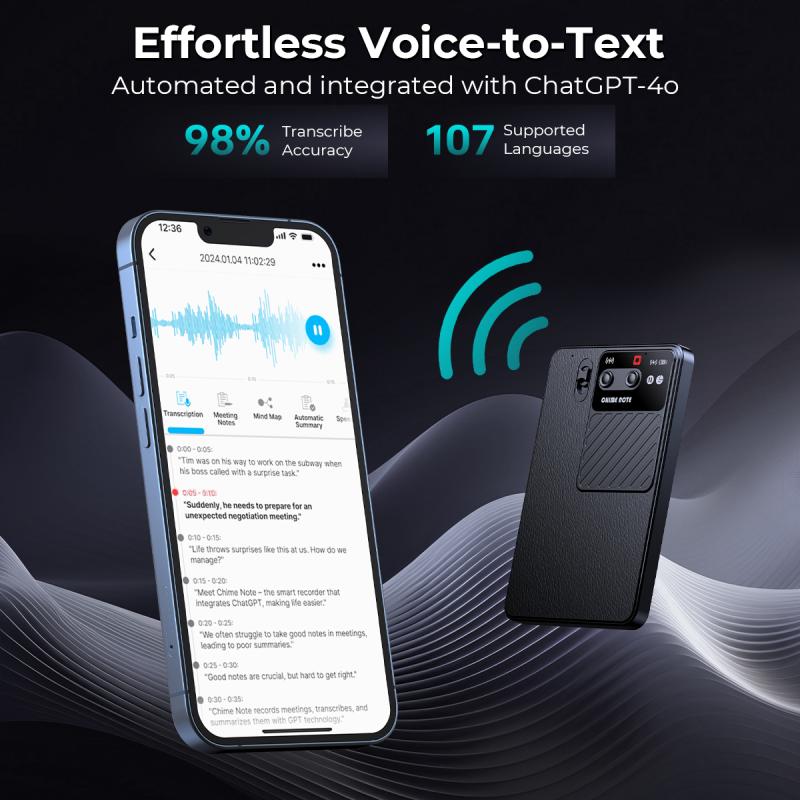
At its core, a voice recorder app is a digital tool designed to capture and store audio in real-time using your device's microphone. It eliminates the need for bulky analog recording devices, putting the ability to record high-quality audio right in your pocket through your smartphone, tablet, or computer. Depending on the app's features, the recorded audio can be saved, edited, shared, or even transcribed.
Voice recorder apps cater to diverse needs, spanning professional, educational, creative, and personal domains. These apps are widely used by journalists, musicians, students, working professionals, and everyday individuals who need an efficient and easily accessible way to record audio.
Core Functions of Voice Recorder Apps

Most voice recorder apps come equipped with standard features, while others include advanced functionalities tailored to niche demands. Here are the fundamental tasks that these apps perform:
1. Audio Recording
The primary function of a voice recorder app is to record sound. Whether you're capturing a lecture, an interview, or casual notes, the app ensures you can easily start and stop recordings with a few taps. These recordings are often stored on your device in popular formats like MP3, WAV, AAC, or others.
2. Playback
Once the audio is recorded, users can play it back anytime. Playback options may allow users to rewind, speed up, or slow down the audio for better understanding or focus.
3. File Management
Many voice recorder apps include file management features, enabling users to organize, name, and sort recordings for easier access later. This is especially useful if you use the app frequently and need to keep track of numerous recordings.
4. Audio Quality Customization
Advanced apps allow users to choose audio quality settings like sampling rates, bitrates, and stereo or mono configurations. These options help adjust the recording to suit different needs—whether that's a casual memo or a professional-grade interview.
5. Trimming and Editing
Some voice recorder apps offer light audio editing tools, letting users trim undesirable sections, cut out noise, or combine multiple recordings into one file. These tools improve usability and make recorded files more polished.
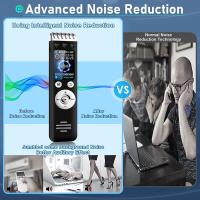
6. Noise Reduction
Modern apps often include noise-reduction features that eliminate background disturbances or enhance clarity. This is particularly important for recordings in crowded locations or outdoor environments.
7. Cloud Integration
Many apps now provide seamless cloud integration (e.g., Google Drive, Dropbox, iCloud), allowing users to save their recordings online and access them across multiple devices. Cloud storage also enhances security by creating backups of your files.
8. Sharing Options
Sharing recorded audio is a key functionality in voice recorder apps. Whether through emails, text messages, or social media platforms, users can send recordings quickly and efficiently.
9. Voice-to-Text Conversion
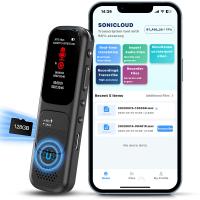
A growing number of apps integrate AI-driven transcription features that convert speech into text. Voice-to-text functionality saves users time and effort, especially for students, professionals, or journalists who rely on their recordings for documentation purposes.
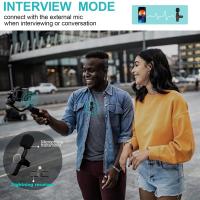
10. Compatibility with External Devices
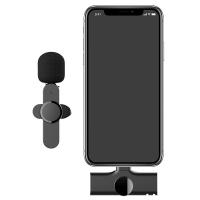
For users requiring high-quality audio, many apps provide compatibility with external microphones and sound equipment, giving recordings a professional-grade feel and elevating usability.
Who Should Use Voice Recorder Apps?
The applications of voice recorder apps are vast and varied, making them ideal for different audiences:
1. Students
Students use voice recorder apps to document lectures, group discussions, or academic talks. This helps those who prefer auditory learning or need to revisit complex subjects at their own pace.
2. Professionals
In the corporate space, voice recorder apps are frequently used for recording meetings, talent interviews, brainstorming sessions, or conference calls. Having these recordings on hand ensures clear reference and prevents key information from being forgotten.
3. Musicians
The creative process can be fleeting. Musicians often use voice recorder apps to capture spontaneous melodies, lyrics, or tunes while working on projects. Some apps even include basic audio mixing features tailored for composition.
4. Journalists and Podcasters
For journalists and podcasters, voice recording tools are indispensable for conducting interviews, narrations, or capturing real-time audio during events.
5. Anyone Who Relies on Notes
Many individuals utilize voice recorder apps for taking quick notes, updating personal reminders, or creating audio journals.
Practical Benefits of Voice Recorder Apps
1. Convenience and Accessibility
One of the biggest advantages of voice recorder apps is their convenience. You no longer need to carry specialized equipment; with just your smartphone, you can create high-quality recordings anywhere, anytime.
2. Efficiency
For those who struggle to take traditional written notes or want instantaneous backup information, voice recorder apps simplify the process by making it fast and intuitive.
3. Improved Accuracy
Voice recordings ensure no critical detail gets missed, making them especially useful in professional and academic environments where precision is vital.
4. Enhanced Productivity
Modern apps streamline workflows by offering editing, file management, and transcription options. You can turn spoken thoughts into actionable text fast and effortlessly.
5. Cost-Effectiveness
Many voice recorder apps offer substantial free features, eliminating the need to buy expensive audio equipment unless you're dealing with professional or niche-specific requirements.
What Features Should You Look For in a Voice Recorder App?
If you're new to using these apps, choosing one that aligns with your needs is important. Here's a checklist of features to consider:
User-Friendly Interface: Simple navigation ensures ease of use.
Audio Quality Options: Choose apps with adjustable settings for recording environments.
Cloud Backup: Apps with cloud synchronization prevent accidental data loss.
Editing Tools: For cropping or enhancing recordings.
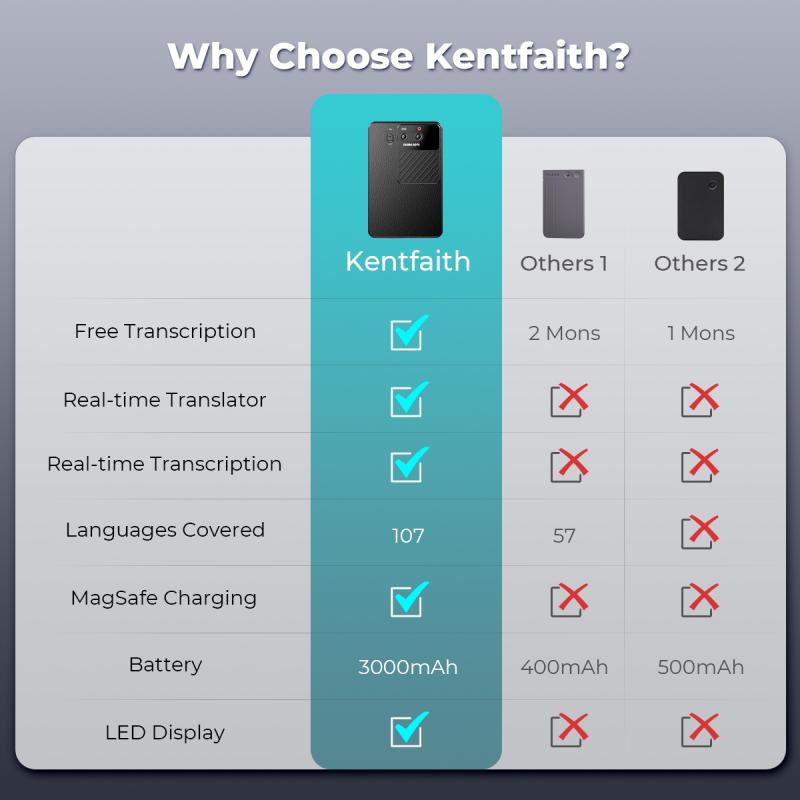
Transcription Services: Saves considerable time for converting speech to text.
Noise Cancelation: Ideal for outdoor or busy environments.
Customization: Options for naming, sorting, and categorizing files.
How to Use a Voice Recorder App Effectively
To maximize your voice recorder app's usefulness, follow these best practices:
1. Plan Ahead: Determine your recording goals before starting. For example, you might want higher audio quality for interviews or reduced file sizes for quick notes.
2. Minimize Background Noise: Record in quiet environments if possible to ensure clarity.
3. Use External Equipment Wisely: For professional-grade audio, use an external microphone compatible with your app.
4. Stay Organized: Regularly name and organize your recordings into folders for easy future reference.
5. Test Before Recording: Ensure the app and your microphone are functioning properly by testing the setup beforehand.
Final Thoughts
Voice recorder apps are more than just tools to capture audio—they are multipurpose solutions that empower users across numerous fields. Whether you're preserving memories, enhancing productivity, or documenting crucial information, these apps ensure you always have the means to record, organize, and share audio with ease.
The key is to find the app that fits your specific needs. Do you need high-end features like transcription and audio editing for professional use? Or are basic recording and playback functionality enough for your personal notes? With advancements in app design and functionality, the perfect solution is likely just a download away.
Voice recorder apps have simplified the way people interact with audio, transforming their phones into portable studios. Whether you're a student needing clarity on lectures or a journalist capturing interviews, mastering this tool can greatly enhance your efficiency and productivity. Start exploring and unlock the full potential of voice recorder apps today!