kfconcept

K&F Concept Canada
K&F Concept Canada

Enjoy Your Selected Digital Life

Recently Viewed
  • Recently Viewed
  • Recently Viewed list is empty.

Compare (0) 0
  • Compare
  • You have not chosen any products to compare.

  • Compare
Currency: CAD
  • Currency

Log Into Your Account

Account

Order History

Wish List

Login

Forgotten Password?

or connect with

Register Account

Already have an Account?Log In

  • Shopping Cart
  • Your shopping cart is empty!

  • Register/Login to purchase, earn points
  • Favorite
  • Your wish list is empty.

  • Register/Login to like, earn points
  • Tripods
    • Carbon Fiber Tripods
    • Aluminum Tripods
    • Video Tripods
    • Monopods
    • Phone Tripods
    • Tripod Accessories
    • Mini Tripod
    • Action Camera Mounts
    • Studio Parts
      • Photography Fill Light
      • Soft Box
      • Reflectors
      • Ring Light
      • Camera Flash
      • Tripod Light Stands
    • Gimbal Stabilizers
  • Lens Filters
    • UV Filters
      • Nano-Xcel Series
        • MCUV - Nano-Xcel
        • Ultra-low Reflectivity MCUV Filters
        • MCUV Super Hard
        • Explosion-proof MCUV - Nano-Xcel
        • MCUV+Lens Cap+Cleaning Cloth
        • Super Hard&Ultra Low Reflection MCUV Filters - Nano-Xcel
        • Magnetic MCUV - Nano-Xcel
      • Nano-Dazzle Series
        • MCUV Filters - D Series
        • MCUV+Lens Cap+Cleaning Cloth
      • Nano-Klear Series
        • MCUV Filters
        • Ultra Thin Frame MCUV Filter
        • MCUV+Lens Cap
        • MCUV+Lens Cap+Cleaning Cloth
      • Nano-Xcel Pro Series
        • MCUV
    • CPL Filters
      • Nano-Xcel Series
        • True Color Ultra-low Reflectivity CPL - Nano-Xcel
      • Nano-Dazzle Series
        • CPL+Lens Cap+Cleaning Cloth - Nano-Dazzle
      • CPL - Nano-X Series
      • Nano-Klear Series
      • Nano-Xcel Pro Series
        • CPL - Nano-X Pro Series
      • CPL - Nano-K Series
      • CPL - Nano-D Series
      • CPL True Color - Nano-X Series
      • CPL+Lens Cap+Cleaning Cloth - Nano-K Series
      • Ultra-low Reflection CPL - Nano-X
      • Ultra-Thin CPL- Nano-K Series
      • CPL - Magnetic Series
        • Magnetic CPL + Apater Ring + Cap
    • Square Filter System
      • Basic System
        • Square ND Filter
          • ND4 Filters - Nano-Xcel Series
          • ND16 Filters - Nano-X
          • ND1000 Filters - Nano-X
          • ND2000 Filters - Nano-X
          • ND32000 Filters - Nano-X
          • Full Color ND8 Filters - Nano-X
          • Full Color ND64 Filters - Nano-X
        • Square GND Filter
        • Square Light Pollution Cut Filter
          • Light Pollution Cut Filter - Nano-X
        • Square Black Mist Filter
          • Black Mist 1 - Nano-X
          • Black Mist 1/2 - Nano-X
          • Black Mist 1/4 - Nano-Xcel Series
          • Black Mist 1/8 - Nano-X
        • Square Brackets & Accessories
          • Adapter Ring - Nano-X
        • 100mm Square Filter Kits
          • Square Filter - Nano-X
          • ND1000+Holder - Nano-X
          • ND1000+Soft GND8+Holder-Nano-X
          • Soft GND8+Holder - Nano-X
      • Professional System
        • Square PL Filter
        • Square ND Filter
          • Full Color ND8 Filters - Nano-X Pro
          • Full Color ND64 Filters - Nano-X Pro
          • Full Color ND1000 - Nano-X Pro
        • Square GND Filter
        • Black Mist 1/4 & CPL - Nano-X Pro
        • Light Pollution Cut Filter
          • Light Pollution Cut - Nano-X Pro
        • Square Brackets & Accessories
          • 100x100mm Square Filter Protect Frame - Nano-X Pro
          • 100x150mm Square Filter Protect Frame - Nano-X Pro
          • Adapter Ring - Nano-X Pro
        • Square Filter Kits
          • 100mm ND1000+Holder Kit - Nano-X Pro Series
          • 100mm ND1000+Soft GND8+Holder Kit - Nano-X Pro Series
          • 100mm ND8+ND64+ND1000+Holder Kit - Nano-X Pro Series
          • 100mm Holder Kit - Nano-X Pro Series
    • Neutral Density Filters
      • Neutral Density (Solid) Filters
        • Solid ND - Magnetic Series
        • ND8 (3 stops) - Nano-Xcel Series
        • ND64 (6 stops) - Nano-Xcel Series
        • ND1000 (10 stops) - Nano-Xcel Series
        • ND100000 (16.6 stops) - Nano-Xcel Series
        • ND1000000 (20 stops) - Nano-Xcel Series
        • ND100000 (16.6 stops) - Nano-Klear Series
        • ND1000000 (20 stops) - Nano-Klear Series
      • Unlimited Variable ND Filters
        • ND2-ND400 Filter w/ Cap - Nano-K
        • ND2-ND400 Filter Set - Nano-K
      • Variable Neutral Density
        • Nano-Xcel Series
          • ND2-ND32 - Nano-X Series
          • ND2-ND32 True Color - Nano-X Series
          • ND2-ND400 - Nano-X Series
          • ND8-ND128 - Nano-X Series
          • ND32-ND512 - Nano-Xcel
          • ND3-ND1000 - Nano-X Series
          • ND2-32 True Color Ultra-Low Reflection - Nano-Xcel
        • Nano-Dazzle Series
          • ND2-ND32 - Nano-Dazzle
          • ND2-ND400 - Nano-Dazzle
          • ND3-ND1000 - Nano-Dazzle
          • ND8-ND2000 - Nano-Dazzle
        • Nano-Klear Series
          • ND2-ND32 - Nano-Klear
          • ND2-ND400 - Nano-Klear
          • ND2-ND2000 - Nano-Klear
        • Nano-Xcel Pro Series
          • ND2-ND32 - Nano-Xcel Pro
        • Nano-B Series
          • ND2-ND400 - Nano-B
        • ND2-32&ND32-512 - Nano-X Series
      • Graduated Neutral Density
        • 100mm GND Filter
          • Soft GND8 Filters - Nano-Xcel Series
          • Hard GND8 Filters - Nano-Xcel Series
          • Reverse GND8 Filters - Nano-Xcel Series
          • Soft GND16 Filters - Nano-Xcel Series
          • Reverse GND16 Filters - Nano-Xcel Series
          • Soft GND8 Filters - Nano-Xcel Pro Series
          • Hard GND8 Filters - Nano-Xcel Pro Series
          • Reverse GND8 Filters - Nano-Xcel Pro Series
          • Soft GND16 Filters - Nano-Xcel Pro Series
          • Reverse GND16 Filters - Nano-Xcel Pro Series
        • Circular GND Filter
          • GND8 - Nano-Xcel Series
          • GND16 - Nano-Xcel Series
      • 2 in 1 Filters
        • ND4-ND64 & CPL - Nano-X Series
        • ND2-ND32 & CPL - Nano-X Pro
        • ND2-ND32 & CPL - Nano-X Series
        • ND2-32&CPL Filters - Nano K Series
        • ND2-ND32 & CPL - Nano-D Series
        • ND2-ND32&CPL True Color - Nano-X
    • Black Mist & Soft Focus Filters
      • Black Mist
        • Black Mist 1
          • Black Mist 1 - Nano-X Series
          • Black Mist 1 - Nano-K Series
        • Black Mist 1/2
          • Black Mist 1/2 - Nano-X Series
          • Black Mist 1/2 - Nano-K Series
        • Black Mist 1/4
          • Black Mist 1/4 - Nano-X Series
          • Black Mist 1/4 - Nano-D Series
          • Black Mist 1/4 + Cloth - Nano-K Series
          • Black Mist 1/4 - Nano-Xcel Pro Series
        • Black Mist 1/8
          • Black Mist 1/8 - Nano-X Series
          • Black Mist 1/8 + Cloth - Nano-K
          • Black Mist 1/8 - Nano-D
          • Black Mist 1/8 - Nano-Xcel Pro Series
        • Black Mist Kit
          • Black Mist 1/4 + 1/8
          • Black Mist 1/4 + 1/8 - Nano Klear Series
        • Black-Mist & VND
          • Black Mist 1/4 & ND2-32 Filters - Nano-Klear Series
          • Black Mist 1/4 & ND2-400 Filters - Nano-Xcel Series
          • Black Mist 1/4 & ND8-128 Filter
          • Black Mist 1/4 & ND2-32 Filter
          • Black Mist 1/8 & ND2-32 Filters - Nano-Klear Series
      • White Mist
        • White Mist 1/4 - Nano-Xcel Series
        • White Mist 1/4 - Nano-Klear Series
      • Cool Mist
        • Cool Mist 1/4 - Nano-Xcel
      • Vintage Soft
      • Combination Soft & Mist
    • Magnetic Lens Filters
      • MCUV Filters
        • Magnetic MCUV + Lens Cap
        • Magnetic MCUV - Nano-K Series
      • Polarizers
        • Magnetic CPL + Adapter Ring
        • Magnetic CPL+Adapter Ring - Nano-Klear Series
      • Black-Mist
        • Black Mist 1/8 - Nano-X Series
        • Black Mist 1/4 - Nano-X Series
        • Black Mist 1 - Nano-X Series
      • Unlimited Variable ND Filter
        • ND2-ND32 - Magnetic Series
        • ND8-ND128 - Magnetic Series
      • Neutral Density (Solid) Filter
        • Magnetic ND8 - Nano-X Serie
        • Magnetic ND64 - Nano-X Serie
        • Magnetic ND1000 - Nano-X Serie
      • Filter Kits
        • MCUV+CPL+ND1000 - Nano X Series
        • CPL+ND8+ND64+Adapter Ring+Lens Cap - Nano X Series
        • GND8+ND8+ND64+ND1000 - Nano X Series
        • CPL+VND2-32+Black Mist 1/4+Magnetic Ring+Lens Cap - Nano-Xcel Series
      • Accessories
        • Magnetic Adapter Ring
        • Magnetic Filter Ring
        • Magnetic Cap
    • Action Camera Filters
      • Action Camera Accessories
      • DJI Osmo Action 4 / Action 5 Pro
      • DJI Osmo Action 5 Pro
      • GOPRO Hero 9/10/11/12/13
      • Insta360 GO3
      • Insta360 GO3S
      • DJI Action 3
    • Filter Kit
      • Black Diffusion 1/4 + 1/8
      • Screw-In Filters
        • MCUV+CPL Filter - Nano K Series
        • MCUV+CPL+Lens Cap - Nano K Series
        • MCUV+CPL+Lens Cap - Nano-Xcel Series
        • MCUV+CPL+ND1000+Lens Cap - Nano-Dazzle Series
        • MCUV+CPL+ND4
        • ND1000+CPL
        • ND4+ND8+ND64+ND1000
        • MCUV+CPL
      • Magnetic Filters
      • Square Filters
    • Effects Filters
      • Shimmer Diffusion Filters
        • Shimmer Diffusion 1 - Nano-Xcel Series
        • Shimmer Diffusion 1 - Nano-Klear Series
      • Prism Filters
        • Central Prism Filters
          • Central Pentagonal Filters - Nano-Basic Series
          • Central Hexagonal Filters - Nano-Basic Series
        • Ordinary Prism Filters
          • Triangular Filtres - Nano-Basic Series
      • Streak Filters
        • Blue Streak Filter
        • Gold Streak Filters - Nano-Xcel Series
        • Colorful Streak Filters - Nano-B Series
        • Blue Streak Filters - Nano-Klear Series
      • Kaleidoscope Filters
        • Kaleidoscope Filters - Nano-Basic Series
        • Handheld Kaleidoscope Filters - Nano-Basic Series
      • Motion Blur Filters
        • Directional Motion Blur - Nano-Basic Series
        • Bidirectional Motion Blur - Nano-Basic Series
      • Centerfield Split Diopter Filters - Nano-Klear Series
      • Star Filter
        • Star Filters 4-8 Points - Nano-K Series
        • Star Filter Kits 4+6+8 Points - Nano-K Series
    • Filter Accessories
      • Lens Hoods
      • Polarized Film
      • Rings Kits
        • Step Up Rings
        • Step Down Rings
      • Filter Holders & Frames
      • Filter Holder Adapter Rings
        • Filter Adapter Rings
      • Filter Pouches
        • 150mm Pouch for Nano-X Pro System
        • 100mm Pouch for Nano-X Pro System
        • 110x106mm Filter Pouch
        • 96x96mm Filter Pouch
        • Pocket Filter Pouch
      • Lens Caps
        • Caps for Magnetic Filters
        • Caps for Variable ND Filters
        • Anti-lost Lens Cap
          • 4 in 1
          • 5 in 1
          • 9 in 1
    • Handheld Camera Filters
      • DJI Osmo Pocket 4/3 Filters
      • DJI Osmo Pocket 3 Accessories
        • Charging Base
      • DJI Osmo Pocket 4 Accessories
    • Light Pollution Filters
      • Light Pollution Cut Filter - Circular
      • Light Pollution Cut Filter - Square
    • Phone Lens Filters
    • Drone Filters
      • DJI Air 2S
      • DJI Air 3S
      • DJI Avata2
      • DJI Mavic 3 Classic
      • DJI Mavic 3 Pro
      • DJI Mini
      • DJI Mini 4 Pro
      • DJI Mini 3 PRO
      • DJI Flip
      • DJI NEO
      • DJI Mavic 4 Pro
      • DJI Mini 5 Pro
      • DJI Air 3 Filters
    • Matte Box & Filter Systems
      • Neutral Density (Solid) Filters
        • ND4 - Nano-X Series
        • ND8 - Nano-X Series
        • ND16 - Nano-X Series
        • ND32 - Nano-X Series
        • ND64 - Nano-X Series
        • ND8+ND64 - Nano-X Series
      • UV Filters
      • Black Mist Filters
        • Black Mist 1/4 - Nano-X
        • Black Mist 1/8 - Nano-X Series
      • Blue Streak Filters
      • Kits
        • Matte Box - Nano-Xcel
        • Matte Box Pro - Nano-Xcel Series
        • Matte Box+ND8 Square Filter - Nano-Xcel
        • Matte Box+ND4+ND32 Square Filter - Nano-Xcel
        • Matte Box+Black Mist 1/4 Square Filter - Nano-Xcel
    • Brand-specific Filters
      • Fujifilm X100
      • Ricoh GR
  • Lens Adapters
    • Sony A Mount Body
    • Fujifilm X Mount Body
    • Fujifilm C (GFX) Mount Body
    • C-Mount Body
    • Leica M Mount Body
    • Micro Four Thirds (M43) Mount Body
    • Pentax K Mount Body
    • Pentax Q Mount Body
    • Samsung NX Mount Body
    • Nikon F Mount Body
    • Nikon 1 Mount Body
    • Nikon Z Mount Body
    • Canon EOS EF/EF-S Mount Body
    • Canon EOS M Mount Body
    • Canon RF Mount Body
    • Sony E Mount Body
    • L-Mount Alliance (Leica)
  • Camera Bags
    • Camera Backpacks
    • Camera Straps
    • Camera Cases
    • Camera Shoulder Bags
    • Backpack Accessories
  • Surveillance Camera
    • Battery Camera
    • WiFi Camera
    • Baby Monitor
    • Feeder Camera
    • Floodlight camera
    • Monitoring Detector
  • Camera
    • Digital Camera & Camcorders
    • Trail Camera
      • Wifi Trail Cameras
      • Non-Cellular Trail Cameras
      • Cellular Trail Cameras
      • Accessories
    • Camera Battery
      • insta360
      • Sony
      • Canon
      • Nikon
      • FUJIFILM
      • Gopro
      • Lumix
      • Osmo Action
      • V Mount Battery
      • Memory Card Case
    • Camera Lenses
    • Webcam
    • Fishing Camera
    • On-Dash Camera
    • time lapse camera
    • Memory Cards
    • Camera Accessories
      • Camera Body Caps & Lens Rear Caps
      • Camera Screen Protectors
        • Canon
        • Sony
        • Fujifilm
        • Nikon
        • Olympus
        • Ricoh
        • GoPro
        • DJI Osmo Pocket 3
      • Camera Hot Shoe Covers
      • Camera Viewfinder Eyecups
        • Nikon
        • Sony
        • Canon
      • Adjustment Iris
      • Ricoh GR Lens Caps
  • Endoscope
    • Digital Otoscope
    • Household Endoscope
    • Professional Endoscope
    • Portable Endoscope
  • Optics
    • Binoculars
    • Microscope
    • Monocular
    • Spotting Scope
    • Telescope
    • Night Vision Goggles
    • Rangefinder
  • More
    • Cleaning Kits
    • Digital Voice Recorders
    • Metal Detectors
    • Microphone
    • Motorcycle Bluetooth Headset
    • Remote Sensors
    • Drone Accessories
      • DJI Air 2S Accessories
      • DJI Air 3 Accessories
      • DJI Avata Accessories
      • DJI Drone Universal Accessories
      • DJI Mavic Mini 2/Mini 2 SE/Mini Accessories
      • DJI Mavic Mini 3 Accessories
      • DJI Mini 3 Pro Accessories
    • Language Translator Device
    • Smart Glasses
    • Solar Panels
    • Handheld Game Console
    • Lights
      • Video Fill Light
      • Live Ring Light
      • Outdoor Lighting
    • Camera Microphones
    • Headphones
    • Weather Station & Household Sensors
    • Smart Watch
    • Smart lock
    • Chicken Coop Door
    • Studio
  • Deals
    • Specials
    • Coupon
  • Home
  • Blog
  • How To Watch Surveillance Camera On Android?

How To Watch Surveillance Camera On Android?

K&f concept 2025-09-16 06:58:21 0 Comments

In today’s fast-paced digital age, surveillance cameras are becoming increasingly prevalent, whether for security purposes at home, monitoring workplaces, or keeping track of property remotely. With Android smartphones and tablets now more powerful than ever, users can conveniently access their surveillance camera feeds anytime and anywhere. This article provides a comprehensive guide for anyone wondering how to watch surveillance camera footage on Android devices.
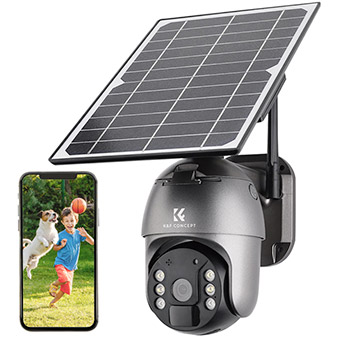

Step 1: Choose the Right Surveillance System

The first step in accessing surveillance camera feeds on your Android device is to verify that your CCTV system supports remote viewing. Modern surveillance systems typically come with mobile viewing capabilities, often accessible via dedicated apps or browser interfaces specifically designed for smartphones. Look for cameras labeled as “IP cameras,” “smart cameras,” or those that support apps for Android devices. If your system is older or lacks mobile compatibility, you might need to upgrade or purchase additional equipment to enable remote viewing.

Step 2: Check Internet Connectivity

To watch surveillance footage remotely, ensure both your surveillance system and your Android device are connected to the internet. Most newer surveillance cameras are networked devices that require either a Wi-Fi or wired internet connection. A stable and reliable internet connection ensures uninterrupted access to the camera feeds, whether live or recorded.

Make sure you configure your router correctly for remote access. For IP-based cameras, you might need to set up port forwarding or use a Dynamic DNS (DDNS) service to make your camera accessible from outside your home network. Alternatively, many surveillance system providers offer cloud-based viewing, eliminating the need for complex connectivity setups.

Step 3: Install the Recommended Mobile App

Modern surveillance systems often come with proprietary mobile apps designed specifically for Android users. Check the make and model of your surveillance camera and search for the associated app on the Google Play Store. Common apps include:

Reolink

Dahua

Lorex

Nest

YI Home

Google Home

These apps are optimized for Android devices and offer an intuitive way to access live feeds, playback recorded footage, and configure camera settings remotely. Follow these steps to install the app:

1. Open the Google Play Store on your Android device.

2. Search for the app recommended by your surveillance camera manufacturer.

3. Download and install the app.

4. Log in or create an account within the app, if necessary.

If your camera doesn’t have a dedicated mobile app, third-party apps such as TinyCam Monitor, IP Webcam, or Onvifer can be used—but ensure compatibility with your camera before downloading.

Step 4: Connect the Camera to the App

Once the app is installed, you’ll need to connect your surveillance camera to it. This may involve scanning the QR code provided with your camera or manually adding the device by entering its IP address or unique identifier. Follow the instructions outlined by the app to complete the pairing process.

Here are the common steps for connecting the app to your surveillance system:

1. Open the app and register an account, if required.

2. Search for an option such as “Add Camera” or “Set Up Device.”

3. Scan the QR code provided by your surveillance camera or enter the system’s unique details (username, password, or IP address).

4. Once connected, you should see the camera feed displayed on your Android device.

Tip: For seamless remote viewing without exposure to hacking, always ensure you change the default username and password for your surveillance camera system.

Step 5: Explore the App’s Features

Once connected, familiarize yourself with the features of the app. Most apps enable you to view live surveillance footage, playback recorded video, configure motion detection settings, and even communicate through audio-enabled cameras. Some apps feature advanced functions like push notifications for motion alerts and cloud storage for footage. Explore options like zooming the camera feed or using split-screen views to monitor multiple cameras simultaneously.

An essential tip for users is to configure notifications for motion alerts. Android apps typically allow you to receive instant push alerts when the camera detects movement. This feature is beneficial if you want proactive security monitoring without watching the feed 24/7.

Step 6: Remote Access via Cloud Services or DDNS

Sometimes, you may want to access your surveillance camera feed while on the go without using the proprietary app. Many surveillance systems support remote viewing via cloud services or DDNS setups. Cloud-based systems store video recordings remotely, allowing you to check footage from any device and location. Popular cloud storage platforms for surveillance camera systems include:

- Google Drive

- Dropbox

- AWS

- Proprietary cloud storage provided by the camera manufacturer

Alternatively, DDNS allows you to access your camera by mapping an easy-to-remember domain name to your IP address. Most IP cameras include DDNS service integration directly from the settings menu.

Step 7: Troubleshooting Common Issues

Remote viewing through an Android device is typically seamless, but if you encounter issues, here are some common solutions:

1. Camera Not Connecting to Wi-Fi: Ensure the Wi-Fi signal is strong, and verify the camera is set to the correct SSID.

2. App Failure: Make sure the app is updated via the Google Play Store. Sometimes, outdated versions create compatibility issues.

3. Password Errors: Ensure you input the correct login information for your camera and app. Reset the credentials if necessary.

4. Port Forwarding Issues: Verify your router’s port-forwarding settings. If you’re unsure how to proceed, consult your camera’s manual.

5. Motion Alerts Not Functioning: Settings for motion detection alerts are often found within the app. Make sure these notifications are enabled.

Step 8: Security Tips

Remote access to surveillance footage brings immense convenience but also potential risks. Here are some essential security practices to protect your camera system:

Enable Two-Factor Authentication: Many surveillance apps support two-step verification; enable it to safeguard your account.

Change Default Passwords: Cybersecurity threats increase when systems use factory-set credentials.

Regularly Update Firmware: Surveillance cameras, like any connected device, rely on firmware updates to patch vulnerabilities.

Use Encrypted Connections: Cameras supporting SSL (Secure Sockets Layer) encryption ensure data integrity during transmission.

Limit Access: Trust only authorized users with access to feeds.

Disable Unnecessary Features: Disable sharing options or features that open your camera to third-party access unless absolutely needed.

Advantages of Viewing Surveillance Cameras on Android

Using your Android device brings several advantages for surveillance monitoring:

1. Portability: Monitoring your property can be done remotely from anywhere, whether at work or traveling abroad.

2. Ease of Use: Surveillance apps are user-friendly and require minimal technical expertise.

3. Real-Time Alerts: Receive instant notifications in case of suspicious activity.

4. Integration with Smart Home Ecosystems: Many surveillance systems integrate with smart home hubs, allowing better control and automation.

Watching surveillance cameras on Android devices is simpler than ever, thanks to advancements in mobile app technology and smart camera systems. By following the steps outlined in this guide, you can effortlessly keep an eye on your property, ensuring its security anytime and anywhere. Whether setting up the proprietary app, navigating through features, troubleshooting issues, or implementing security best practices, the integration of surveillance monitoring with Android devices provides users with peace of mind and excellent flexibility.

Always choose reliable camera systems, maintain a secure setup, and stay updated with technology to maximize your monitoring efficiency. With your Android device, the power to watch over your home or business is literally in the palm of your hand.
Leave your comment
Cancel reply
Note: HTML is not translated!
Related Products
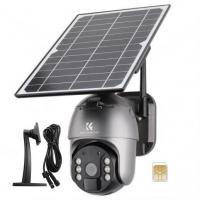
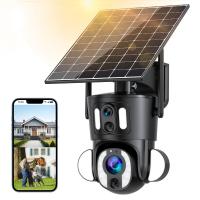
Dual-Lens Security Camera Solar Outdoor Surveillance 10X Optical Zoom 2.4G WiFi
12
C$384.36 C$307.49
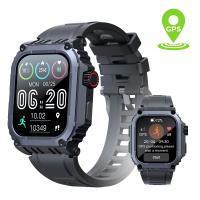
Sport Smart Watch with GPS Tracker Bluetooth Calls 24h Heart Rate/Sleep Monitor
15
C$110.56 C$88.45
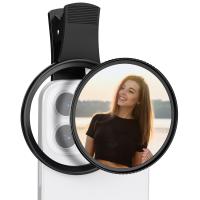
67mm Clip-on CPL Phone Camera Lens Filter Kit Applicable to All Mobile Phone Models
C$35.31 C$21.99
67mm Clip-on ND2-32 Phone Camera Lens Filter Kit Applicable to All Mobile Phone Models
C$66.03 C$45.75
67mm Clip-on Black Mist 1/4 Phone Camera Lens Filter Kit Applicable to All Mobile Phone Models
C$53.74 C$44.79
67mm Clip-on Black Mist 1/8 Phone Camera Lens Filter Kit Applicable to All Mobile Phone Models
C$53.74 C$44.79
52mm Clip-on CPL Phone Camera Lens Filter Kit, Circular Polarizer Polarizing Filter Applicable to All Mobile Phone Models
C$41.46 C$23.99
Guess you like products
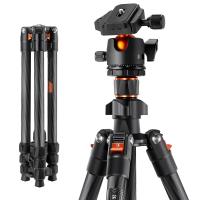
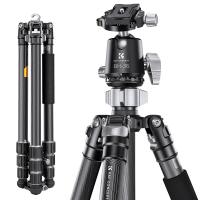
K&F Concept 64 inch/163cm Carbon Fiber Camera Tripod,Lightweight Travel Tripod with 36mm Metal Ball Head Load Capacity 8kg/17.6lbs,Quick Release Plate,for DSLR Cameras Indoor Outdoor Use K254C2+BH-36L
10
C$269.99 C$139.99
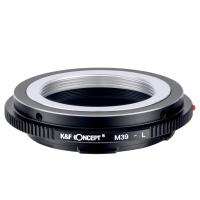
M39-L Manual Focus M39 Lens to Leica SL T Sigma FP Panasonic L-mount digital camera Mount Adapter
3
C$96.78 C$43.99
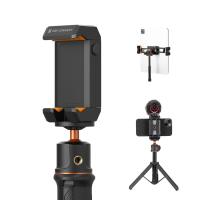
K&F Concept iPad Tablet and Cellphone Tripod Mount Adapter Holder, Adjustable Clamp for iPhone15/14/13/12 Pro Max, iPad,iPad Mini 1/2/3/4/5/6,iPad Air,iPad Pro,Surface,Samsung Tab 7.0 Series and More
C$36.99 C$25.99
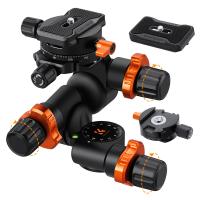
K&F Concept Geared Tripod Head, 360°Panoramic 3-Way Ballhead with Quick Release Plate, 6KG Load-bearing for Macro, Star Shooting, Commercial Photography
C$290.29 C$241.91
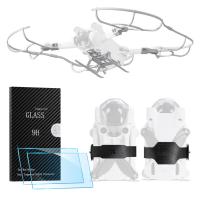
DJI Mini 3 PRO Protective Film for Remote Control with Screen (pack of 2 pieces) + Heightened Landing Gear + Propeller Anti-Collision Ring + Propeller Bundler, 4 in 1 set
C$58.99 C$48.99
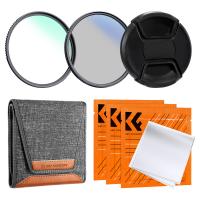
67mm Lens Filter Kit (UV + CPL +Lens Cap + 3 Cleaning Cloths+ Filter Pouch)- Slim Frame with 18 Multi Layer Coatings
C$37.99
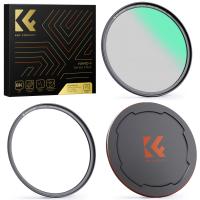
62mm Magnetic Black Mist Filter 1/4 Nano-Xcel Series - HD Multi-layer Coated, Waterproof/Scratch-Resistant/ Anti-Reflection
43
C$72.99 C$69.99
 68'' Professional Carbon Fiber Camera Video Tripod with Detachable Monopod & 36mm Metal Ball Head 35.2lbs Max Load - X-Series X284C4+BH-36 (Red Dot Award)
68'' Professional Carbon Fiber Camera Video Tripod with Detachable Monopod & 36mm Metal Ball Head 35.2lbs Max Load - X-Series X284C4+BH-36 (Red Dot Award)
21
C$399.99 C$279.99
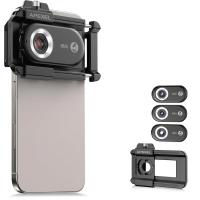
Macro Phone Lens with 100X/150X/200X Lens in 1 Kit Built-in CPL Filter LED Light
15
C$207.53 C$166.02
Related Articles
How To Wire Surveillance Camera?
How To Clean Surveillance Camera Lens?
How To Detect A Hidden Security Surveillance Camera?
How Much Power Does A Surveillance Camera Use?
How To Fix Headphone Jack On Android?
How To Set Time On Smart Watch?
How To Clean Microphone On Android Phone?
How To Watch Diy Network On Smart Tv?
How To Access The Sd Card On Android?
What Is The Best Bird Feeder For Large Birds?
Guess you like articles
How To Fix Bluetooth Earbuds Not Charging?
Can Solar Panels Charge Electric Cars?
Can You Connect 2 Bluetooth Headphones To Android?
How Do I Clean My Camera Lens?
How To Find Lost Wired Headphones?
How To Format Micro Sdhc Memory Card?
Kentfaith Black Friday 2025 Deals
How To Clean A Projector Lens?
How Much Power Will Solar Panel Generate?
How Many Panels Do I Need For Solar?
Related categories
variable ND2 to ND400 filter 46mm camera filters DSLR Camera Flash DSLR Camera Backpacks DSLR Camera Cases Camera Cleaning Kits camera color filters camera shoulder bags Camera Filter Accessories 46mm camera filters
Related searches
Battery Surveillance Camera Outdoor Nd Filter For Android Phone A Mount Lens On E Mount Camera Clip On Cpl Filter Clip On Nd Filter 77mm Filter On 82mm Lens Led Ring Light Clip On Nikon Lens On Micro Four Thirds Contax 645 Lenses On Fuji Gfx Can You Put Nikon Lens On Canon
Blog Category
  • News & Reviews
Search Article
Latest from the Blog
What Is The Best Tripod For A Phone Camera?
Can You Make Telescope From Old Binoculars?
What Is The Best Keyless Entry Door Lock?
Who Makes The Best Led Flood Lights?
What Is The Best Floodlight Security Camera?
What Is The Best Solar-powered Outdoor Camera?
What Is The Best Instant Camera For A 6 Year Old?
What Kind Of Telescope Is Best For Beginners?
Which Kids Camera Is The Best?
What Is The Best Motion Sensor Light With Camera?
What Is The Best Bluetooth Headset?
What Is The Best Small Compact Camera?
What Is The Best Battery-powered Camera?
Camera Lens Filter Buying Guide (For Reference Only)
What Is The Best Solar-powered Security Camera?
How Big Sd Card For Camera?
What Is The Best Wireless Lav Mic?
Which Tripod Is Best For Photography?
What Are The Best Wireless Earbuds For Iphone?
What Is The Best Monopod?
Powered By K&F Concept © 2026