Carbon Monoxide Detector What Are The Light?
Understanding the Lights on Your Carbon Monoxide Detector: A Comprehensive Guide
A carbon monoxide (CO) detector is an essential safety device in any home, business, or building where people live or work. It serves as a lifeline, alerting occupants to the presence of CO, an invisible and odorless gas that can be fatal even in small doses. However, many people are unfamiliar with the meaning of the various lights on a carbon monoxide detector and how to interpret them properly. This lack of knowledge can delay emergency responses or even result in complacency. In this guide, we’ll demystify the lights and provide practical tips to ensure you and your loved ones stay safe.
Why Understanding Carbon Monoxide Detectors Is Crucial

Before diving into the light indicators, it’s important to understand why a carbon monoxide detector is vital. CO is often referred to as the “silent killer” because it has no smell, taste, or visual cues that make its presence apparent. Common household sources of CO include malfunctioning gas appliances, wood stoves, chimneys, gas generators, and even car exhaust that enters enclosed spaces. Without a reliable CO detector, people might not realize the danger until it’s too late.
Knowing how to interpret your detector’s signals—especially its lights—plays a critical role in timely action. Carbon monoxide detectors generally feature a combination of lights (often green, red, and sometimes yellow) and audible alarms for communication. These lights highlight the device’s status, including routine operation, low battery warnings, end-of-life alerts, fault diagnostics, and CO detection.
Interpreting the Lights on Your Carbon Monoxide Detector
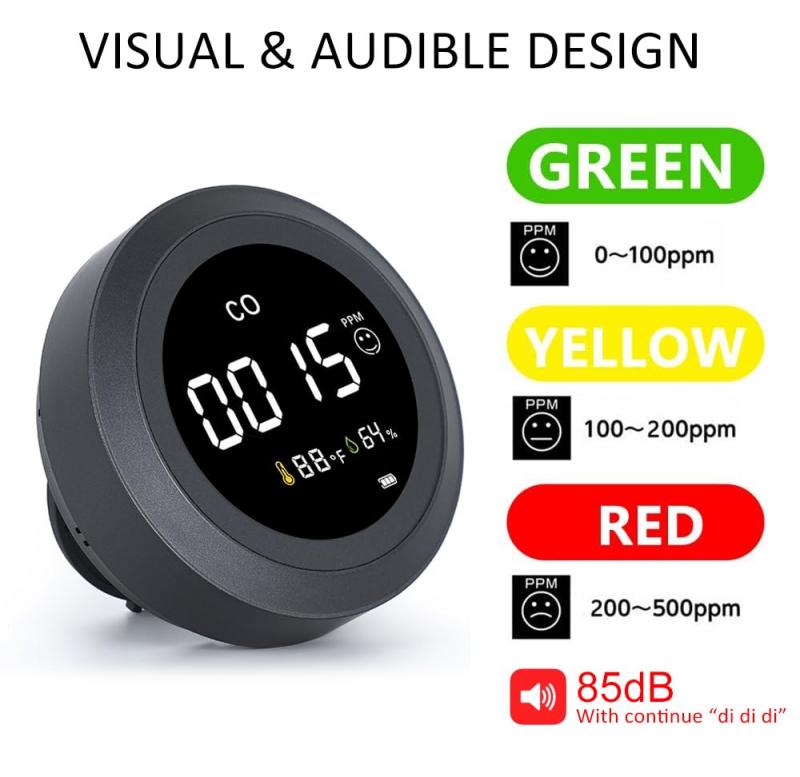
Different manufacturers may use slightly varied systems, but the light patterns on CO detectors follow common industry standards. Here are the most common lights you should know:
1. Green Light
Meaning: The green light typically signifies that the detector is functioning properly. It may be a steady or blinking light, depending on the brand and model.
Normal Operation: If your detector features a steady or regularly blinking green light, this means the unit is receiving power and actively monitoring for CO.
No Light: A lack of a green light on most detectors suggests the unit is not receiving power. Check the power source—whether it’s batteries or a hardwired connection—and ensure it’s operational.
2. Red Light
Meaning: The red light is usually associated with alarm or fault conditions.
Active Alarm: If the red light is flashing and the alarm is sounding, the device has detected unsafe levels of carbon monoxide. In this case, evacuate immediately and call emergency services.
Intermittent Blinking (without an audible alarm): This could indicate different scenarios, such as low battery or other maintenance needs. Consult your device’s user manual for the specific blinking pattern.
3. Yellow or Amber Light
Meaning: Not all models feature a yellow or amber light, but when present, it generally indicates a warning that is not immediately life-threatening.
Low Battery Warning: A yellow light combined with chirping sounds usually means the batteries need to be replaced.
End-of-Life Alert: If your detector’s yellow light flashes and an additional audible chirp occurs (often every 30-60 seconds), this might signify that the device has reached the end of its serviceable life. Most CO detectors are designed to last around 5–10 years, depending on the model.
Faulty Sensor or Malfunction: A rapidly blinking yellow light may hint that the sensor or the detector itself is faulty. In these cases, replacement or recalibration is recommended.
4. Other Display Features
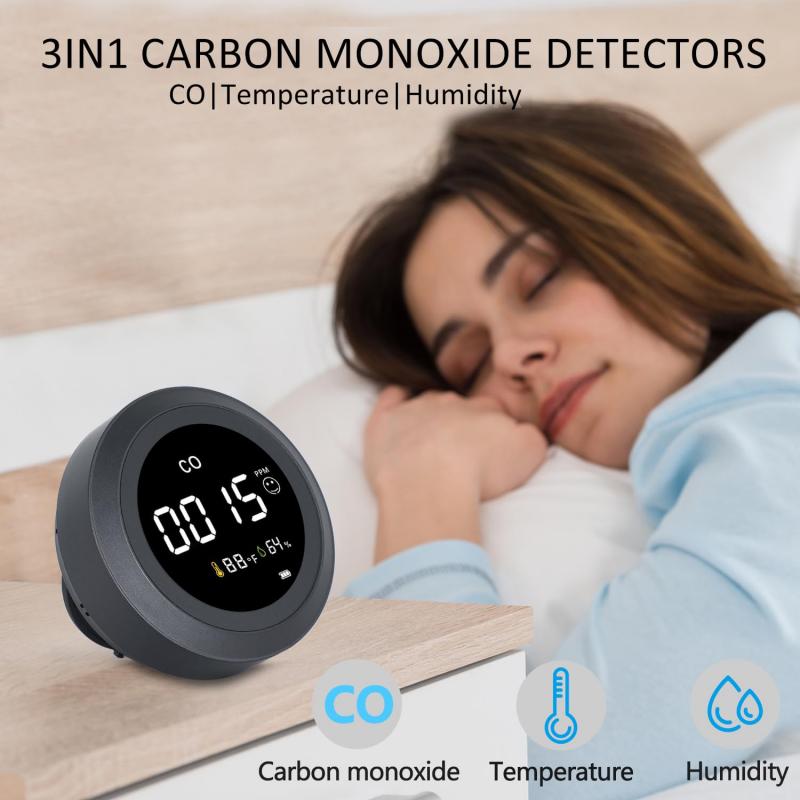
- Many advanced devices include digital displays that show the parts per million (ppm) of CO in the air. Certain lights may be associated with these readings.
- A display showing "0 ppm" along with a green light generally means everything is safe. However, any reading above 35 ppm should prompt further investigation.
What to Do in Different Scenarios
Once you understand the meaning behind the lights on your carbon monoxide detector, it’s important to know how to respond effectively.
Scenario 1: Green Light is On
If the green light is steady or blinking normally, no action is needed. Conduct routine maintenance checks (e.g., test the device weekly using the “Test” button) to ensure it is working properly.
Scenario 2: Red Light and Alarm Are Active
This is the most critical scenario. Take the following steps immediately:
1. Evacuate: Leave the premises. Do not search for the CO source.
2. Call Emergency Services: Dial 911 or your emergency hotline from outside the home.
3. Do Not Re-enter: Wait for professionals to declare the space safe. You may need to hire a technician to inspect and repair appliance malfunctions.
Scenario 3: Yellow or Amber Light is On
This scenario is less urgent but shouldn’t be ignored.
1. Low Battery Warning: Replace batteries promptly to restore full function.
2. End-of-Life Warning: Replace the entire detector to ensure your family’s continuing safety.
3. Fault Alert: If the device indicates a malfunction, troubleshoot according to the manual or contact the manufacturer.
Tips for Maximizing the Effectiveness of Your CO Detector
1. Positioning Matters
- Install detectors on every floor of your home, at least one near bedrooms.
- Place them in hallways, near gas appliances, and not too close to stoves or bathrooms where steam might interfere.
2. Test Regularly
- Most detectors have a “Test” button. Push it monthly to ensure alarms are functioning.
3. Replace on Time
- Replace batteries every 6–12 months (or sooner, according to usage guidelines).
- Replace the detector itself after 5–10 years or as recommended by the manufacturer.
4. Keep It Dust-Free
- Clean your detector with a soft cloth occasionally to remove dust or debris that could affect its sensors.
5. Stay Educated
- Familiarize yourself with your device’s manual. Differences between brands/models mean you need to understand the specific guidelines for your product.
6. Never Ignore Chirps
- Even if an alert seems minor, it’s better to investigate and resolve it than risk safety by ignoring warnings.
FAQs About CO Detector Lights
Q: Why is my CO detector blinking green and chirping?
A blinking green light typically means the device has power, but the chirping sound may indicate low battery or another minor fault. Check the manual for the specific chirp pattern.
Q: Can the lights on a CO detector tell me the gas concentration levels?
Not directly. While lights often provide operational status information, only devices with digital displays can show numerical CO levels.
Q: Why did my detector go off even though I feel fine?
Your detector may have detected an increasing concentration of CO gas before its effects became noticeable. Early action could prevent symptoms like headaches, nausea, or worse.
The lights on your carbon monoxide detector are your first line of defense against one of the most insidious household dangers. Taking the time to understand and respond appropriately to these signals can save lives. A green, red, or yellow light is never just a design feature—it’s a crucial communication tool. Equip yourself with knowledge and remain vigilant to ensure the safety and well-being of everyone in your home.
Remember, a carbon monoxide detector is a small investment but a massive safeguard, and understanding its lights allows you to use it to its full potential. Take care of your device, and it will take care of you.