kfconcept

K&F Concept Canada
K&F Concept Canada

Enjoy Your Selected Digital Life

Recently Viewed
  • Recently Viewed
  • Recently Viewed list is empty.

Compare (0) 0
  • Compare
  • You have not chosen any products to compare.

  • Compare
Currency: CAD
  • Currency

Log Into Your Account

Account

Order History

Wish List

Login

Forgotten Password?

or connect with

Register Account

Already have an Account?Log In

  • Shopping Cart
  • Your shopping cart is empty!

  • Register/Login to purchase, earn points
  • Favorite
  • Your wish list is empty.

  • Register/Login to like, earn points
  • Tripods
    • Carbon Fiber Tripods
    • Aluminum Tripods
    • Video Tripods
    • Monopods
    • Phone Tripods
    • Tripod Accessories
    • Mini Tripod
    • Action Camera Mounts
    • Studio Parts
      • Photography Fill Light
      • Soft Box
      • Reflectors
      • Ring Light
      • Camera Flash
      • Tripod Light Stands
    • Gimbal Stabilizers
  • Lens Filters
    • UV Filters
      • Nano-Xcel Series
        • MCUV - Nano-Xcel
        • Ultra-low Reflectivity MCUV Filters
        • MCUV Super Hard
        • Explosion-proof MCUV - Nano-Xcel
        • MCUV+Lens Cap+Cleaning Cloth
        • Super Hard&Ultra Low Reflection MCUV Filters - Nano-Xcel
        • Magnetic MCUV - Nano-Xcel
      • Nano-Dazzle Series
        • MCUV Filters - D Series
        • MCUV+Lens Cap+Cleaning Cloth
      • Nano-Klear Series
        • MCUV Filters
        • Ultra Thin Frame MCUV Filter
        • MCUV+Lens Cap
        • MCUV+Lens Cap+Cleaning Cloth
      • Nano-Xcel Pro Series
        • MCUV
    • CPL Filters
      • Nano-Xcel Series
        • True Color Ultra-low Reflectivity CPL - Nano-Xcel
      • Nano-Dazzle Series
        • CPL+Lens Cap+Cleaning Cloth - Nano-Dazzle
      • CPL - Nano-X Series
      • Nano-Klear Series
      • Nano-Xcel Pro Series
        • CPL - Nano-X Pro Series
      • CPL - Nano-K Series
      • CPL - Nano-D Series
      • CPL True Color - Nano-X Series
      • CPL+Lens Cap+Cleaning Cloth - Nano-K Series
      • Ultra-low Reflection CPL - Nano-X
      • Ultra-Thin CPL- Nano-K Series
      • CPL - Magnetic Series
        • Magnetic CPL + Apater Ring + Cap
    • Square Filter System
      • Basic System
        • Square ND Filter
          • ND4 Filters - Nano-Xcel Series
          • ND16 Filters - Nano-X
          • ND1000 Filters - Nano-X
          • ND2000 Filters - Nano-X
          • ND32000 Filters - Nano-X
          • Full Color ND8 Filters - Nano-X
          • Full Color ND64 Filters - Nano-X
        • Square GND Filter
        • Square Light Pollution Cut Filter
          • Light Pollution Cut Filter - Nano-X
        • Square Black Mist Filter
          • Black Mist 1 - Nano-X
          • Black Mist 1/2 - Nano-X
          • Black Mist 1/4 - Nano-Xcel Series
          • Black Mist 1/8 - Nano-X
        • Square Brackets & Accessories
          • Adapter Ring - Nano-X
        • 100mm Square Filter Kits
          • Square Filter - Nano-X
          • ND1000+Holder - Nano-X
          • ND1000+Soft GND8+Holder-Nano-X
          • Soft GND8+Holder - Nano-X
      • Professional System
        • Square PL Filter
        • Square ND Filter
          • Full Color ND8 Filters - Nano-X Pro
          • Full Color ND64 Filters - Nano-X Pro
          • Full Color ND1000 - Nano-X Pro
        • Square GND Filter
        • Black Mist 1/4 & CPL - Nano-X Pro
        • Light Pollution Cut Filter
          • Light Pollution Cut - Nano-X Pro
        • Square Brackets & Accessories
          • 100x100mm Square Filter Protect Frame - Nano-X Pro
          • 100x150mm Square Filter Protect Frame - Nano-X Pro
          • Adapter Ring - Nano-X Pro
        • Square Filter Kits
          • 100mm ND1000+Holder Kit - Nano-X Pro Series
          • 100mm ND1000+Soft GND8+Holder Kit - Nano-X Pro Series
          • 100mm ND8+ND64+ND1000+Holder Kit - Nano-X Pro Series
          • 100mm Holder Kit - Nano-X Pro Series
    • Neutral Density Filters
      • Neutral Density (Solid) Filters
        • Solid ND - Magnetic Series
        • ND8 (3 stops) - Nano-Xcel Series
        • ND64 (6 stops) - Nano-Xcel Series
        • ND1000 (10 stops) - Nano-Xcel Series
        • ND100000 (16.6 stops) - Nano-Xcel Series
        • ND1000000 (20 stops) - Nano-Xcel Series
        • ND100000 (16.6 stops) - Nano-Klear Series
        • ND1000000 (20 stops) - Nano-Klear Series
      • Unlimited Variable ND Filters
        • ND2-ND400 Filter w/ Cap - Nano-K
        • ND2-ND400 Filter Set - Nano-K
      • Variable Neutral Density
        • Nano-Xcel Series
          • ND2-ND32 - Nano-X Series
          • ND2-ND32 True Color - Nano-X Series
          • ND2-ND400 - Nano-X Series
          • ND8-ND128 - Nano-X Series
          • ND32-ND512 - Nano-Xcel
          • ND3-ND1000 - Nano-X Series
          • ND2-32 True Color Ultra-Low Reflection - Nano-Xcel
        • Nano-Dazzle Series
          • ND2-ND32 - Nano-Dazzle
          • ND2-ND400 - Nano-Dazzle
          • ND3-ND1000 - Nano-Dazzle
          • ND8-ND2000 - Nano-Dazzle
        • Nano-Klear Series
          • ND2-ND32 - Nano-Klear
          • ND2-ND400 - Nano-Klear
          • ND2-ND2000 - Nano-Klear
        • Nano-Xcel Pro Series
          • ND2-ND32 - Nano-Xcel Pro
        • Nano-B Series
          • ND2-ND400 - Nano-B
        • ND2-32&ND32-512 - Nano-X Series
      • Graduated Neutral Density
        • 100mm GND Filter
          • Soft GND8 Filters - Nano-Xcel Series
          • Hard GND8 Filters - Nano-Xcel Series
          • Reverse GND8 Filters - Nano-Xcel Series
          • Soft GND16 Filters - Nano-Xcel Series
          • Reverse GND16 Filters - Nano-Xcel Series
          • Soft GND8 Filters - Nano-Xcel Pro Series
          • Hard GND8 Filters - Nano-Xcel Pro Series
          • Reverse GND8 Filters - Nano-Xcel Pro Series
          • Soft GND16 Filters - Nano-Xcel Pro Series
          • Reverse GND16 Filters - Nano-Xcel Pro Series
        • Circular GND Filter
          • GND8 - Nano-Xcel Series
          • GND16 - Nano-Xcel Series
      • 2 in 1 Filters
        • ND4-ND64 & CPL - Nano-X Series
        • ND2-ND32 & CPL - Nano-X Pro
        • ND2-ND32 & CPL - Nano-X Series
        • ND2-32&CPL Filters - Nano K Series
        • ND2-ND32 & CPL - Nano-D Series
        • ND2-ND32&CPL True Color - Nano-X
    • Black Mist & Soft Focus Filters
      • Black Mist
        • Black Mist 1
          • Black Mist 1 - Nano-X Series
          • Black Mist 1 - Nano-K Series
        • Black Mist 1/2
          • Black Mist 1/2 - Nano-X Series
          • Black Mist 1/2 - Nano-K Series
        • Black Mist 1/4
          • Black Mist 1/4 - Nano-X Series
          • Black Mist 1/4 - Nano-D Series
          • Black Mist 1/4 + Cloth - Nano-K Series
          • Black Mist 1/4 - Nano-Xcel Pro Series
        • Black Mist 1/8
          • Black Mist 1/8 - Nano-X Series
          • Black Mist 1/8 + Cloth - Nano-K
          • Black Mist 1/8 - Nano-D
          • Black Mist 1/8 - Nano-Xcel Pro Series
        • Black Mist Kit
          • Black Mist 1/4 + 1/8
          • Black Mist 1/4 + 1/8 - Nano Klear Series
        • Black-Mist & VND
          • Black Mist 1/4 & ND2-32 Filters - Nano-Klear Series
          • Black Mist 1/4 & ND2-400 Filters - Nano-Xcel Series
          • Black Mist 1/4 & ND8-128 Filter
          • Black Mist 1/4 & ND2-32 Filter
          • Black Mist 1/8 & ND2-32 Filters - Nano-Klear Series
      • White Mist
        • White Mist 1/4 - Nano-Xcel Series
        • White Mist 1/4 - Nano-Klear Series
      • Cool Mist
        • Cool Mist 1/4 - Nano-Xcel
      • Vintage Soft
      • Combination Soft & Mist
    • Magnetic Lens Filters
      • MCUV Filters
        • Magnetic MCUV + Lens Cap
        • Magnetic MCUV - Nano-K Series
      • Polarizers
        • Magnetic CPL + Adapter Ring
        • Magnetic CPL+Adapter Ring - Nano-Klear Series
      • Black-Mist
        • Black Mist 1/8 - Nano-X Series
        • Black Mist 1/4 - Nano-X Series
        • Black Mist 1 - Nano-X Series
      • Unlimited Variable ND Filter
        • ND2-ND32 - Magnetic Series
        • ND8-ND128 - Magnetic Series
      • Neutral Density (Solid) Filter
        • Magnetic ND8 - Nano-X Serie
        • Magnetic ND64 - Nano-X Serie
        • Magnetic ND1000 - Nano-X Serie
      • Filter Kits
        • MCUV+CPL+ND1000 - Nano X Series
        • CPL+ND8+ND64+Adapter Ring+Lens Cap - Nano X Series
        • GND8+ND8+ND64+ND1000 - Nano X Series
        • CPL+VND2-32+Black Mist 1/4+Magnetic Ring+Lens Cap - Nano-Xcel Series
      • Accessories
        • Magnetic Adapter Ring
        • Magnetic Filter Ring
        • Magnetic Cap
    • Action Camera Filters
      • Action Camera Accessories
      • DJI Osmo Action 4 / Action 5 Pro
      • DJI Osmo Action 5 Pro
      • GOPRO Hero 9/10/11/12/13
      • Insta360 GO3
      • Insta360 GO3S
      • DJI Action 3
    • Filter Kit
      • Black Diffusion 1/4 + 1/8
      • Screw-In Filters
        • MCUV+CPL Filter - Nano K Series
        • MCUV+CPL+Lens Cap - Nano K Series
        • MCUV+CPL+Lens Cap - Nano-Xcel Series
        • MCUV+CPL+ND1000+Lens Cap - Nano-Dazzle Series
        • MCUV+CPL+ND4
        • ND1000+CPL
        • ND4+ND8+ND64+ND1000
        • MCUV+CPL
      • Magnetic Filters
      • Square Filters
    • Effects Filters
      • Shimmer Diffusion Filters
        • Shimmer Diffusion 1 - Nano-Xcel Series
        • Shimmer Diffusion 1 - Nano-Klear Series
      • Prism Filters
        • Central Prism Filters
          • Central Pentagonal Filters - Nano-Basic Series
          • Central Hexagonal Filters - Nano-Basic Series
        • Ordinary Prism Filters
          • Triangular Filtres - Nano-Basic Series
      • Streak Filters
        • Blue Streak Filter
        • Gold Streak Filters - Nano-Xcel Series
        • Colorful Streak Filters - Nano-B Series
        • Blue Streak Filters - Nano-Klear Series
      • Kaleidoscope Filters
        • Kaleidoscope Filters - Nano-Basic Series
        • Handheld Kaleidoscope Filters - Nano-Basic Series
      • Motion Blur Filters
        • Directional Motion Blur - Nano-Basic Series
        • Bidirectional Motion Blur - Nano-Basic Series
      • Centerfield Split Diopter Filters - Nano-Klear Series
      • Star Filter
        • Star Filters 4-8 Points - Nano-K Series
        • Star Filter Kits 4+6+8 Points - Nano-K Series
    • Filter Accessories
      • Lens Hoods
      • Polarized Film
      • Rings Kits
        • Step Up Rings
        • Step Down Rings
      • Filter Holders & Frames
      • Filter Holder Adapter Rings
        • Filter Adapter Rings
      • Filter Pouches
        • 150mm Pouch for Nano-X Pro System
        • 100mm Pouch for Nano-X Pro System
        • 110x106mm Filter Pouch
        • 96x96mm Filter Pouch
        • Pocket Filter Pouch
      • Lens Caps
        • Caps for Magnetic Filters
        • Caps for Variable ND Filters
        • Anti-lost Lens Cap
          • 4 in 1
          • 5 in 1
          • 9 in 1
    • Handheld Camera Filters
      • DJI Osmo Pocket 4/3 Filters
      • DJI Osmo Pocket 3 Accessories
        • Charging Base
      • DJI Osmo Pocket 4 Accessories
    • Light Pollution Filters
      • Light Pollution Cut Filter - Circular
      • Light Pollution Cut Filter - Square
    • Phone Lens Filters
    • Drone Filters
      • DJI Air 2S
      • DJI Air 3S
      • DJI Avata2
      • DJI Mavic 3 Classic
      • DJI Mavic 3 Pro
      • DJI Mini
      • DJI Mini 4 Pro
      • DJI Mini 3 PRO
      • DJI Flip
      • DJI NEO
      • DJI Mavic 4 Pro
      • DJI Mini 5 Pro
      • DJI Air 3 Filters
    • Matte Box & Filter Systems
      • Neutral Density (Solid) Filters
        • ND4 - Nano-X Series
        • ND8 - Nano-X Series
        • ND16 - Nano-X Series
        • ND32 - Nano-X Series
        • ND64 - Nano-X Series
        • ND8+ND64 - Nano-X Series
      • UV Filters
      • Black Mist Filters
        • Black Mist 1/4 - Nano-X
        • Black Mist 1/8 - Nano-X Series
      • Blue Streak Filters
      • Kits
        • Matte Box - Nano-Xcel
        • Matte Box Pro - Nano-Xcel Series
        • Matte Box+ND8 Square Filter - Nano-Xcel
        • Matte Box+ND4+ND32 Square Filter - Nano-Xcel
        • Matte Box+Black Mist 1/4 Square Filter - Nano-Xcel
    • Brand-specific Filters
      • Fujifilm X100
      • Ricoh GR
  • Lens Adapters
    • Sony A Mount Body
    • Fujifilm X Mount Body
    • Fujifilm C (GFX) Mount Body
    • C-Mount Body
    • Leica M Mount Body
    • Micro Four Thirds (M43) Mount Body
    • Pentax K Mount Body
    • Pentax Q Mount Body
    • Samsung NX Mount Body
    • Nikon F Mount Body
    • Nikon 1 Mount Body
    • Nikon Z Mount Body
    • Canon EOS EF/EF-S Mount Body
    • Canon EOS M Mount Body
    • Canon RF Mount Body
    • Sony E Mount Body
    • L-Mount Alliance (Leica)
  • Camera Bags
    • Camera Backpacks
    • Camera Straps
    • Camera Cases
    • Camera Shoulder Bags
    • Backpack Accessories
  • Surveillance Camera
    • Battery Camera
    • WiFi Camera
    • Baby Monitor
    • Feeder Camera
    • Floodlight camera
    • Monitoring Detector
  • Camera
    • Digital Camera & Camcorders
    • Trail Camera
      • Wifi Trail Cameras
      • Non-Cellular Trail Cameras
      • Cellular Trail Cameras
      • Accessories
    • Camera Battery
      • insta360
      • Sony
      • Canon
      • Nikon
      • FUJIFILM
      • Gopro
      • Lumix
      • Osmo Action
      • V Mount Battery
      • Memory Card Case
    • Camera Lenses
    • Webcam
    • Fishing Camera
    • On-Dash Camera
    • time lapse camera
    • Memory Cards
    • Camera Accessories
      • Camera Body Caps & Lens Rear Caps
      • Camera Screen Protectors
        • Canon
        • Sony
        • Fujifilm
        • Nikon
        • Olympus
        • Ricoh
        • GoPro
        • DJI Osmo Pocket 3
      • Camera Hot Shoe Covers
      • Camera Viewfinder Eyecups
        • Nikon
        • Sony
        • Canon
      • Adjustment Iris
      • Ricoh GR Lens Caps
  • Endoscope
    • Digital Otoscope
    • Household Endoscope
    • Professional Endoscope
    • Portable Endoscope
  • Optics
    • Binoculars
    • Microscope
    • Monocular
    • Spotting Scope
    • Telescope
    • Night Vision Goggles
    • Rangefinder
  • More
    • Cleaning Kits
    • Digital Voice Recorders
    • Metal Detectors
    • Microphone
    • Motorcycle Bluetooth Headset
    • Remote Sensors
    • Drone Accessories
      • DJI Air 2S Accessories
      • DJI Air 3 Accessories
      • DJI Avata Accessories
      • DJI Drone Universal Accessories
      • DJI Mavic Mini 2/Mini 2 SE/Mini Accessories
      • DJI Mavic Mini 3 Accessories
      • DJI Mini 3 Pro Accessories
    • Language Translator Device
    • Smart Glasses
    • Solar Panels
    • Handheld Game Console
    • Lights
      • Video Fill Light
      • Live Ring Light
      • Outdoor Lighting
    • Camera Microphones
    • Headphones
    • Weather Station & Household Sensors
    • Smart Watch
    • Smart lock
    • Chicken Coop Door
    • Studio
  • Deals
    • Specials
    • Coupon
  • Home
  • Blog
  • How Do You Mount A Sd Card?

How Do You Mount A Sd Card?

K&f concept 2024-07-17 01:27:37 0 Comments

Mounting an SD card is a common task that many people encounter, whether they are using it for additional storage on a smartphone, camera, or computer. Despite its simplicity, the process can sometimes be confusing, especially for those who are not tech-savvy. In this article, we will explore the various methods and steps involved in mounting an SD card across different devices, troubleshoot common issues, and provide tips for maintaining your SD card's health.

Understanding the Basics
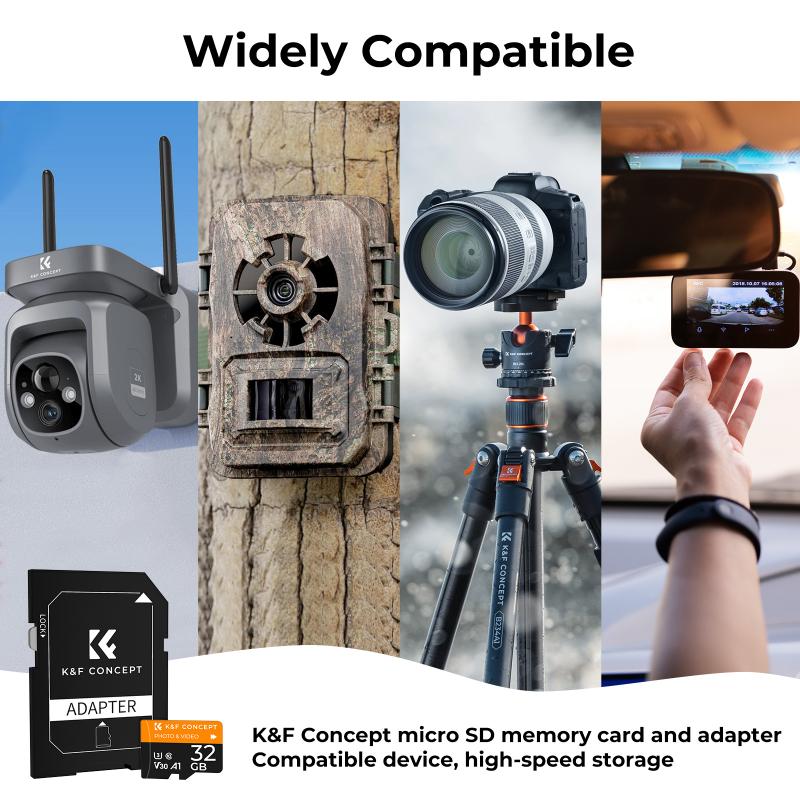
how do you mount a sd card 1

Before diving into the specifics, it's essential to understand what "mounting" an SD card means. Mounting is the process by which a computer or device makes the SD card accessible for reading and writing data. When you insert an SD card into a device, the operating system needs to recognize it and assign it a directory so that you can access its contents.

Mounting an SD Card on Different Devices
how do you mount a sd card 2

1. Smartphones and Tablets

Most modern smartphones and tablets come with a slot for an SD card, usually located in a tray that can be ejected using a small pin or tool.

Steps:

1. Power Off: Turn off your device to avoid any potential data corruption.

2. Insert the SD Card: Use the provided tool to eject the SD card tray. Place the SD card in the tray, ensuring it is properly aligned, and then reinsert the tray into the device.

3. Power On: Turn your device back on. The operating system should automatically detect the SD card.

4. Format if Necessary: If the SD card is new or has been used in another device, you may need to format it. Go to Settings > Storage > SD Card and select the option to format.

2. Digital Cameras

Digital cameras often use SD cards to store photos and videos. The process of mounting an SD card in a camera is straightforward.

Steps:

1. Power Off: Turn off the camera.

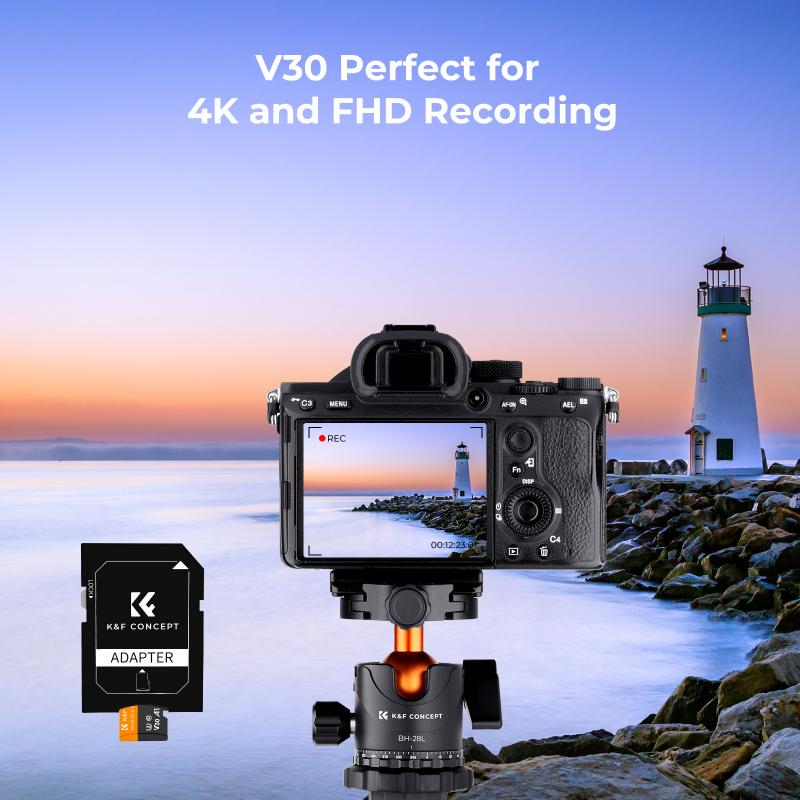
2. Insert the SD Card: Open the SD card slot, usually located on the side or bottom of the camera. Insert the SD card, ensuring it clicks into place.

3. Power On: Turn the camera back on. The camera should automatically recognize the SD card and be ready to use.

3. Computers (Windows and macOS)

Mounting an SD card on a computer can be done using an SD card reader, which may be built-in or external.

Steps for Windows:

1. Insert the SD Card: Insert the SD card into the SD card reader slot.

2. Automatic Recognition: Windows should automatically recognize the SD card and assign it a drive letter.

3. Access the SD Card: Open File Explorer and navigate to the new drive to access the SD card's contents.

Steps for macOS:

1. Insert the SD Card: Insert the SD card into the SD card reader slot.

2. Automatic Recognition: macOS should automatically recognize the SD card and mount it on the desktop.

3. Access the SD Card: Open Finder and navigate to the SD card to access its contents.

Troubleshooting Common Issues

how do you mount a sd card 3

Despite the simplicity of the process, you may encounter some issues when mounting an SD card. Here are some common problems and their solutions:

1. SD Card Not Recognized

If your device does not recognize the SD card, try the following steps:

- Check Compatibility: Ensure the SD card is compatible with your device.

- Clean the Contacts: Remove the SD card and gently clean the metal contacts with a soft cloth.

- Try Another Device: Insert the SD card into another device to see if it is recognized.

- Update Drivers: For computers, ensure that your SD card reader drivers are up to date.

2. Read/Write Errors

If you encounter read/write errors, consider these solutions:

- Check for Physical Damage: Inspect the SD card for any physical damage.

- Format the SD Card: Backup any important data and format the SD card using your device's formatting tool.

- Use a Different Reader: Try using a different SD card reader to rule out hardware issues.

3. Slow Performance

If your SD card is performing slowly, try the following:

- Check the Speed Class: Ensure the SD card's speed class is suitable for your needs (e.g., Class 10 for HD video recording).

- Defragment the SD Card: On a computer, you can defragment the SD card to improve performance.

- Limit Background Processes: On smartphones, limit background processes that may be accessing the SD card.

Tips for Maintaining Your SD Card

how do you mount a sd card 4

To ensure the longevity and reliability of your SD card, follow these maintenance tips:

1. Regular Backups

Regularly backup the data on your SD card to avoid data loss in case of failure.

2. Proper Ejection

Always properly eject the SD card from your device before removing it to prevent data corruption.

3. Avoid Physical Damage

Handle your SD card with care to avoid physical damage. Store it in a protective case when not in use.

4. Keep Firmware Updated

For devices like cameras and smartphones, keep the firmware updated to ensure compatibility with newer SD cards.

5. Monitor Health

Use tools to monitor the health of your SD card. Some devices and software can provide information on the card's health and usage.

Mounting an SD card is a straightforward process, but it can vary slightly depending on the device you are using. By following the steps outlined in this article, you can ensure that your SD card is properly mounted and ready for use. Additionally, by troubleshooting common issues and following maintenance tips, you can extend the life of your SD card and keep your data safe. Whether you are a casual user or a professional, understanding how to mount and maintain an SD card is an essential skill in today's digital world.


Leave your comment
Cancel reply
Note: HTML is not translated!
Related Products
K&F Concept 24 Slots SD Card Holder Memory Card Case, Water-Resistant Shockproof Memory Card Storage Carrying Case for 12 SD SDXC SDHC Cards, 12 CFexpress Type A Cards
C$21.49 C$16.99
K&F Concept 36 Slots SD Micro SD Memory Card Case, Water-Resistant SD Card Holder, Anti-Shock Card Carrying Storage Box for 24 Micro SD SDXC SDHC TF Cards and 12 SD SDXC SDHC Cards
C$21.49 C$16.99
K&F Concept 28 Slots Micro SD Card Case,Water-Resistant Anti-Shock Anti-Dust TF Card Holder,Micro SD/Micro SDHC/Micro SDXC Card Box Organizer Storage
C$21.49 C$16.99
32GB Micro SD Card U3/V30/A1 with Adapter, Memory Card for Cameras, Borescopes,  Microscopes, Night Vision Goggles, Kentfaith
32GB Micro SD Card U3/V30/A1 with Adapter, Memory Card for Cameras, Borescopes, Microscopes, Night Vision Goggles, Kentfaith
C$27.36 C$21.89
64GB Micro SD Card U3/V30/A1 with Adapter, Memory Card for Cameras, Borescopes,  Microscopes, Night Vision Goggles, Kentfaith
64GB Micro SD Card U3/V30/A1 with Adapter, Memory Card for Cameras, Borescopes, Microscopes, Night Vision Goggles, Kentfaith
C$39.99 C$36.99
Memory Card Case with 25 Slots, Anti-Shock Carrying Case for 4 SD Cards, 4 CF Cards or 4XQDs, 4 CFexpress Cards, 12 Micro SD (TF) Cards, 2 Nano SIM, 2 Micro SIM and 1 SIM Card
C$29.99
4K digital camera for photography and video [autofocus and stabilisation] 48 MP video blog camera with SD card, 3
69
C$139.99
Guess you like products
52mm True Color & Ultra-Low Reflection Variable ND Lens Filter, ND2-32 (1-5 Stops) HD Adjustable Neutral Density Filter with 28 Multi-Layer Coatings for Camera Lenses - Nano-X Series
C$191.99 C$127.99
Memory Card Case with 25 Slots, Anti-Shock Carrying Case for 4 SD Cards, 4 CF Cards or 4XQDs, 4 CFexpress Cards, 12 Micro SD (TF) Cards, 2 Nano SIM, 2 Micro SIM and 1 SIM Card
C$29.99
Digital Microscope for Kids, 1000X Handheld Kids Microscope with 6 Adjustable LED Lights, 2'' LCD Screen Mini Portable Microscope USB to PC for Kids 8-12, 32GB SD Card Including
20
C$107.30 C$85.84
UHD 4k Camera Recorder with 18X Digital Zoom,64MP Digital Camera Recorder,4.0-inch Rotating Touchscreen,Microphone,Remote Control,64GB SD Card,Two Batteries(Black)
29
C$459.36 C$399.99
55mm ND64 Magnetic Lens Filter HD Waterproof Scratch-resistant Anti-reflection Nano-Xcel Series
13
C$67.99 C$49.99
3D VR Night Vision Binoculars with Infrared Head Mounted 6X Zoom Kentfaith
13
C$594.19 C$475.35
72mm Variable ND2-ND32 (1-5 Stop) & Black Mist 1/4 Filter 2-in-1, 28 Multi-Layer Coatings - Nano-Xcelcel Series
48
C$116.99 C$102.99
37mm MCUV Protection Filter with 28 Multi-Layer Coatings HD/Hydrophobic/Scratch Resistant/Ultra-Slim UV Filter for 37mm Camera Lens Nano-Xcel Series
C$38.32 C$27.99
Related Articles
How Do You Format A Micro Sd Card?
How Do You Use A Micro Sd Card?
How Do You Unlock A Sd Memory Card?
How Do You Unlock An Sd Card?
How Do You Lock An Sd Card?
How Do You Delete Photos From Sd Card?
How Do You Move Photos To Sd Card?
How Do You Transfer Files To Sd Card?
How Do You Transfer Apps To Sd Card?
How To Put Sd Card In Gopro?
Guess you like articles
How To Pair Earphones?
How Do You Fix Headphone Jack?
How To Install Apps On A Sd Card?
How To Change Blink Camera Battery?
How Do I Use A Micro Sd Card?
How To Detect Gold Without A Metal Detector?
How To Mount Solar Panels On Rv?
How To Change Sd Card Write Protection?
How To Screen Record On Macbook With Sound?
How To Record Audio With Screen Capture?
Related categories
Sony A Mount Body c-mount lens adapter Pentax Q mount adapter Nikon F mount adapter EF-S lens mount adapter Black Mist 1/8 Filter black pro mist filter 1/2 k&f nd cpl filter UV protective filter Special Effects Camera Filters
Related searches
A Mount To E Mount Adapter A Mount To L Mount Adapter A To E Mount Adaptor Sony A Mount To E Mount Adapter A Mount Lens On E Mount Camera Trail Camera With Sim Card Sony A To E Mount Adapter Minolta Md To Sony A Mount Adapter Sony A Mount To Fuji X Adapter Can You Put Nikon Lens On Canon
Blog Category
  • News & Reviews
Search Article
Latest from the Blog
Camera Lens Filter Buying Guide (For Reference Only)
What Is The Best Thermal Imaging Monocular?
Kentfaith Black Friday 2025 Deals
What Is The Best Way To Clean Your Lenses?
Which Kids Camera Is The Best?
Which Overhead Headphones Are Best?
How To Display Wireless Cctv Camera On Tv?
What Is The Best Solar-powered Security Camera?
What Is The Best Floodlight Security Camera?
What's The Best Small Binocular To Buy?
What Is The Best Battery-powered Camera?
What Is The Best Wireless Door Camera?
What Kind Of Telescope Is Best For Beginners?
What Is The Best Gaming Headset With A Good Mic?
Prime Day 2026 – Celebrate 15 Years of K&F Concept with Exclusive Savings
What Is The Best Instant Camera For A 6 Year Old?
What Is The Best Wireless Lav Mic?
Which Is The Best Smart Watch For Sports?
What Is The Best Keyless Entry Door Lock?
How Big Sd Card For Camera?
Powered By K&F Concept © 2026