kfconcept

K&F Concept Canada
K&F Concept Canada

Enjoy Your Selected Digital Life

Recently Viewed
  • Recently Viewed
  • 4 Pack Magnetic Effect Filter Set Compatible with DJI Osmo Pocket 3 / DJI Osmo Pocket 4, Black Diffusion 1/4 + Blue Streak + Light Pollution Reduction + Star Light Filter, Create Cinematic Film Effect
    4 Pack Magnetic Effect Filter Set Compatible with DJI Osmo Pocket 3 / DJI Osmo Pocket 4, Black Diffusion 1/4 + Blue Streak + Light Pollution Reduction + Star Light Filter, Create Cinematic Film Effect
    C$51.19
Compare (0) 0
  • Compare
  • You have not chosen any products to compare.

  • Compare
Currency: CAD
  • Currency

Log Into Your Account

Account

Order History

Wish List

Login

Forgotten Password?

or connect with

Register Account

Already have an Account?Log In

  • Shopping Cart
  • Your shopping cart is empty!

  • Register/Login to purchase, earn points
  • Favorite
  • Your wish list is empty.

  • Register/Login to like, earn points
  • Tripods
    • Carbon Fiber Tripods
    • Aluminum Tripods
    • Video Tripods
    • Monopods
    • Phone Tripods
    • Tripod Accessories
    • Mini Tripod
    • Action Camera Mounts
    • Studio Parts
      • Photography Fill Light
      • Soft Box
      • Reflectors
      • Ring Light
      • Camera Flash
      • Tripod Light Stands
    • Gimbal Stabilizers
  • Lens Filters
    • UV Filters
      • Nano-Xcel Series
        • MCUV - Nano-Xcel
        • Ultra-low Reflectivity MCUV Filters
        • MCUV Super Hard
        • Explosion-proof MCUV - Nano-Xcel
        • MCUV+Lens Cap+Cleaning Cloth
        • Super Hard&Ultra Low Reflection MCUV Filters - Nano-Xcel
        • Magnetic MCUV - Nano-Xcel
      • Nano-Dazzle Series
        • MCUV Filters - D Series
        • MCUV+Lens Cap+Cleaning Cloth
      • Nano-Klear Series
        • MCUV Filters
        • Ultra Thin Frame MCUV Filter
        • MCUV+Lens Cap
        • MCUV+Lens Cap+Cleaning Cloth
      • Nano-Xcel Pro Series
        • MCUV
    • CPL Filters
      • Nano-Xcel Series
        • True Color Ultra-low Reflectivity CPL - Nano-Xcel
      • Nano-Dazzle Series
        • CPL+Lens Cap+Cleaning Cloth - Nano-Dazzle
      • CPL - Nano-X Series
      • Nano-Klear Series
      • Nano-Xcel Pro Series
        • CPL - Nano-X Pro Series
      • CPL - Nano-K Series
      • CPL - Nano-D Series
      • CPL True Color - Nano-X Series
      • CPL+Lens Cap+Cleaning Cloth - Nano-K Series
      • Ultra-low Reflection CPL - Nano-X
      • Ultra-Thin CPL- Nano-K Series
      • CPL - Magnetic Series
        • Magnetic CPL + Apater Ring + Cap
    • Square Filter System
      • Basic System
        • Square ND Filter
          • ND4 Filters - Nano-Xcel Series
          • ND16 Filters - Nano-X
          • ND1000 Filters - Nano-X
          • ND2000 Filters - Nano-X
          • ND32000 Filters - Nano-X
          • Full Color ND8 Filters - Nano-X
          • Full Color ND64 Filters - Nano-X
        • Square GND Filter
        • Square Light Pollution Cut Filter
          • Light Pollution Cut Filter - Nano-X
        • Square Black Mist Filter
          • Black Mist 1 - Nano-X
          • Black Mist 1/2 - Nano-X
          • Black Mist 1/4 - Nano-Xcel Series
          • Black Mist 1/8 - Nano-X
        • Square Brackets & Accessories
          • Adapter Ring - Nano-X
        • 100mm Square Filter Kits
          • Square Filter - Nano-X
          • ND1000+Holder - Nano-X
          • ND1000+Soft GND8+Holder-Nano-X
          • Soft GND8+Holder - Nano-X
      • Professional System
        • Square PL Filter
        • Square ND Filter
          • Full Color ND8 Filters - Nano-X Pro
          • Full Color ND64 Filters - Nano-X Pro
          • Full Color ND1000 - Nano-X Pro
        • Square GND Filter
        • Black Mist 1/4 & CPL - Nano-X Pro
        • Light Pollution Cut Filter
          • Light Pollution Cut - Nano-X Pro
        • Square Brackets & Accessories
          • 100x100mm Square Filter Protect Frame - Nano-X Pro
          • 100x150mm Square Filter Protect Frame - Nano-X Pro
          • Adapter Ring - Nano-X Pro
        • Square Filter Kits
          • 100mm ND1000+Holder Kit - Nano-X Pro Series
          • 100mm ND1000+Soft GND8+Holder Kit - Nano-X Pro Series
          • 100mm ND8+ND64+ND1000+Holder Kit - Nano-X Pro Series
          • 100mm Holder Kit - Nano-X Pro Series
    • Neutral Density Filters
      • Neutral Density (Solid) Filters
        • Solid ND - Magnetic Series
        • ND8 (3 stops) - Nano-Xcel Series
        • ND64 (6 stops) - Nano-Xcel Series
        • ND1000 (10 stops) - Nano-Xcel Series
        • ND100000 (16.6 stops) - Nano-Xcel Series
        • ND1000000 (20 stops) - Nano-Xcel Series
        • ND100000 (16.6 stops) - Nano-Klear Series
        • ND1000000 (20 stops) - Nano-Klear Series
      • Unlimited Variable ND Filters
        • ND2-ND400 Filter w/ Cap - Nano-K
        • ND2-ND400 Filter Set - Nano-K
      • Variable Neutral Density
        • Nano-Xcel Series
          • ND2-ND32 - Nano-X Series
          • ND2-ND32 True Color - Nano-X Series
          • ND2-ND400 - Nano-X Series
          • ND8-ND128 - Nano-X Series
          • ND32-ND512 - Nano-Xcel
          • ND3-ND1000 - Nano-X Series
          • ND2-32 True Color Ultra-Low Reflection - Nano-Xcel
        • Nano-Dazzle Series
          • ND2-ND32 - Nano-Dazzle
          • ND2-ND400 - Nano-Dazzle
          • ND3-ND1000 - Nano-Dazzle
          • ND8-ND2000 - Nano-Dazzle
        • Nano-Klear Series
          • ND2-ND32 - Nano-Klear
          • ND2-ND400 - Nano-Klear
          • ND2-ND2000 - Nano-Klear
        • Nano-Xcel Pro Series
          • ND2-ND32 - Nano-Xcel Pro
        • Nano-B Series
          • ND2-ND400 - Nano-B
        • ND2-32&ND32-512 - Nano-X Series
      • Graduated Neutral Density
        • 100mm GND Filter
          • Soft GND8 Filters - Nano-Xcel Series
          • Hard GND8 Filters - Nano-Xcel Series
          • Reverse GND8 Filters - Nano-Xcel Series
          • Soft GND16 Filters - Nano-Xcel Series
          • Reverse GND16 Filters - Nano-Xcel Series
          • Soft GND8 Filters - Nano-Xcel Pro Series
          • Hard GND8 Filters - Nano-Xcel Pro Series
          • Reverse GND8 Filters - Nano-Xcel Pro Series
          • Soft GND16 Filters - Nano-Xcel Pro Series
          • Reverse GND16 Filters - Nano-Xcel Pro Series
        • Circular GND Filter
          • GND8 - Nano-Xcel Series
          • GND16 - Nano-Xcel Series
      • 2 in 1 Filters
        • ND4-ND64 & CPL - Nano-X Series
        • ND2-ND32 & CPL - Nano-X Pro
        • ND2-ND32 & CPL - Nano-X Series
        • ND2-32&CPL Filters - Nano K Series
        • ND2-ND32 & CPL - Nano-D Series
        • ND2-ND32&CPL True Color - Nano-X
    • Black Mist & Soft Focus Filters
      • Black Mist
        • Black Mist 1
          • Black Mist 1 - Nano-X Series
          • Black Mist 1 - Nano-K Series
        • Black Mist 1/2
          • Black Mist 1/2 - Nano-X Series
          • Black Mist 1/2 - Nano-K Series
        • Black Mist 1/4
          • Black Mist 1/4 - Nano-X Series
          • Black Mist 1/4 - Nano-D Series
          • Black Mist 1/4 + Cloth - Nano-K Series
          • Black Mist 1/4 - Nano-Xcel Pro Series
        • Black Mist 1/8
          • Black Mist 1/8 - Nano-X Series
          • Black Mist 1/8 + Cloth - Nano-K
          • Black Mist 1/8 - Nano-D
          • Black Mist 1/8 - Nano-Xcel Pro Series
        • Black Mist Kit
          • Black Mist 1/4 + 1/8
          • Black Mist 1/4 + 1/8 - Nano Klear Series
        • Black-Mist & VND
          • Black Mist 1/4 & ND2-32 Filters - Nano-Klear Series
          • Black Mist 1/4 & ND2-400 Filters - Nano-Xcel Series
          • Black Mist 1/4 & ND8-128 Filter
          • Black Mist 1/4 & ND2-32 Filter
          • Black Mist 1/8 & ND2-32 Filters - Nano-Klear Series
      • White Mist
        • White Mist 1/4 - Nano-Xcel Series
        • White Mist 1/4 - Nano-Klear Series
      • Cool Mist
        • Cool Mist 1/4 - Nano-Xcel
      • Vintage Soft
      • Combination Soft & Mist
    • Magnetic Lens Filters
      • MCUV Filters
        • Magnetic MCUV + Lens Cap
        • Magnetic MCUV - Nano-K Series
      • Polarizers
        • Magnetic CPL + Adapter Ring
        • Magnetic CPL+Adapter Ring - Nano-Klear Series
      • Black-Mist
        • Black Mist 1/8 - Nano-X Series
        • Black Mist 1/4 - Nano-X Series
        • Black Mist 1 - Nano-X Series
      • Unlimited Variable ND Filter
        • ND2-ND32 - Magnetic Series
        • ND8-ND128 - Magnetic Series
      • Neutral Density (Solid) Filter
        • Magnetic ND8 - Nano-X Serie
        • Magnetic ND64 - Nano-X Serie
        • Magnetic ND1000 - Nano-X Serie
      • Filter Kits
        • MCUV+CPL+ND1000 - Nano X Series
        • CPL+ND8+ND64+Adapter Ring+Lens Cap - Nano X Series
        • GND8+ND8+ND64+ND1000 - Nano X Series
        • CPL+VND2-32+Black Mist 1/4+Magnetic Ring+Lens Cap - Nano-Xcel Series
      • Accessories
        • Magnetic Adapter Ring
        • Magnetic Filter Ring
        • Magnetic Cap
    • Action Camera Filters
      • Action Camera Accessories
      • DJI Osmo Action 4 / Action 5 Pro
      • DJI Osmo Action 5 Pro
      • GOPRO Hero 9/10/11/12/13
      • Insta360 GO3
      • Insta360 GO3S
      • DJI Action 3
    • Filter Kit
      • Black Diffusion 1/4 + 1/8
      • Screw-In Filters
        • MCUV+CPL Filter - Nano K Series
        • MCUV+CPL+Lens Cap - Nano K Series
        • MCUV+CPL+Lens Cap - Nano-Xcel Series
        • MCUV+CPL+ND1000+Lens Cap - Nano-Dazzle Series
        • MCUV+CPL+ND4
        • ND1000+CPL
        • ND4+ND8+ND64+ND1000
        • MCUV+CPL
      • Magnetic Filters
      • Square Filters
    • Effects Filters
      • Shimmer Diffusion Filters
        • Shimmer Diffusion 1 - Nano-Xcel Series
        • Shimmer Diffusion 1 - Nano-Klear Series
      • Prism Filters
        • Central Prism Filters
          • Central Pentagonal Filters - Nano-Basic Series
          • Central Hexagonal Filters - Nano-Basic Series
        • Ordinary Prism Filters
          • Triangular Filtres - Nano-Basic Series
      • Streak Filters
        • Blue Streak Filter
        • Gold Streak Filters - Nano-Xcel Series
        • Colorful Streak Filters - Nano-B Series
        • Blue Streak Filters - Nano-Klear Series
      • Kaleidoscope Filters
        • Kaleidoscope Filters - Nano-Basic Series
        • Handheld Kaleidoscope Filters - Nano-Basic Series
      • Motion Blur Filters
        • Directional Motion Blur - Nano-Basic Series
        • Bidirectional Motion Blur - Nano-Basic Series
      • Centerfield Split Diopter Filters - Nano-Klear Series
      • Macro Filters (Close-up)
      • Star Filter
        • Star Filters 4-8 Points - Nano-K Series
        • Star Filter Kits 4+6+8 Points - Nano-K Series
    • Filter Accessories
      • Lens Hoods
      • Polarized Film
      • Rings Kits
        • Step Up Rings
        • Step Down Rings
      • Filter Holders & Frames
      • Filter Holder Adapter Rings
        • Filter Adapter Rings
      • Filter Pouches
        • 150mm Pouch for Nano-X Pro System
        • 100mm Pouch for Nano-X Pro System
        • 110x106mm Filter Pouch
        • 96x96mm Filter Pouch
        • Pocket Filter Pouch
      • Lens Caps
        • Caps for Magnetic Filters
        • Caps for Variable ND Filters
        • Anti-lost Lens Cap
          • 4 in 1
          • 5 in 1
          • 9 in 1
    • Handheld Camera Filters
      • DJI Osmo Pocket 4/3 Filters
      • DJI Osmo Pocket 3 Accessories
        • Charging Base
      • DJI Osmo Pocket 4 Accessories
    • Light Pollution Filters
      • Light Pollution Cut Filter - Circular
      • Light Pollution Cut Filter - Square
    • Phone Lens Filters
    • Drone Filters
      • DJI Air 2S
      • DJI Air 3S
      • DJI Avata2
      • DJI Mavic 3 Classic
      • DJI Mavic 3 Pro
      • DJI Mini
      • DJI Mini 4 Pro
      • DJI Mini 3 PRO
      • DJI Flip
      • DJI NEO
      • DJI Mavic 4 Pro
      • DJI Mini 5 Pro
      • DJI Air 3 Filters
    • Matte Box & Filter Systems
      • Neutral Density (Solid) Filters
        • ND4 - Nano-X Series
        • ND8 - Nano-X Series
        • ND16 - Nano-X Series
        • ND32 - Nano-X Series
        • ND64 - Nano-X Series
        • ND8+ND64 - Nano-X Series
      • UV Filters
      • Black Mist Filters
        • Black Mist 1/4 - Nano-X
        • Black Mist 1/8 - Nano-X Series
      • Blue Streak Filters
      • Kits
        • Matte Box - Nano-Xcel
        • Matte Box Pro - Nano-Xcel Series
        • Matte Box+ND8 Square Filter - Nano-Xcel
        • Matte Box+ND4+ND32 Square Filter - Nano-Xcel
        • Matte Box+Black Mist 1/4 Square Filter - Nano-Xcel
    • Brand-specific Filters
      • Fujifilm X100
      • Ricoh GR
  • Lens Adapters
    • Sony A Mount Body
    • Fujifilm X Mount Body
    • Fujifilm C (GFX) Mount Body
    • C-Mount Body
    • Leica M Mount Body
    • Micro Four Thirds (M43) Mount Body
    • Pentax K Mount Body
    • Pentax Q Mount Body
    • Samsung NX Mount Body
    • Nikon F Mount Body
    • Nikon 1 Mount Body
    • Nikon Z Mount Body
    • Canon EOS EF/EF-S Mount Body
    • Canon EOS M Mount Body
    • Canon RF Mount Body
    • Sony E Mount Body
    • L-Mount Alliance (Leica)
  • Camera Bags
    • Camera Backpacks
    • Camera Straps
    • Camera Cases
    • Camera Shoulder Bags
    • Backpack Accessories
  • Surveillance Camera
    • Battery Camera
    • WiFi Camera
    • Baby Monitor
    • Feeder Camera
    • Floodlight camera
    • Monitoring Detector
  • Camera
    • Digital Camera & Camcorders
    • Trail Camera
      • Wifi Trail Cameras
      • Non-Cellular Trail Cameras
      • Cellular Trail Cameras
      • Accessories
    • Camera Battery
      • insta360
      • Sony
      • Canon
      • Nikon
      • FUJIFILM
      • Gopro
      • Lumix
      • Osmo Action
      • V Mount Battery
      • Memory Card Case
    • Camera Lenses
    • Webcam
    • Fishing Camera
    • On-Dash Camera
    • time lapse camera
    • Memory Cards
    • Camera Accessories
      • Camera Body Caps & Lens Rear Caps
      • Camera Screen Protectors
        • Canon
        • Sony
        • Fujifilm
        • Nikon
        • Olympus
        • Ricoh
        • GoPro
        • DJI Osmo Pocket 3
      • Camera Hot Shoe Covers
      • Camera Viewfinder Eyecups
        • Nikon
        • Sony
        • Canon
      • Adjustment Iris
      • Ricoh GR Lens Caps
  • Endoscope
    • Digital Otoscope
    • Household Endoscope
    • Professional Endoscope
    • Portable Endoscope
  • Optics
    • Binoculars
    • Microscope
    • Monocular
    • Spotting Scope
    • Telescope
    • Night Vision Goggles
    • Rangefinder
  • More
    • Cleaning Kits
    • Digital Voice Recorders
    • Metal Detectors
    • Microphone
    • Motorcycle Bluetooth Headset
    • Remote Sensors
    • Drone Accessories
      • DJI Air 2S Accessories
      • DJI Air 3 Accessories
      • DJI Avata Accessories
      • DJI Drone Universal Accessories
      • DJI Mavic Mini 2/Mini 2 SE/Mini Accessories
      • DJI Mavic Mini 3 Accessories
      • DJI Mini 3 Pro Accessories
    • Language Translator Device
    • Smart Glasses
    • Solar Panels
    • Handheld Game Console
    • Lights
      • Video Fill Light
      • Live Ring Light
      • Outdoor Lighting
    • Camera Microphones
    • Headphones
    • Weather Station & Household Sensors
    • Smart Watch
    • Smart lock
    • Chicken Coop Door
    • Studio
  • Deals
    • Specials
    • Coupon
  • Home
  • Blog
  • How To Use Bluetooth Headphones With Laptop?

How To Use Bluetooth Headphones With Laptop?

K&f concept 2024-07-12 04:22:40 0 Comments

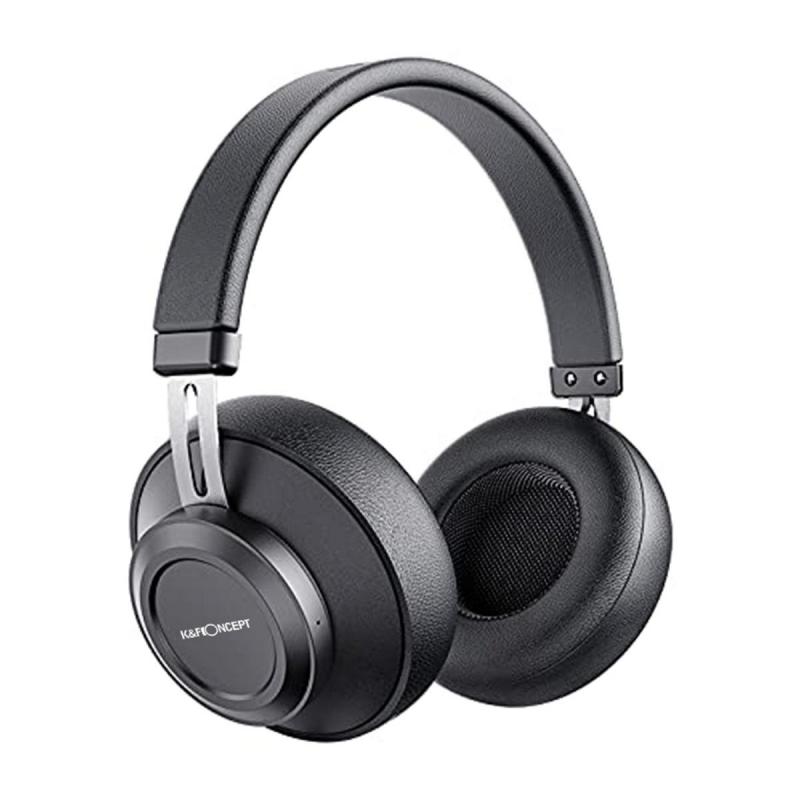
Bluetooth headphones have become an essential accessory for many laptop users, offering the convenience of wireless audio for everything from work calls to entertainment. However, connecting Bluetooth headphones to a laptop can sometimes be a bit tricky, especially for those who are not tech-savvy. In this article, we will provide a comprehensive guide on how to use Bluetooth headphones with a laptop, covering various operating systems and troubleshooting common issues.

Step-by-Step Guide to Connecting Bluetooth Headphones to a Laptop
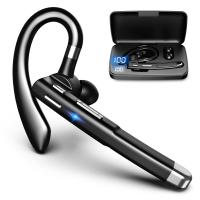
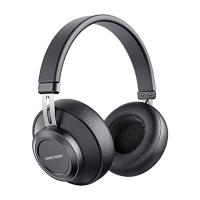
how to use bluetooth headphones with laptop 1

1. Check Bluetooth Compatibility

Before attempting to connect your Bluetooth headphones, ensure that your laptop has Bluetooth capabilities. Most modern laptops come with built-in Bluetooth, but older models might require an external Bluetooth adapter.

2. Turn on Bluetooth on Your Laptop

The process of turning on Bluetooth varies depending on the operating system:

- Windows 10:

1. Click on the Start menu and select "Settings."

2. Go to "Devices" and then "Bluetooth & other devices."

3. Toggle the Bluetooth switch to "On."

- macOS:

1. Click on the Apple menu and select "System Preferences."

2. Choose "Bluetooth" and ensure that Bluetooth is turned on.

- Linux:

1. Open the system settings and navigate to the Bluetooth section.

2. Turn on Bluetooth.

3. Put Your Bluetooth Headphones in Pairing Mode

Refer to the user manual of your Bluetooth headphones to put them in pairing mode. This usually involves holding down a specific button until an LED light starts flashing, indicating that the headphones are ready to pair.

4. Pair the Headphones with Your Laptop

Once your headphones are in pairing mode, follow these steps to connect them to your laptop:

- Windows 10:

1. In the "Bluetooth & other devices" menu, click on "Add Bluetooth or other device."

2. Select "Bluetooth" from the list of options.

3. Your laptop will search for available devices. When your headphones appear, click on them to pair.

- macOS:

1. In the Bluetooth menu, you should see your headphones listed under "Devices."

2. Click on the "Connect" button next to your headphones.

- Linux:

1. In the Bluetooth settings, click on "Add a device" or "Pair new device."

2. Select your headphones from the list and follow the on-screen instructions to complete the pairing process.

5. Set Your Bluetooth Headphones as the Default Audio Device

After pairing, you may need to set your Bluetooth headphones as the default audio device:

- Windows 10:

1. Right-click on the sound icon in the taskbar and select "Open Sound settings."

2. Under "Output," select your Bluetooth headphones from the dropdown menu.

- macOS:

1. Go to "System Preferences" and select "Sound."

2. Under the "Output" tab, choose your Bluetooth headphones.

- Linux:

1. Open the sound settings and navigate to the output section.

2. Select your Bluetooth headphones as the output device.

Troubleshooting Common Issues

1. Headphones Not Showing Up in Bluetooth List

If your headphones do not appear in the list of available devices, try the following:

- Ensure that your headphones are in pairing mode.

- Turn Bluetooth off and on again on your laptop.

- Restart your laptop and try pairing again.

- Move your headphones closer to the laptop to ensure they are within range.

2. Connection Drops or Poor Audio Quality

If you experience connection drops or poor audio quality, consider these solutions:

- Ensure that there are no physical obstructions between your headphones and laptop.

- Check for interference from other wireless devices.

- Update the Bluetooth drivers on your laptop.

- Restart both your laptop and headphones.

3. Headphones Connected but No Sound

If your headphones are connected but you hear no sound, try the following:

- Ensure that your headphones are set as the default audio device.

- Check the volume levels on both your laptop and headphones.

- Make sure that the audio is not muted on your laptop.

- Test the headphones with another device to ensure they are working properly.

Advanced Tips for Optimizing Bluetooth Headphone Use

1. Update Firmware and Drivers

Keeping your Bluetooth drivers and headphone firmware up to date can improve performance and compatibility. Check the manufacturer's website for the latest updates.

2. Use Bluetooth 5.0 or Higher

If possible, use Bluetooth 5.0 or higher for better range, speed, and reliability. This may require upgrading your laptop's Bluetooth adapter if it does not support the latest version.

3. Optimize Battery Life

To extend the battery life of your Bluetooth headphones, turn them off when not in use and avoid exposing them to extreme temperatures. Additionally, some headphones come with power-saving modes that can be enabled through their companion apps.

4. Utilize Companion Apps

Many Bluetooth headphones come with companion apps that offer additional features such as equalizer settings, firmware updates, and battery status monitoring. Download and explore these apps to get the most out of your headphones.

Using Bluetooth headphones with a laptop can greatly enhance your audio experience, providing the freedom of wireless connectivity. By following the steps outlined in this guide, you can easily connect your Bluetooth headphones to your laptop and troubleshoot any issues that may arise. Remember to keep your devices updated and explore advanced features to optimize your listening experience. Whether you're using your headphones for work, study, or leisure, mastering Bluetooth connectivity will ensure you get the best performance and convenience from your wireless audio setup.
Leave your comment
Cancel reply
Note: HTML is not translated!
Related Products
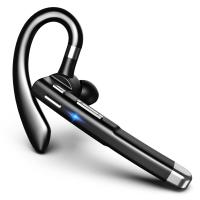
Cell Phone Bluetooth Headphones Bluetooth V5.1 Headphones with Charging Case Hands-Free Single Ear Headphones with CVC8.0 Noise Cancelling Microphone for Office/Driving Compatible with Android/iPhone/Laptop
42
C$38.38 C$31.99
Wireless Headphones Stereo Bluetooth Headphones with Built-in Microphone for Phone Computer TV Laptop Travel and Work
C$199.99 C$124.99
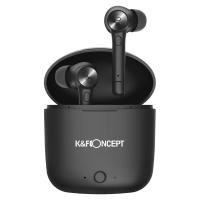
Wireless Earbuds Bluetooth Headphones TWS Waterproof with Microphone
C$48.99
Bluetooth 5.0 Wireless Earbuds Wireless Earbuds In-Ear Headphones with Charging Case, Mini Car Headphones with Built-in Microphone for Phone Call/Running, 5H Playtime
C$146.99 C$120.99
Mobile Phone Bluetooth Earphones Bluetooth V5.1 Earphone Hands-free Single Ear Earphone with CVC8.0 Noise-cancelling Microphone for Office/driving Compatible with Android/iPhone/laptop
C$21.49 C$21.99
Motorcycle Bluetooth Headset Connect to 2 Devices Hands-Free Call/Music
11
C$135.63 C$108.50
200C$ gift certificate, can use with coupon codes,Can be stacked with any Black Friday offer
WIN Gift
200C$ gift certificate, can use with coupon codes,Can be stacked with any Black Friday offer
C$200.00 C$190.00
Guess you like products
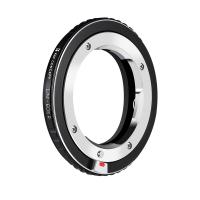
Leica M Lenses to Canon RF Lens Mount Adapter K&F Concept M20194 Lens Adapter
3
C$36.90
77mm Filter Kit MCUV + CPL Circular Polarizer Filter & MCUV Protection Filter HD Ultra-thin with 18 Multi Layer Coatings Nano-Klear Series
43
C$69.99 C$34.99
86mm Black Mist Filter 1/4 Special Effects Filter Ultra-Clear Multi-layer Coated With Waterproof Scratch-Resistant and Anti-Reflection Nano-Xcel Series
C$119.79 C$105.99
Kids Smartphone Toys Dual Cams, 2.8" Touchscreen, No Internet, for Boys Girls Age 3-8 Kentfaith
16
C$89.44 C$71.55
SNDWAY SW-800B golf rangefinder with LCD touch screen, supports height measurement, speed measurement, area measurement, color screen touch, automatic data storage, 800 meters measurement distance
69
C$175.99
62mm Shimmer Diffusion 1 Filter Effect Filter Optical Glass 18 Multi-Coated Glimmer Glass Effect Filter for Camera Lens Nano-Klear Series
C$35.31 C$34.99
LP-E6/LP-E6N/LP-E6NH Battery Charger, Dual Slot Quick Charger for Canon EOS R5, EOS R6, EOS R, EOS 5D Mark IV, 5D Mark III, 5DS, 5DS R, 5D Mark II, 6D Camera
21
C$39.99
Thermal Imaging Monocular with 4K Infrared Night Vision 60Hz Frame Rate <25mk NETD Kentfaith
C$1,399.99 C$849.99
Related Articles
How To Use Projector With Laptop?
How To Use Bluetooth Headphones With Tv?
How To Use Bluetooth Headphones With A Tv?
Can You Use Bluetooth Headphones With Ps4?
Can You Connect Two Bluetooth Headphones To Laptop?
Can You Connect Bluetooth Headphones To A Laptop?
Can You Use Any Bluetooth Headphones With Iphone?
How To Pair With Bluetooth Headphones?
How To Pair Bluetooth Headphones With Pc?
How To Make Audio Recording On Macbook Pro?
Guess you like articles
How To Record Audio Clips On Computer?
How Much Do Solar Panels Increase Home Value?
How To Record An Audio Clip?
Osmo Pocket How To Use Nd Filters?
Which Is The Best Dash Cam To Buy?
What Can Drones Do?
What Can Drones Do?
How To Turn Off Headphones On Ipad?
How To Pair Bluetooth Headphones With Pc?
How To Fix Bluetooth Earbuds Not Charging?
Can You Sleep With Headphones In?
Related categories
motorcycle Bluetooth headset Canada variable ND2 to ND400 filter golf rangefinders with slope black pro mist with nd filter Nikon 1 Lens Adapter Black Mist Filter 1/4 UV filter for lens protection Lens Filters for DJI Osmo Pocket 4/3 c-mount lens adapter
Related searches
Camera Bag With Laptop Space Camera Backpack With Laptop Compartment Wildlife Camera Bluetooth Nd Filter Use Translation Headphones For Iphone Camera And Laptop Bag Microscope With Camera Inspection Camera With Light Tripod With Boom Arm Tripod With Extension Arm
Blog Category
  • News & Reviews
Search Article
Latest from the Blog
What Is The Best Usb Sd Card Reader?
What Is The Best Video Surveillance?
Which Vc Camera Is The Best?
What Is The Best Wireless Door Camera?
What Is The Best Keyless Entry Door Lock?
What Is The Best Way To Clean Your Lenses?
What Portable Solar Panel Is Best?
How To Install Front Door Security Camera?
Which Kids Camera Is The Best?
What Is The Best Battery-powered Camera?
Which Indoor Security Camera Is Best?
What Kind Of Telescope Is Best For Beginners?
What Is The Best Bird Feeder For Large Birds?
What Is The Best Small Compact Camera?
What Is The Best Wireless Outdoor Camera?
What Is The Best Thermal Imaging Monocular?
What Is The Best Solar-powered Outdoor Camera?
What Is The Best Wireless Lav Mic?
Which Overhead Headphones Are Best?
Camera Lens Filter Buying Guide (For Reference Only)
Powered By K&F Concept © 2026