How To Change Bike Camera Settings?
Cycling has become a popular activity for both recreation and commuting, and along with its rise, bike cameras have become essential tools for documenting rides, improving safety, or creating amazing videos of scenic routes. Whether you're a casual rider looking to record your adventures or a professional cyclist aiming to capture time-lapse or high-speed footage, knowing how to change your bike camera settings effectively can make a significant difference. In this guide, we’ll walk you through the steps of customizing your bike camera settings and provide practical tips to ensure optimal performance.
Why Understanding Camera Settings Matters
Bike cameras come with a variety of features designed to enhance your recording experiences, from resolution and frame rates to exposure and stabilization. Not adjusting these settings appropriately may lead to subpar footage or missed opportunities. Whether it’s for aesthetic quality or making sure your videos highlight crucial moments (such as in the case of road accidents), understanding how to tailor settings to your specific needs is essential.
Setting Up Your Bike Camera
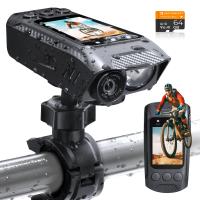
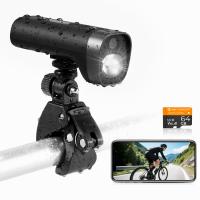
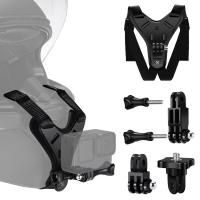
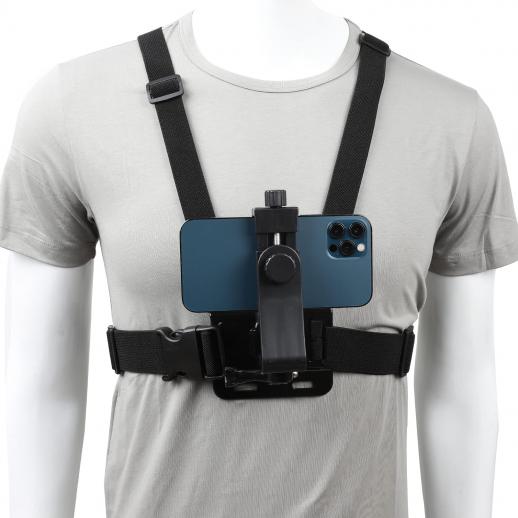
Before you delve into the intricate settings, make sure your camera is mounted securely on your bike or helmet using the appropriate mount. Additionally, ensure the battery is charged and the memory card has adequate space to save videos. Now, let's dive into the settings.
1. Resolution and Frame Rate
Resolution determines the clarity of your video, while frame rate controls the smoothness of playback.
Resolution: Most modern bike cameras allow for resolutions ranging from 720p to 4K. Choosing between these depends on your priorities. For everyday rides or safety documentation purposes, 1080p is usually sufficient. If you're filming breathtaking scenery or want a high-quality output, 4K may be a better choice. Keep in mind that higher resolutions consume more memory and battery power.
Frame Rate: Standard frame rates include 30fps, 60fps, and 120fps. A frame rate of 30fps is fine for casual riding, while 60fps or higher is ideal for capturing fast-paced activities like mountain biking or racing.
2. Field of View
The field of view (FOV) determines how much of the surroundings your camera captures. Cameras might offer narrow, medium, and wide FOV options.
Wide FOV: Great for scenic videos, as it captures more of the surroundings.
Medium/Narrow FOV: More focused views, ideal when you want to highlight specific subjects, such as your route on a busy road.
The wider the FOV, the more distortion (fish-eye effect) you are likely to get in your footage.
3. Stabilization
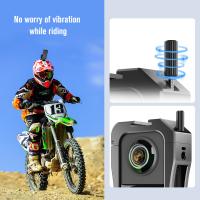
Image or video stabilization is crucial for smooth footage, especially when cycling on uneven terrain. Many bike cameras include advanced stabilization features such as digital or optical image stabilization.
- Activate stabilization settings to counteract vibrations and jolts caused by your bike’s movement.
- Experiment with the levels of stabilization based on where you'll be riding—higher stabilization settings may be necessary for bumpy trails.
4. Exposure and Low-Light Settings
Adjusting exposure settings tailors your camera’s ability to adapt to changes in lighting conditions.
Exposure Level: You can set exposure levels manually if your bike camera offers this option. Lower exposure settings are better for bright environments, while higher settings allow for better visibility in dim conditions.
Low-Light Mode: If riding at dawn, dusk, or night, you’ll likely need a low-light mode that automatically enhances visibility.
Some bike cameras offer automatic modes for these features, which adjust based on the lighting environment in real-time.
5. Recording Mode Options
Bike cameras often provide several recording modes, such as:
Continuous Recording: Records without interruptions. This is great for capturing longer trips but consumes more battery and memory. It’s also valuable for insurance purposes in case of accidents.
Time-Lapse Mode: Ideal for scenic trails when you don’t need real-time footage. This mode takes snapshots at intervals, creating compact videos for sharing.
Slow Motion: Perfect for action-packed rides or stunt footage.
This step comes down to your intended use. If you prefer creating dynamic videos for social media, experimenting with slow motion or time-lapse can be a great choice.
6. Audio Settings
While video quality tends to be the main priority, audio can also be crucial, depending on the purpose of your footage.
- Turn on or off audio capture depending on the use case. For instance, if road noise is irrelevant for your video intention, disabling the audio can reduce distractions.
High-end models may allow wind-noise reduction or external microphone compatibility for clearer audio.
7. Connecting Via Apps and Smart Devices
Many bike cameras come with companion apps that allow you to adjust settings remotely using your smartphone.
- Connect your camera to the app via Wi-Fi or Bluetooth.
- Use the app's interface to fine-tune your settings without fumbling with the device itself.
- Some apps also offer live previews to ensure your angle and camera settings are optimized.
8. Battery and Memory Management
Never overlook the need to optimize your battery and memory choices. Some settings, such as 4K resolution or high frame rates, can drain your battery significantly and eat up your storage space. Here are some tips:
- Lower resolution when on long rides to save power.
- Keep spare batteries or a portable charger handy if your camera allows for external charging during use.
- Use higher-capacity memory cards with fast writing speeds (such as the V30 class or higher) for consistent performance.
Best Practices and Tips
Test Before You Ride: Always test your camera settings before heading out. A quick preview helps you confirm the angle, resolution, and exposure meet your expectations.
Angle Adjustments: Mount the camera at different angles depending on your focus. A forward-facing helmet mount works well for capturing scenic routes, while a rear-facing bike mount can be used to log activity behind you.
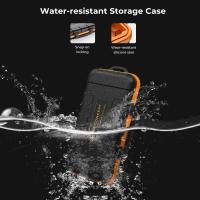
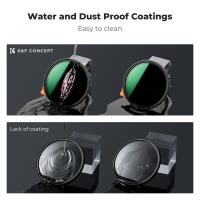
Periodical Maintenance: Clean the camera regularly to keep the lens clear of dirt or water spots. Some bike cameras come equipped with waterproof housings to protect against weather elements, so ensure this feature is secured.
Firmware Updates: Manufacturers often release updates to enhance camera functionality. Check your camera model’s website or app to make sure you’re running the latest firmware.
Problem-Solving Scenarios
Let’s address common concerns and questions users might encounter:
Unsatisfactory Video Quality
If your footage appears grainy or distorted:
- Increase the resolution to a higher setting like 1080p or 4K.
- Adjust the FOV to minimize distortion effects.
- Turn on stabilization if your footage is shaky due to rough terrain.
Low Visibility in Dark Conditions
Riding in dim lighting might result in dark or underexposed footage:
- Enable low-light mode or set the exposure higher.
- Use bike lighting for additional illumination.
Running Out of Memory or Battery Power
If your camera shuts down unexpectedly during a ride:
- Lower the resolution to conserve memory.
- Switch to time-lapse or shorter recording modes.
- Bring backup batteries and memory cards for extended rides.
Closing Thoughts
Mastering your bike camera settings is an invaluable skill for anyone looking to make the most of their cycling experience. Whether the goal is capturing scenic trails, documenting potential safety hazards, or creating stunning visual content, adjusting your resolution, frame rate, stabilization, and other settings can help transform raw footage into professional-quality results. With proper customization and regular maintenance, your bike camera can become a reliable companion that helps you preserve memories while enhancing your cycling efficiency.
Try implementing these strategies during your next ride—you might be surprised by how much these tweaks can improve your overall experience. Safe cycling!