How To Fit A Dash Camera?
Fitting a dash camera in your vehicle is a practical and straightforward task that provides significant benefits for safety, legal protection, and peace of mind while driving. Whether you’re aiming to record potential accidents, document scenic drives, or monitor your parked car, a dash cam can be an invaluable tool. In this comprehensive guide, I will walk you through the process of installing a dash camera, answer common concerns, and provide tips for optimizing its use.
Why Install a Dash Camera?
Dash cameras have gained popularity over the years due to their ability to provide reliable video evidence in road incidents. Some key benefits include:
1. Accident Documentation: A dash cam captures real-time footage of collisions, which can be used for insurance claims or law enforcement purposes.
2. Deterrence Against Fraud: Dash cams can protect you from staged accidents or insurance scams.
3. Safety Monitoring: If you lend your car to others or hire a commercial driver, a dash cam can oversee driving behavior.
4. Video Memories: Perfect for documenting road trips or scenic drives.
5. Parked Vehicle Surveillance: Certain models come with parking modes that record any attempts of theft or damage while you are away.
The installation process is simple but requires careful consideration to ensure optimal performance. Follow the steps below to ensure a successful setup.
Step-by-Step Guide to Fitting a Dash Camera
Step 1: Choose the Right Dash Camera
Before installing a dash cam, selecting one that suits your specific needs is crucial. Here are some factors to consider:
1. Video Quality: Opt for a camera with at least 1080p resolution. If you often drive at night, look for models with night vision or low-light capabilities.
2. Field of View: A wider field of view, typically 120° to 170°, covers more road space, making it ideal for capturing events outside your lane.
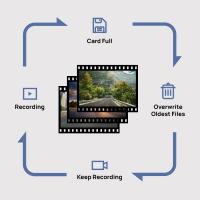
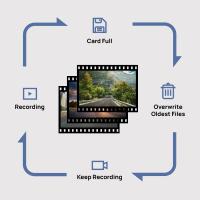
3. Storage Capacity: Ensure the camera supports ample storage, such as high-capacity SD cards. Many dash cams will overwrite old footage, so look for options with loop recording features.
4. Power Source: While many dash cams plug into your vehicle’s cigarette lighter, others may require hardwiring for advanced features.
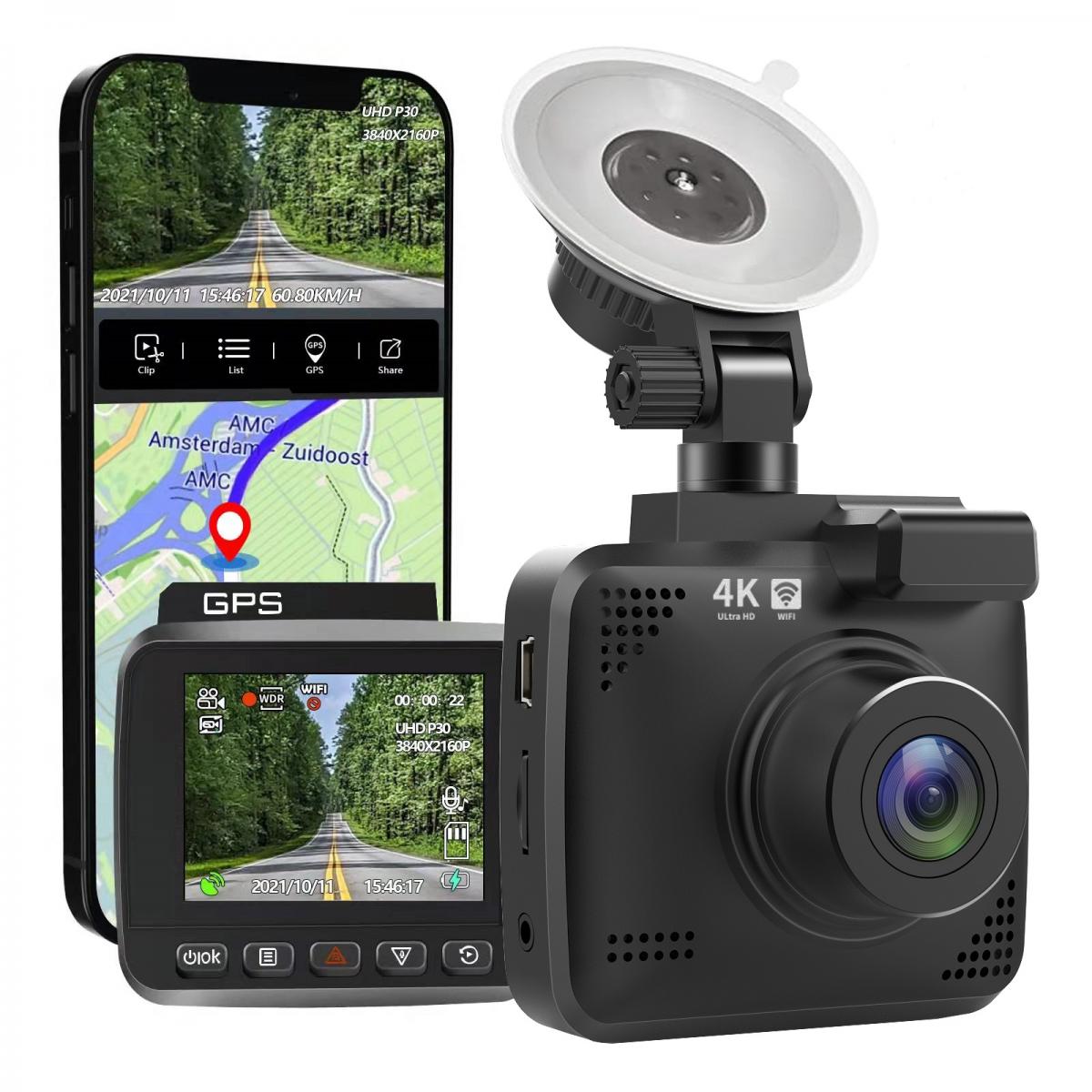
5. Additional Features: Some models include GPS tracking, Wi-Fi connectivity, parking surveillance, and dual cameras (front and rear).
After selecting the right model, gather all necessary components—typically included in the box—such as adhesive mounts, suction cups, power cables, and user manuals.
Step 2: Determine the Ideal Placement
For maximum coverage and safety, place the dash cam on your car's front windshield where it does not obstruct your view. Ensure that it adheres to local regulations; in some regions, dash cams should not block your ability to see the road. Common placement options include:
1. Behind the Rearview Mirror: This location ensures a central view of the road while keeping the dash cam discreet.
2. Center of the Windshield: Suitable for wide-angled cameras, as it helps balance the field of view.
3. Rear Camera Placement (if applicable): If your dash cam comes with a rear camera, mount it on the rear windshield, ideally at the center.
Clean the area thoroughly with alcohol or glass cleaner before installing to ensure the adhesive or suction mount adheres securely over time.
Step 3: Attach the Dash Camera
Most dash cams come with two types of mounting methods: adhesive mounts or suction cups.
Adhesive Mounts:
1. Peel the protective layer off the adhesive.
2. Press the mount firmly onto the windshield at the chosen position.
3. Attach the dash cam to the mount as per the manufacturer’s instructions.
Suction Cups:
1. Place the suction cup at the designated spot on the windshield.
2. Lock the suction mechanism to secure the cam.
The adhesive mount is typically more durable, while suction cups offer flexibility for repositioning when needed.
Step 4: Connect the Power Supply
Dash cameras require power to function, and most models provide two primary options for connectivity:
1. Via the Cigarette Lighter Socket:
Use the provided power cable and connect one end to the dash cam and the other to the cigarette lighter. Often, the cable is long enough to run along the edges of the windshield or car panels to maintain neatness.
Cable Management Tips:
- Use cable clips to secure the wire along the edges of the windshield.
- Tuck the cable under the car’s headliner or interior panels to maintain a tidy appearance and prevent hindrance while driving.
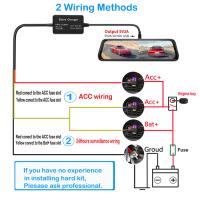
2. Hardwiring Method:
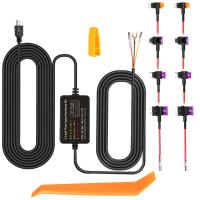
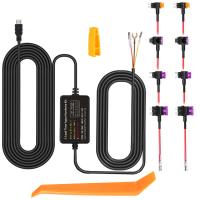
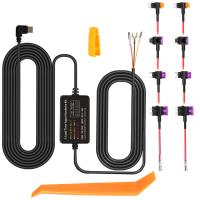
If you want advanced features such as parking mode or prefer a cleaner setup without visible cables, use a hardwiring kit connected directly to your car's fuse box. This method requires technical expertise but is more seamless.
Steps:
- Use a fuse tap to connect the hardwiring kit to your car's fuse box.
- Ensure the kit is grounded properly per the manufacturer’s instructions.
- Seek professional assistance if you are unfamiliar with automobile wiring.
Step 5: Adjust Settings and Test
Once the camera is securely installed and powered, adjust the settings for optimal performance:
1. Positioning: Ensure the dash cam is angled perfectly to capture the horizon and relevant sections of the road.
2. Settings: Configure time stamps, motion detection, loop recording, and video resolution through the camera menu.
3. Test the Camera: Drive around for a few minutes to verify video quality and evaluate whether the placement captures your desired field of view.
Pro Tips for Using a Dash Camera Effectively
1. Regular Maintenance: Periodically clean the camera lens to ensure clear video footage. Dust and smudges can degrade recording quality.
2. Secure Your SD Card: Use reliable, high-speed SD cards compatible with your dash cam model. Regularly check storage capacity and transfer important footage to prevent overwriting.
3. Update Firmware: Manufacturers occasionally release updates for better performance or additional features. Ensure your dash cam’s firmware is up to date.
4. Parking Mode: If your vehicle is often parked in high-risk areas, use a dash cam with parking mode enabled. This requires a continuous power source, usually via hardwiring.
5. Adhere to Legal Regulations: Understand local laws regarding dash cam placement and usage, especially if footage is to be used as evidence.
Troubleshooting Common Issues
1. Unsteady Mounting: If your suction mount keeps detaching, clean the windshield thoroughly or consider switching to an adhesive mount.
2. Power Loss: Ensure the cigarette lighter socket or hardwired connection is functioning properly. Replace adapters or cables if wear and tear is visible.
3. Low Video Quality: Check resolution settings or clean the lens. Ensure the SD card is formatted and functioning correctly.
4. Camera Overheating: Avoid prolonged exposure to direct sunlight. Consider dash cams designed with heat resistance.
Final Thoughts
Installing a dash camera is an investment in safety, accountability, and peace of mind. Whether you’re a casual driver or on the road frequently, a properly installed dash cam can save you from legal disputes, protect against unwarranted insurance claims, and provide valuable evidence in the event of an accident. By following this guide, you can complete the process with ease and enjoy the benefits of a well-functioning dash camera.
Take advantage of the camera’s features beyond basic recording—night vision, GPS tracking, and parking mode—to maximize its usefulness. Regular maintenance and adherence to local laws will ensure your dash cam remains effective and compliant. With this tool at your side, you’ll be better equipped for any situation that unfolds on the road!