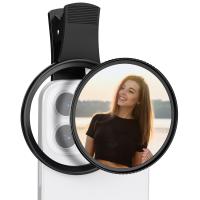
How To Use Lens Filters On Dslr?
Lens filters are a simple yet powerful tool for photographers to enhance the quality of their images, protect their lenses, and broaden their creative horizons. If you're new to DSLR photography or exploring the use of lens filters for the first time, you've come to the right place. In this article, we'll delve deep into how to use lens filters effectively, the types of filters available, and best practices for harnessing their potential. By the end, you'll have a clear understanding of how lens filters can take your photography to the next level.
What Are Lens Filters?
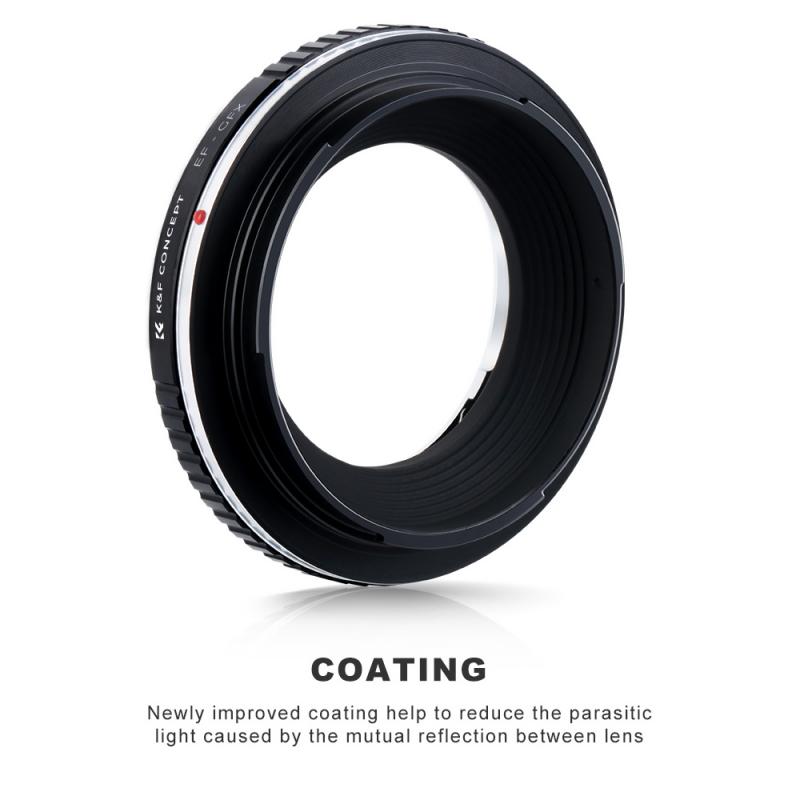
Lens filters are accessories that attach to the front of your camera lens and modify the light that enters your DSLR. Filters come in various types, shapes, sizes, and purposes. Some protect your lens, while others adjust colors, reduce glare, or control the amount of light entering the lens. Filters can be indispensable tools for achieving certain creative effects or solving common photography challenges.
Types of Lens Filters and Their Uses
Knowing the different types of filters available is essential to using them effectively. Here's a breakdown of the most common filters for DSLR photography:
1. UV Filters (Protection Filters)
Purpose: A UV filter is primarily used to protect your lens from dust, scratches, and physical damage. It also helps cut out hazardous ultraviolet rays in bright conditions.
How To Use: Simply screw the filter onto the front thread of your lens. It stays on permanently as a protective layer for your lens glass. Ensure the filter is clean to avoid distortion or flare.
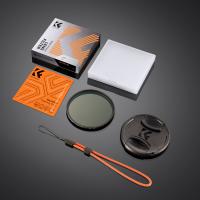
2. Polarizing Filters
Purpose: Polarizing filters are used to reduce reflections (e.g., on water or glass surfaces), deepen blue skies, and enhance the overall saturation of colors.
How To Use: Rotate the filter once you've screwed it onto your lens to adjust the polarization effect. Look through the viewfinder or screen to observe changes in reflections or color intensity.
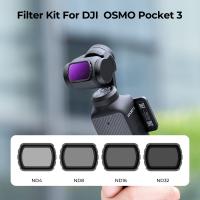
3. Neutral Density (ND) Filters
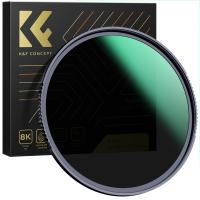
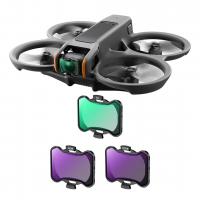
Purpose: ND filters reduce the amount of light entering the lens without altering color. This allows you to use slower shutter speeds or wider apertures in bright lighting conditions, creating effects like motion blur in water or balanced lighting in high contrast scenes.
How To Use: Choose an ND filter with the desired level of darkness (1-stop, 2-stop, etc.) or use a variable ND filter for adjustable light reduction. Secure the filter onto the lens and adjust your camera settings accordingly.
4. Graduated ND Filters
Purpose: Similar to ND filters, graduated ND filters reduce light exposure but only to specific portions of the image—typically the sky. This is ideal for landscapes where the sky is much brighter than the foreground.
How To Use: Position the darker gradient over the part of the scene with excessive brightness. Some graduated filters use holders for precise placement, while others screw directly onto the lens.
5. Color Filters
Purpose: These filters are used to add or balance colors in an image. For instance, warming filters give a yellowish tone, while cooling filters add a blue tint.
How To Use: Match the filter color to your creative intent. Attach the filter to the lens and evaluate changes in the image preview. Adjust in-camera settings if necessary.
6. Close-Up Filters (Diopters)
Purpose: Close-up filters function like magnifying glasses attached to your lens. They enable macro photography without requiring specialized macro lenses.
How To Use: Screw the diopter filter onto your lens and adjust focus manually or via autofocus. For best results, combine diopters with precise aperture settings and stable lighting.
Why and When Should You Use Lens Filters?
Lens filters are not a one-size-fits-all solution; knowing when and why to use them is key to proper application.
Protection During Outdoor Shoots
If you're shooting outdoors, a UV filter can be invaluable for protecting your lens during activities like hiking, travel, or beach photography. It keeps dirt, sand, and moisture away from the glass.
Enhancing Landscape Photography
Polarizing filters are ideal for landscape and nature photography because they reduce haze and reflections, providing more vivid colors and reducing glare from water surfaces. ND filters meanwhile shine when you're trying to capture movement in water or skies—such as silky waterfalls or blurry clouds.
Shooting in Bright Conditions
Outdoor shoots in bright sunlight often call for ND filters to achieve wider apertures and slower shutter speeds without overexposing your frame.
Creative Color Rendering
Color filters are great for stylized photography projects, helping you achieve unique aesthetics that might otherwise require extensive post-editing.
Macro and Close-Up Work
If you're interested in macro photography but don’t own a dedicated macro lens, close-up filters provide an affordable and versatile way to explore this style, especially for detail shots of flowers, bugs, and everyday objects.
How to Use Lens Filters: Step-by-Step
Regardless of the type of filter you’re using, these general steps ensure smooth and effective application:
1. Determine the Correct Filter Size:
Every lens has a thread diameter (e.g., 52mm, 58mm, 77mm). Verify this before purchasing a filter—it’s typically listed on the lens rim or its specifications.
2. Mount the Filter:
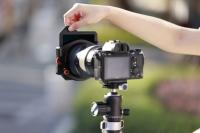
Align the filter threads with your lens and screw it on gently. Over-tightening can damage the lens or filter. If your filter uses a holder, attach it properly and ensure alignment before attaching the filter.
3. Adjust Settings:
Some filters, like polarizing filters, require rotation to achieve the desired effect. Use trial-and-error by observing changes through your camera’s viewfinder or LCD screen.
4. Test Shots:
Take a few test shots to ensure the filter’s effect aligns with your creative vision. Adjust your exposure settings as necessary.
5. Clean Regularly:
Dust and smudges on filters can degrade image quality. Always carry a microfiber cloth and clean your filters before use.
Best Practices for Using Lens Filters
To ensure optimal results, keep the following tips in mind:
Avoid Cheap Filters
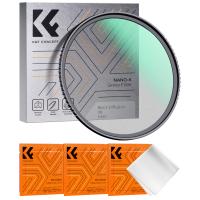
Invest in high-quality filters to avoid issues like distortion, poor durability, or color casting that could ruin your photos. Look for reputable brands like Hoya, B+W, or Tiffen.
Understand Compatibility
Some filters may not work well with wide-angle lenses, as they can introduce vignetting (dark corners). Test your filters with your lenses before a shoot.
Minimize Stack Use
Stacking multiple filters can cause vignetting, reflections, and degradation in image quality. If you must stack filters, ensure compatibility and consider alternatives for achieving your desired effect.
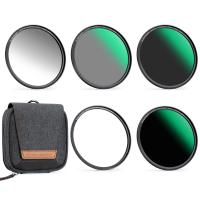
Carry a Filter Case
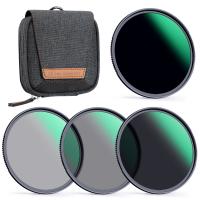
Filters can be fragile. Invest in a sturdy filter case to avoid scratches and physical damage during transport.
Experiment
Don’t limit yourself to conventional uses of filters—experiment with stack combinations, angles, and lighting to discover unique effects.
Lens filters are an integral part of a photographer's toolkit, offering protection, creative flexibility, and technical solutions for challenging conditions. Whether you're shooting stunning landscapes, experimenting with motion effects, or simply trying to protect your lens in a dusty environment, filters expand the possibilities of DSLR photography.
Start with a basic UV filter for lens protection and slowly build up your collection—perhaps adding a polarizer for landscapes, an ND filter for motion effects, and eventually expanding into specialized filters like graduated ND or color filters. By understanding how to use them correctly, you'll unlock new levels of creative control and capture images that stand out.
Remember to experiment, practice, and research the right filters for your needs, and enjoy the rewarding journey of mastering lens filters and DSLR photography!