kfconcept

K&F Concept Canada
K&F Concept Canada

Enjoy Your Selected Digital Life

Recently Viewed
  • Recently Viewed
  • Recently Viewed list is empty.

Compare (0) 0
  • Compare
  • You have not chosen any products to compare.

  • Compare
Currency: CAD
  • Currency

Log Into Your Account

Account

Order History

Wish List

Login

Forgotten Password?

or connect with

Register Account

Already have an Account?Log In

  • Shopping Cart
  • Your shopping cart is empty!

  • Register/Login to purchase, earn points
  • Favorite
  • Your wish list is empty.

  • Register/Login to like, earn points
  • Tripods
    • Carbon Fiber Tripods
    • Aluminum Tripods
    • Video Tripods
    • Monopods
    • Phone Tripods
    • Tripod Accessories
    • Mini Tripod
    • Action Camera Mounts
    • Studio Parts
      • Photography Fill Light
      • Soft Box
      • Reflectors
      • Ring Light
      • Camera Flash
      • Tripod Light Stands
    • Gimbal Stabilizers
  • Lens Filters
    • UV Filters
      • Nano-Xcel Series
        • MCUV - Nano-Xcel
        • Ultra-low Reflectivity MCUV Filters
        • MCUV Super Hard
        • Explosion-proof MCUV - Nano-Xcel
        • MCUV+Lens Cap+Cleaning Cloth
        • Super Hard&Ultra Low Reflection MCUV Filters - Nano-Xcel
        • Magnetic MCUV - Nano-Xcel
      • Nano-Dazzle Series
        • MCUV Filters - D Series
        • MCUV+Lens Cap+Cleaning Cloth
      • Nano-Klear Series
        • MCUV Filters
        • Ultra Thin Frame MCUV Filter
        • MCUV+Lens Cap
        • MCUV+Lens Cap+Cleaning Cloth
      • Nano-Xcel Pro Series
        • MCUV
    • CPL Filters
      • Nano-Xcel Series
        • True Color Ultra-low Reflectivity CPL - Nano-Xcel
      • Nano-Dazzle Series
        • CPL+Lens Cap+Cleaning Cloth - Nano-Dazzle
      • CPL - Nano-X Series
      • Nano-Klear Series
      • Nano-Xcel Pro Series
        • CPL - Nano-X Pro Series
      • CPL - Nano-K Series
      • CPL - Nano-D Series
      • CPL True Color - Nano-X Series
      • CPL+Lens Cap+Cleaning Cloth - Nano-K Series
      • Ultra-low Reflection CPL - Nano-X
      • Ultra-Thin CPL- Nano-K Series
      • CPL - Magnetic Series
        • Magnetic CPL + Apater Ring + Cap
    • Square Filter System
      • Basic System
        • Square ND Filter
          • ND4 Filters - Nano-Xcel Series
          • ND16 Filters - Nano-X
          • ND1000 Filters - Nano-X
          • ND2000 Filters - Nano-X
          • ND32000 Filters - Nano-X
          • Full Color ND8 Filters - Nano-X
          • Full Color ND64 Filters - Nano-X
        • Square GND Filter
        • Square Light Pollution Cut Filter
          • Light Pollution Cut Filter - Nano-X
        • Square Black Mist Filter
          • Black Mist 1 - Nano-X
          • Black Mist 1/2 - Nano-X
          • Black Mist 1/4 - Nano-Xcel Series
          • Black Mist 1/8 - Nano-X
        • Square Brackets & Accessories
          • Adapter Ring - Nano-X
        • 100mm Square Filter Kits
          • Square Filter - Nano-X
          • ND1000+Holder - Nano-X
          • ND1000+Soft GND8+Holder-Nano-X
          • Soft GND8+Holder - Nano-X
      • Professional System
        • Square PL Filter
        • Square ND Filter
          • Full Color ND8 Filters - Nano-X Pro
          • Full Color ND64 Filters - Nano-X Pro
          • Full Color ND1000 - Nano-X Pro
        • Square GND Filter
        • Black Mist 1/4 & CPL - Nano-X Pro
        • Light Pollution Cut Filter
          • Light Pollution Cut - Nano-X Pro
        • Square Brackets & Accessories
          • 100x100mm Square Filter Protect Frame - Nano-X Pro
          • 100x150mm Square Filter Protect Frame - Nano-X Pro
          • Adapter Ring - Nano-X Pro
        • Square Filter Kits
          • 100mm ND1000+Holder Kit - Nano-X Pro Series
          • 100mm ND1000+Soft GND8+Holder Kit - Nano-X Pro Series
          • 100mm ND8+ND64+ND1000+Holder Kit - Nano-X Pro Series
          • 100mm Holder Kit - Nano-X Pro Series
    • Neutral Density Filters
      • Neutral Density (Solid) Filters
        • Solid ND - Magnetic Series
        • ND8 (3 stops) - Nano-Xcel Series
        • ND64 (6 stops) - Nano-Xcel Series
        • ND1000 (10 stops) - Nano-Xcel Series
        • ND100000 (16.6 stops) - Nano-Xcel Series
        • ND1000000 (20 stops) - Nano-Xcel Series
        • ND100000 (16.6 stops) - Nano-Klear Series
        • ND1000000 (20 stops) - Nano-Klear Series
      • Unlimited Variable ND Filters
        • ND2-ND400 Filter w/ Cap - Nano-K
        • ND2-ND400 Filter Set - Nano-K
      • Variable Neutral Density
        • Nano-Xcel Series
          • ND2-ND32 - Nano-X Series
          • ND2-ND32 True Color - Nano-X Series
          • ND2-ND400 - Nano-X Series
          • ND8-ND128 - Nano-X Series
          • ND32-ND512 - Nano-Xcel
          • ND3-ND1000 - Nano-X Series
          • ND2-32 True Color Ultra-Low Reflection - Nano-Xcel
        • Nano-Dazzle Series
          • ND2-ND32 - Nano-Dazzle
          • ND2-ND400 - Nano-Dazzle
          • ND3-ND1000 - Nano-Dazzle
          • ND8-ND2000 - Nano-Dazzle
        • Nano-Klear Series
          • ND2-ND32 - Nano-Klear
          • ND2-ND400 - Nano-Klear
          • ND2-ND2000 - Nano-Klear
        • Nano-Xcel Pro Series
          • ND2-ND32 - Nano-Xcel Pro
        • Nano-B Series
          • ND2-ND400 - Nano-B
        • ND2-32&ND32-512 - Nano-X Series
      • Graduated Neutral Density
        • 100mm GND Filter
          • Soft GND8 Filters - Nano-Xcel Series
          • Hard GND8 Filters - Nano-Xcel Series
          • Reverse GND8 Filters - Nano-Xcel Series
          • Soft GND16 Filters - Nano-Xcel Series
          • Reverse GND16 Filters - Nano-Xcel Series
          • Soft GND8 Filters - Nano-Xcel Pro Series
          • Hard GND8 Filters - Nano-Xcel Pro Series
          • Reverse GND8 Filters - Nano-Xcel Pro Series
          • Soft GND16 Filters - Nano-Xcel Pro Series
          • Reverse GND16 Filters - Nano-Xcel Pro Series
        • Circular GND Filter
          • GND8 - Nano-Xcel Series
          • GND16 - Nano-Xcel Series
      • 2 in 1 Filters
        • ND4-ND64 & CPL - Nano-X Series
        • ND2-ND32 & CPL - Nano-X Pro
        • ND2-ND32 & CPL - Nano-X Series
        • ND2-32&CPL Filters - Nano K Series
        • ND2-ND32 & CPL - Nano-D Series
        • ND2-ND32&CPL True Color - Nano-X
    • Black Mist & Soft Focus Filters
      • Black Mist
        • Black Mist 1
          • Black Mist 1 - Nano-X Series
          • Black Mist 1 - Nano-K Series
        • Black Mist 1/2
          • Black Mist 1/2 - Nano-X Series
          • Black Mist 1/2 - Nano-K Series
        • Black Mist 1/4
          • Black Mist 1/4 - Nano-X Series
          • Black Mist 1/4 - Nano-D Series
          • Black Mist 1/4 + Cloth - Nano-K Series
          • Black Mist 1/4 - Nano-Xcel Pro Series
        • Black Mist 1/8
          • Black Mist 1/8 - Nano-X Series
          • Black Mist 1/8 + Cloth - Nano-K
          • Black Mist 1/8 - Nano-D
          • Black Mist 1/8 - Nano-Xcel Pro Series
        • Black Mist Kit
          • Black Mist 1/4 + 1/8
          • Black Mist 1/4 + 1/8 - Nano Klear Series
        • Black-Mist & VND
          • Black Mist 1/4 & ND2-32 Filters - Nano-Klear Series
          • Black Mist 1/4 & ND2-400 Filters - Nano-Xcel Series
          • Black Mist 1/4 & ND8-128 Filter
          • Black Mist 1/4 & ND2-32 Filter
          • Black Mist 1/8 & ND2-32 Filters - Nano-Klear Series
      • White Mist
        • White Mist 1/4 - Nano-Xcel Series
        • White Mist 1/4 - Nano-Klear Series
      • Cool Mist
        • Cool Mist 1/4 - Nano-Xcel
      • Vintage Soft
      • Combination Soft & Mist
    • Magnetic Lens Filters
      • MCUV Filters
        • Magnetic MCUV + Lens Cap
        • Magnetic MCUV - Nano-K Series
      • Polarizers
        • Magnetic CPL + Adapter Ring
        • Magnetic CPL+Adapter Ring - Nano-Klear Series
      • Black-Mist
        • Black Mist 1/8 - Nano-X Series
        • Black Mist 1/4 - Nano-X Series
        • Black Mist 1 - Nano-X Series
      • Unlimited Variable ND Filter
        • ND2-ND32 - Magnetic Series
        • ND8-ND128 - Magnetic Series
      • Neutral Density (Solid) Filter
        • Magnetic ND8 - Nano-X Serie
        • Magnetic ND64 - Nano-X Serie
        • Magnetic ND1000 - Nano-X Serie
      • Filter Kits
        • MCUV+CPL+ND1000 - Nano X Series
        • CPL+ND8+ND64+Adapter Ring+Lens Cap - Nano X Series
        • GND8+ND8+ND64+ND1000 - Nano X Series
        • CPL+VND2-32+Black Mist 1/4+Magnetic Ring+Lens Cap - Nano-Xcel Series
      • Accessories
        • Magnetic Adapter Ring
        • Magnetic Filter Ring
        • Magnetic Cap
    • Action Camera Filters
      • Action Camera Accessories
      • DJI Osmo Action 4 / Action 5 Pro
      • DJI Osmo Action 5 Pro
      • GOPRO Hero 9/10/11/12/13
      • Insta360 GO3
      • Insta360 GO3S
      • DJI Action 3
    • Filter Kit
      • Black Diffusion 1/4 + 1/8
      • Screw-In Filters
        • MCUV+CPL Filter - Nano K Series
        • MCUV+CPL+Lens Cap - Nano K Series
        • MCUV+CPL+Lens Cap - Nano-Xcel Series
        • MCUV+CPL+ND1000+Lens Cap - Nano-Dazzle Series
        • MCUV+CPL+ND4
        • ND1000+CPL
        • ND4+ND8+ND64+ND1000
        • MCUV+CPL
      • Magnetic Filters
      • Square Filters
    • Effects Filters
      • Shimmer Diffusion Filters
        • Shimmer Diffusion 1 - Nano-Xcel Series
        • Shimmer Diffusion 1 - Nano-Klear Series
      • Prism Filters
        • Central Prism Filters
          • Central Pentagonal Filters - Nano-Basic Series
          • Central Hexagonal Filters - Nano-Basic Series
        • Ordinary Prism Filters
          • Triangular Filtres - Nano-Basic Series
      • Streak Filters
        • Blue Streak Filter
        • Gold Streak Filters - Nano-Xcel Series
        • Colorful Streak Filters - Nano-B Series
        • Blue Streak Filters - Nano-Klear Series
      • Kaleidoscope Filters
        • Kaleidoscope Filters - Nano-Basic Series
        • Handheld Kaleidoscope Filters - Nano-Basic Series
      • Motion Blur Filters
        • Directional Motion Blur - Nano-Basic Series
        • Bidirectional Motion Blur - Nano-Basic Series
      • Centerfield Split Diopter Filters - Nano-Klear Series
      • Star Filter
        • Star Filters 4-8 Points - Nano-K Series
        • Star Filter Kits 4+6+8 Points - Nano-K Series
    • Filter Accessories
      • Lens Hoods
      • Polarized Film
      • Rings Kits
        • Step Up Rings
        • Step Down Rings
      • Filter Holders & Frames
      • Filter Holder Adapter Rings
        • Filter Adapter Rings
      • Filter Pouches
        • 150mm Pouch for Nano-X Pro System
        • 100mm Pouch for Nano-X Pro System
        • 110x106mm Filter Pouch
        • 96x96mm Filter Pouch
        • Pocket Filter Pouch
      • Lens Caps
        • Caps for Magnetic Filters
        • Caps for Variable ND Filters
        • Anti-lost Lens Cap
          • 4 in 1
          • 5 in 1
          • 9 in 1
    • Handheld Camera Filters
      • DJI Osmo Pocket 4/3 Filters
      • DJI Osmo Pocket 3 Accessories
        • Charging Base
      • DJI Osmo Pocket 4 Accessories
    • Light Pollution Filters
      • Light Pollution Cut Filter - Circular
      • Light Pollution Cut Filter - Square
    • Phone Lens Filters
    • Drone Filters
      • DJI Air 2S
      • DJI Air 3S
      • DJI Avata2
      • DJI Mavic 3 Classic
      • DJI Mavic 3 Pro
      • DJI Mini
      • DJI Mini 4 Pro
      • DJI Mini 3 PRO
      • DJI Flip
      • DJI NEO
      • DJI Mavic 4 Pro
      • DJI Mini 5 Pro
      • DJI Air 3 Filters
    • Matte Box & Filter Systems
      • Neutral Density (Solid) Filters
        • ND4 - Nano-X Series
        • ND8 - Nano-X Series
        • ND16 - Nano-X Series
        • ND32 - Nano-X Series
        • ND64 - Nano-X Series
        • ND8+ND64 - Nano-X Series
      • UV Filters
      • Black Mist Filters
        • Black Mist 1/4 - Nano-X
        • Black Mist 1/8 - Nano-X Series
      • Blue Streak Filters
      • Kits
        • Matte Box - Nano-Xcel
        • Matte Box Pro - Nano-Xcel Series
        • Matte Box+ND8 Square Filter - Nano-Xcel
        • Matte Box+ND4+ND32 Square Filter - Nano-Xcel
        • Matte Box+Black Mist 1/4 Square Filter - Nano-Xcel
    • Brand-specific Filters
      • Fujifilm X100
      • Ricoh GR
  • Lens Adapters
    • Sony A Mount Body
    • Fujifilm X Mount Body
    • Fujifilm C (GFX) Mount Body
    • C-Mount Body
    • Leica M Mount Body
    • Micro Four Thirds (M43) Mount Body
    • Pentax K Mount Body
    • Pentax Q Mount Body
    • Samsung NX Mount Body
    • Nikon F Mount Body
    • Nikon 1 Mount Body
    • Nikon Z Mount Body
    • Canon EOS EF/EF-S Mount Body
    • Canon EOS M Mount Body
    • Canon RF Mount Body
    • Sony E Mount Body
    • L-Mount Alliance (Leica)
  • Camera Bags
    • Camera Backpacks
    • Camera Straps
    • Camera Cases
    • Camera Shoulder Bags
    • Backpack Accessories
  • Surveillance Camera
    • Battery Camera
    • WiFi Camera
    • Baby Monitor
    • Feeder Camera
    • Floodlight camera
    • Monitoring Detector
  • Camera
    • Digital Camera & Camcorders
    • Trail Camera
      • Wifi Trail Cameras
      • Non-Cellular Trail Cameras
      • Cellular Trail Cameras
      • Accessories
    • Camera Battery
      • insta360
      • Sony
      • Canon
      • Nikon
      • FUJIFILM
      • Gopro
      • Lumix
      • Osmo Action
      • V Mount Battery
      • Memory Card Case
    • Camera Lenses
    • Webcam
    • Fishing Camera
    • On-Dash Camera
    • time lapse camera
    • Memory Cards
    • Camera Accessories
      • Camera Body Caps & Lens Rear Caps
      • Camera Screen Protectors
        • Canon
        • Sony
        • Fujifilm
        • Nikon
        • Olympus
        • Ricoh
        • GoPro
        • DJI Osmo Pocket 3
      • Camera Hot Shoe Covers
      • Camera Viewfinder Eyecups
        • Nikon
        • Sony
        • Canon
      • Adjustment Iris
      • Ricoh GR Lens Caps
  • Endoscope
    • Digital Otoscope
    • Household Endoscope
    • Professional Endoscope
    • Portable Endoscope
  • Optics
    • Binoculars
    • Microscope
    • Monocular
    • Spotting Scope
    • Telescope
    • Night Vision Goggles
    • Rangefinder
  • More
    • Cleaning Kits
    • Digital Voice Recorders
    • Metal Detectors
    • Microphone
    • Motorcycle Bluetooth Headset
    • Remote Sensors
    • Drone Accessories
      • DJI Air 2S Accessories
      • DJI Air 3 Accessories
      • DJI Avata Accessories
      • DJI Drone Universal Accessories
      • DJI Mavic Mini 2/Mini 2 SE/Mini Accessories
      • DJI Mavic Mini 3 Accessories
      • DJI Mini 3 Pro Accessories
    • Language Translator Device
    • Smart Glasses
    • Solar Panels
    • Handheld Game Console
    • Lights
      • Video Fill Light
      • Live Ring Light
      • Outdoor Lighting
    • Camera Microphones
    • Headphones
    • Weather Station & Household Sensors
    • Smart Watch
    • Smart lock
    • Chicken Coop Door
    • Studio
  • Deals
    • Specials
    • Coupon
  • Home
  • Blog
  • How To Get Game Volume Through Headset Pc?

How To Get Game Volume Through Headset Pc?

K&f concept 2025-10-05 08:30:41 0 Comments

Managing audio output on your PC can sometimes become a bit of a hassle, especially when you want to direct game volume specifically through your headset. For gamers, high-quality sound can make all the difference in enhancing immersion and allowing gameplay elements—such as nuanced audio cues—to shine. If you're struggling to get your game volume through your headset or just want complete control over your audio settings, you've come to the right place. This guide will provide comprehensive instructions and solutions to answer practical questions about adjusting audio output for your gaming headset.

Understanding Audio Output on PC
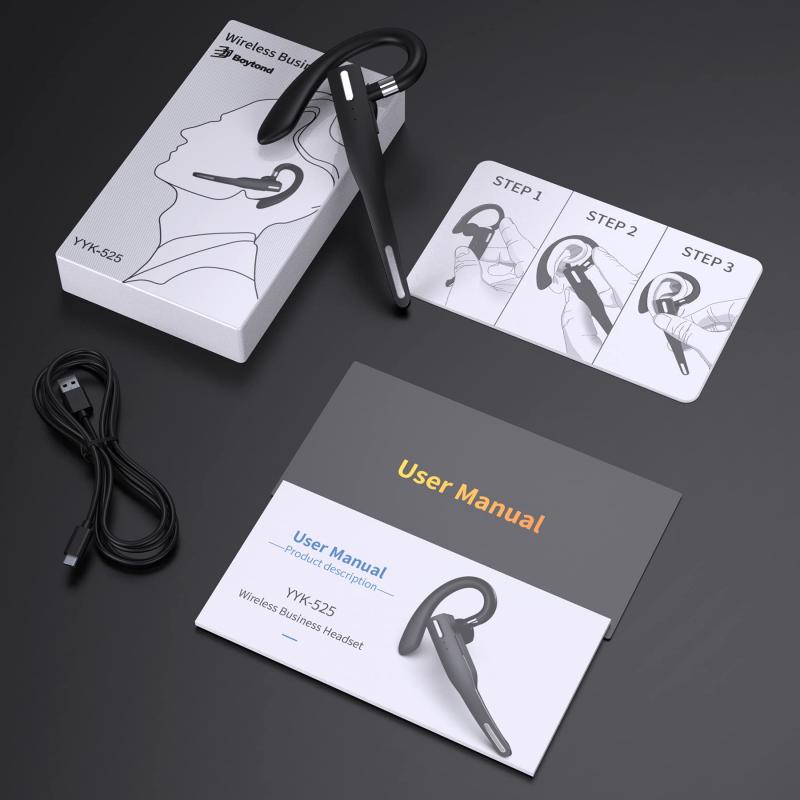
how to get game volume through headset pc 1

Your PC's operating system (whether Windows, macOS, or Linux) and the headset hardware work together to determine where audio is sent. By default, if you're using a headset that's plugged into your PC, most operating systems will automatically route audio to it. However, certain configurations, games, or software settings may prevent the audio from working as intended.

Here are steps and solutions to ensure the game volume is directed through your headset.

Step 1: Set Your Headset as the Default Playback Device

how to get game volume through headset pc 2

Most operating systems allow you to designate a "default playback device." This means all audio, including game sounds, will automatically be directed to the selected device. To make sure your headset is used as the default device:

On Windows:

how to get game volume through headset pc 3

1. Plug in your headset: Connect it via either the USB port, 3.5mm audio jack, or Bluetooth, depending on your headset type.

2. Access Sound Settings: Right-click the sound icon in the bottom-right system tray and choose "Open Sound settings."

3. Choose your device: Under the "Output device" dropdown menu, select your headset. If you're using an older version of Windows, you can also access this option through "Control Panel > Hardware and Sound > Sound."

4. Default Device Settings: In the sound settings menu, click "Manage sound devices" and ensure your headset is set as the default device for playback.

On macOS:

how to get game volume through headset pc 4

1. Plug in your headset: Establish a connection via the USB port, Bluetooth, or audio jack.

2. System Preferences: Go to "System Preferences" and select "Sound."

3. Choose Output: Navigate to the "Output" tab and select your headset from the list of devices.

On Linux:

1. Connect your headset: Similar to Windows or macOS, use the appropriate connection method.

2. Manage Sound Settings: Open the sound settings through your distribution's control panel (e.g., PulseAudio Volume Control for Ubuntu).

3. Set Playback Device: Under "Output Devices," select your headset.

This step ensures that any application or game you open sends audio directly to your headset.

Step 2: Check In-Game Audio Options

Games often have their own audio settings that can override your system-wide settings. If your headset is properly connected and set as the default output device, but you're still unable to hear game sounds, it's time to verify game-specific audio options.

Typical in-Game Audio Settings

1. Access the game's settings menu: Look for an "Audio" or "Sound" section.

2. Output Device Selection: Many modern games let you specify which audio device they should use. Ensure your headset is selected here.

3. Volume Levels: Double-check that the master volume, in-game sound effects, and other audio-related options are turned up and functioning.

Always restart the game after changing audio device settings to ensure the new configuration applies.

Step 3: Verify Headset Drivers and Compatibility

Sometimes, audio-routing issues occur due to missing or outdated drivers. A driver is the software that lets your operating system communicate with your hardware, such as your headset.

Update or Install Drivers:

1. Automatic Updates:

- On Windows, connect your headset, and Windows may automatically search for compatible drivers.

- Check your headset manufacturer's website for the latest version of the driver software if available.

2. Manual Verification:

- Navigate to "Device Manager" (on Windows) and find your headset under "Audio inputs and outputs."

- Right-click your device, select "Update driver," then follow the on-screen instructions.

Updating drivers ensures your headset works efficiently, reducing audio routing issues.

Step 4: Use Advanced Audio Features (Optional)

If you’re looking for more control over your audio settings or if standard methods aren’t working, you can use advanced audio management tools and software. These tools allow you to redirect individual application sounds to specific devices.

Recommended Software:

1. Voicemeeter

- A powerful audio mixer tool for Windows that lets you manage audio routing.

- You can configure Voicemeeter to send specific audio sources—like your game—to your headset.

2. SoundSwitch

- This Windows application makes switching between audio output devices seamless. You can quickly toggle output to your headset or other devices using hotkeys.

3. Audio MIDI Setup on macOS

- Mac users can reconfigure their audio devices using the built-in Audio MIDI Setup tool. This allows fine-tuning of sound output across connected devices.

Step 5: Troubleshooting Common Issues

Even after configuring everything correctly, problems may persist. Here are common issues and solutions:

No Sound from Headset:

1. Check headset connection: Ensure the cable is properly plugged in or that Bluetooth is successfully paired.

2. Increase volume levels: Verify your PC’s system and game volume aren’t muted or set too low.

3. Test another audio source: Try playing different media (such as music) to confirm the headset is functional.

Audio is Too Quiet or Distorted:

1. Inspect settings: Verify your sound settings for equalizer presets, enhancements, or environmental effects that may impact performance.

2. Replace worn components: For wired headsets, worn-out cables or loose plugs can cause distortion.

Sudden Sound Disconnection:

1. Check power/battery levels: Wireless headsets can disconnect due to low battery.

2. Close conflicting programs: Ensure no other open application is interfering with audio output.

Step 6: Optimize for Gaming

Lastly, to enhance your gaming experience, ensure that your audio settings are optimized to exploit the full potential of your headset:

1. Use surround sound features: Many gaming headsets offer virtual or true surround sound, which can improve immersion.

2. Enable enhancements: Look for advanced features like noise suppression, bass boost, or voice clarity provided by your headset's companion software.

For competitive gamers, finetuning audio can help pinpoint gunfire, footsteps, or other game-related cues critical to success.

Directing game volume through your headset on a PC requires proper configuration of system-wide audio output settings, game-specific audio sources, and hardware troubleshooting. By following the steps listed above, you’ll be able to enjoy an optimized audio experience tailored to your gaming needs.

Whether you’re immersed in open-world adventures or engaged in fierce competitive battles, remembering to check audio settings first can save you time and frustration. Additionally, keep your headset updated and powered for consistent, high-quality performance. Now, adjust your settings and dive into your favorite games with clarity and precision—your headset will take care of the rest.

Leave your comment
Cancel reply
Note: HTML is not translated!
Related Products
Motorcycle Bluetooth Headset Connect to 2 Devices Hands-Free Call/Music
11
C$135.63 C$108.50
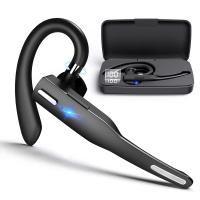
Bluetooth Headset for Mobile Phone Wireless Headset with Microphone Bluetooth Headset 5.1 Hands-free Headset CVC8.0 Compatible with iPhone Android Business Office Driving
42
C$21.49 C$17.91
Bluetooth Headset for Mobile Phone Wireless Headset with Microphone Bluetooth Headset 5.1 Hands-free Headset CVC8.0 Compatible with iPhone Android Business Office Driving with Charging Case
42
C$38.38 C$31.99
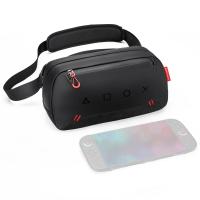
Carrying Case with 8 Game Cards Slots, Portable Game Bag for Consoles & Accessories, Lightweight Sling Crossbody Bag Compatible with Nintendo Switch 2/Steam Deck OLED/PlayStation
C$55.28 C$46.07
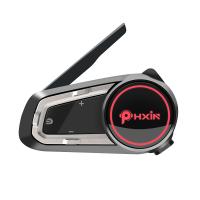
10 Riders Intercom Motorcycle Helmet Bluetooth Headset Music Sharing
11
C$168.31 C$134.65
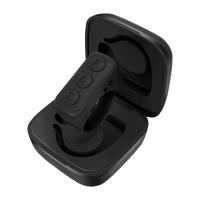
Tiktok Wireless Remote Control for iPhone, iPad, iOS, Android - Black with Support for Self-timer, E-book Page Turn, One-touch Screen Rest, and Volume Adjustment
C$33.99
Guess you like products
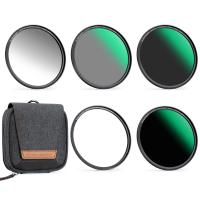
67mm Magnetic Lens Filter Kit GND8+ND8+ND64 +ND1000+Magnetic Adapter Ring 5 in 1 Quick Swap System Nano-Xcelcel Series
C$193.52 C$145.99
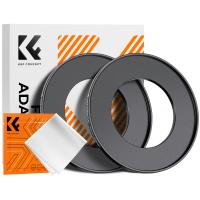
52-82mm Step Up Ring Aviation-grade Aluminum Filter Adapter Ring 2-pack with a Cleaning Cloth
C$14.99
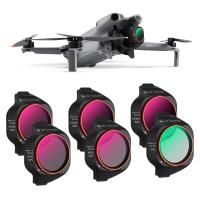
K&F CONCEPT ND/PL Filter Set Compatible with DJI Mini 5 Pro, 6 Pack CPL ND4&PL ND8&PL ND16&PL ND32&PL ND64&PL Polarizer Neutral Density Drone Lens Accessories, Multi Coated HD Optical Glass
C$66.03 C$56.99
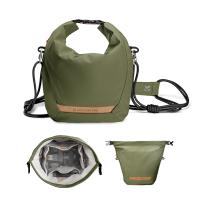
K&F Concept Camera Sling Bag Small Camera bag Lightweight Crossbody and Inner Liner Bag for Protection and Versatility, Green
C$59.89 C$49.99
33.5" / 85cm Softbox Lantern Soft Light Modifier Quick Release Light Diffuser Softbox Compatible with Bowens Mount with Carrying Bag for Photography Studio Speedlite Flash and Monolight
C$199.99 C$159.99
77mm Circular Polarizer Filter Nano-Dazzle Series -  24 Multi-Layer Green Coatings HD/Hydrophobic/Scratch Resistant
77mm Circular Polarizer Filter Nano-Dazzle Series - 24 Multi-Layer Green Coatings HD/Hydrophobic/Scratch Resistant
51
C$28.99 C$24.64
J20 One-two Wireless Lavalier Microphone, Charging Case, for Youtube, Recording, Video Blogging, Facebook Live Streaming, for Camera Interface
C$50.67 C$48.99
Related Articles
How To Connect Bluetooth Headset With Pc?
How To Get Phone Through Metal Detector?
How To Use A Headset Microphone On Pc?
How To Turn Up Microphone Volume On Pc?
How To Make Memory Card Game?
How Do Wifi Game Cameras Work?
How To Increase Headphone Volume Iphone?
How To Adjust Volume On Earbuds?
How To Increase Volume On Earbuds?
How To Turn Off Microphone On Ps5 Controller?
Guess you like articles
How To Show Screen On Webcam?
How To Screen Record Sound On Facetime?
How To Use Bluetooth Headphones With Tv?
Can A Metal Detector Find Gold?
How Do Telescopes Work?
How Do Noise Canceling Earbuds Work?
Can A Metal Detector Detect Aluminum?
How To Connect Solar Panels In Series?
How Much Does A Sd Card Cost?
How To Delete Photos In Sd Card?
Related categories
motorcycle Bluetooth headset Canada variable ND2 to ND400 filter Portable Retro Handheld Game Console black pro mist 1 4 filter ND64 Filter 2 In 1 Camera Lens Kit Black Mist 1/4 Filter portable digital voice recorders CPL Camera Filter filter ring adapter set
Related searches
Yashica To Canon M42 To Gfx Mamiya To Gfx Adapter Md To Gfx Adapter Ef To Efm Adapter Ef To Efs Adapter Ef To L Mount F To Z Adapter Pk To Eos Adapter Nikon To Canon Adapter
Blog Category
  • News & Reviews
Search Article
Latest from the Blog
What Is The Best Usb Sd Card Reader?
Which Overhead Headphones Are Best?
What Is The Best Wireless Lav Mic?
Which Vc Camera Is The Best?
What Is The Best Motion Sensor Light With Camera?
What Is The Best Bluetooth Headset?
What Is The Best Tripod For A Phone Camera?
What Is The Best Bird Feeder For Large Birds?
Which App Is Best For Secret Voice Recording?
What Is The Best Video Surveillance?
What Is a Black Mist Filter?
What Is The Best Indoor Security Camera?
What Is The Best Instant Camera For A 6 Year Old?
What Is The Best Floodlight Security Camera?
What Are The Best Ear Plugs For Motorcycling?
What Is The Best Wireless Outdoor Camera?
Can You Make Telescope From Old Binoculars?
What's The Best Small Binocular To Buy?
What Is The Best Battery-powered Camera?
What Portable Solar Panel Is Best?
Powered By K&F Concept © 2026