Red Eyes When Camera Flashes?
Photography is an art of capturing moments and turning them into everlasting memories. However, one of the common nuisances that photographers often encounter is the dreaded "red-eye effect." If you've ever taken a photo using flash and noticed someone’s eyes glowing an unnatural shade of red, you've encountered this problem firsthand. In this article, we'll delve into the science behind red eyes when using flash photography, practical steps to prevent it, and effective techniques to correct it afterward.
The Science Behind Red-Eye
Red-eye occurs when a camera flash reflects off the retina at the back of a person's eyes and is captured in the photograph. To understand why this happens, let’s look at the anatomy of the eye.
The retina is rich in blood vessels, which is why it appears red when light is reflected off it. When someone looks directly at the camera and a flash fires, the light enters their eye and reflects off the retina. The effect is amplified in dark environments, where the pupils are dilated and allow more light to pass through. This combination of light reflection and pupil dilation creates the characteristic red-eye effect in photos.
Common Scenarios Where Red-Eye Occurs
Low-light environments: In dimmer settings, the pupils expand to let in more light, making red-eye more likely.
Direct flash: A flash positioned close to the camera's lens often results in the reflection hitting the photographer's perspective directly.
Children’s photography: Kids’ pupils tend to dilate more than adults’, increasing their likelihood of red-eye.
Evening or indoor events: These events often require artificial lighting, including flash use, which can result in red-eye.
Preventing Red-Eye Before Taking the Photo
Knowing the cause of red-eye is the first step toward preventing it. Here are practical techniques to minimize this issue before snapping the shot:
1. Use Red-Eye Reduction Mode
Most modern cameras have a built-in red-eye reduction mode. When enabled, the camera flashes a pre-light burst before the main flash. This pre-flash causes the subject’s pupils to constrict, reducing the likelihood of reflection off the retina.
2. Adjust the Position of the Flash
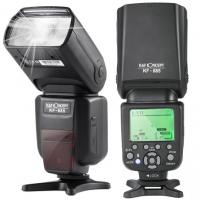
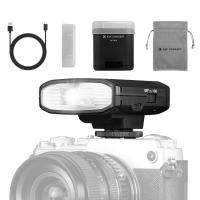
If you're using an external flash, consider repositioning it further away from the camera's lens. When the flash’s angle isn’t aligned with the lens, the reflection misses the camera's perspective, thereby preventing red-eye.
3. Increase Ambient Light
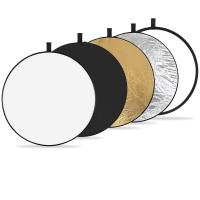
By brightening the environment, you can cause the pupils to shrink naturally, which reduces the risk of red-eye. Use additional lighting in the room or adjust your camera settings to avoid flash use altogether.
4. Encourage the Subject to Avoid Direct Eye Contact
Ask your subjects to slightly avert their gaze instead of staring straight into the lens of the camera. This small adjustment can drastically reduce red-eye since the light doesn’t directly reflect off their retina.
5. Opt for Off-Camera Flash Techniques
Professional photographers often use off-camera lighting setups. This allows the flash to bounce off walls or ceilings, creating softer lighting and eliminating red-eye entirely.
Post-Production Fixes for Red-Eye
Even with preventive measures, some photos may still feature this issue. Thankfully, technological advancements have made red-eye correction easier than ever.
Editing on Smartphones or Computers
Built-In Photo Editing Tools
Most smartphones include basic photo editing software with tools to correct red-eye. Apps like Apple Photos and Google Photos allow you to tap on the red-eyed area to fix it automatically.
Professional Editing Software
For photographers using software like Adobe Photoshop or Lightroom, red-eye correction tools are more precise. Simply select the affected area and apply the red-eye removal tool to restore natural eye color.
Using Third-Party Apps
There are numerous apps available for red-eye correction. Some popular options include:
Facetune: Offers customizable tools for red-eye removal alongside broader edits.
Snapseed: A free, powerful app with a simple user interface for fixing red-eye.
PhotoWorks: Designed specifically for red-eye correction and other touch-ups.
Why Red-Eye Isn’t Always a Bad Thing
Interestingly, the appearance of red-eye in photographs has served important purposes outside of casual photography. In medical contexts, particularly in children, red-eye can sometimes reveal hidden eye conditions such as cataracts or retinal diseases. While red-eye may ruin some photos aesthetically, examining it closely can occasionally offer diagnostic cues for certain eye issues.
Special Cases: Blue, White, or Yellow Reflections Instead of Red
Occasionally, you might notice colors other than red reflected in the eyes during flash photography. These cases typically result from underlying medical conditions or other factors:
Blue or white eye reflection: Could be an indication of cataracts.
Yellowish eye reflections: Could signal retinoblastoma (a rare form of cancer).
Though these occurrences are rare, they highlight the importance of observing such anomalies closely for potential medical attention.
Tips for Professional Photographers
For professional photographers, eliminating red-eye isn’t just about aesthetics—it’s also about maintaining credibility and delivering polished results. Some additional considerations include:
1. Invest in quality flash diffusers: These can scatter the light evenly and reduce harsh reflections.
2. Use manual camera settings: Control aperture, shutter speed, and ISO to compensate for challenging lighting conditions without relying solely on flash.
3. Check your camera’s lens alignment: Red-eye is more likely when the flash and lens are close together in small cameras. Using larger DSLR cameras with detachable flashes can help.
The red-eye effect in flash photography, though an annoying complication, is ultimately a solvable issue with a little understanding and preparation. Whether you're a casual hobbyist or professional photographer, taking measures to prevent red-eye during shooting, coupled with effective correction techniques during post-production, can help ensure your photos look natural and polished.
Remember, the key lies in understanding the mechanics and making slight adjustments. By modernizing your photography setup and using available tools and techniques, you can master the art of red-eye-free photography with ease.
So, the next time someone asks how to avoid or correct red-eye in photos, you’ll not only have the solution but also an explanation of why it occurs in the first place. Happy shooting!